
Last reviewed: April 24, 2026. This DeepSeek login guide helps you choose the correct official sign-in path for DeepSeek Chat, the DeepSeek mobile app, and the DeepSeek developer platform. It also explains the no-login alternative available on Chat-Deep.ai.
Important: Chat-Deep.ai is an independent DeepSeek guide and browser chat site. It is not affiliated with, endorsed by, or operated by DeepSeek, DeepSeek.com, the official DeepSeek app, or the official DeepSeek developer platform. Do not enter your DeepSeek password, API key, payment details, or official account recovery codes on Chat-Deep.ai.
DeepSeek’s official account access is handled only through DeepSeek’s own web chat, mobile app, and developer platform. Chat-Deep.ai does not manage official DeepSeek accounts, billing, API keys, password resets, chat history, app downloads, or platform support.
Quick answer:
- Official DeepSeek web chat login: Use the official DeepSeek Chat site at chat.deepseek.com or the direct sign-in page at chat.deepseek.com/sign_in.
- Official DeepSeek app: Use DeepSeek’s official app download page at download.deepseek.com/app, then sign in inside the app if prompted.
- Official DeepSeek API platform: Use platform.deepseek.com or platform.deepseek.com/sign_in to manage developer access and API keys.
- No-login Chat-Deep.ai alternative: Use Chat-Deep.ai Browser Chat for a quick independent browser chat experience without creating a Chat-Deep.ai account. This is not the official DeepSeek web chat and may differ from official DeepSeek services.
Official DeepSeek login links
Use official DeepSeek links whenever you need account access, password reset, app login, API keys, billing, usage history, privacy terms, or official support.
| Task | Official destination | Use this when |
|---|---|---|
| Open the official DeepSeek website | DeepSeek.com | You want the official entry point for DeepSeek web chat, app access, API access, product updates, and official links. |
| Log in to DeepSeek Chat | Official DeepSeek Chat sign-in | You want the official browser-based DeepSeek chat experience with official account access. |
| Create a DeepSeek account | Official DeepSeek Chat sign-up | You are new to DeepSeek and need to create an official account before using account-based features. |
| Reset a DeepSeek password | Official DeepSeek password reset | You cannot sign in and need DeepSeek to send a password reset code or recovery instructions. |
| Download the DeepSeek app | Official DeepSeek app page | You want the official mobile app path for supported iOS or Android devices. |
| Log in to the API platform | DeepSeek Platform login | You need developer tools, API keys, billing, usage information, or official API documentation. |
| Start without a Chat-Deep.ai account | Chat-Deep.ai Browser Chat | You want a simple independent browser chat page with no Chat-Deep.ai registration. This is not official DeepSeek account access. |
How to sign in to official DeepSeek Chat
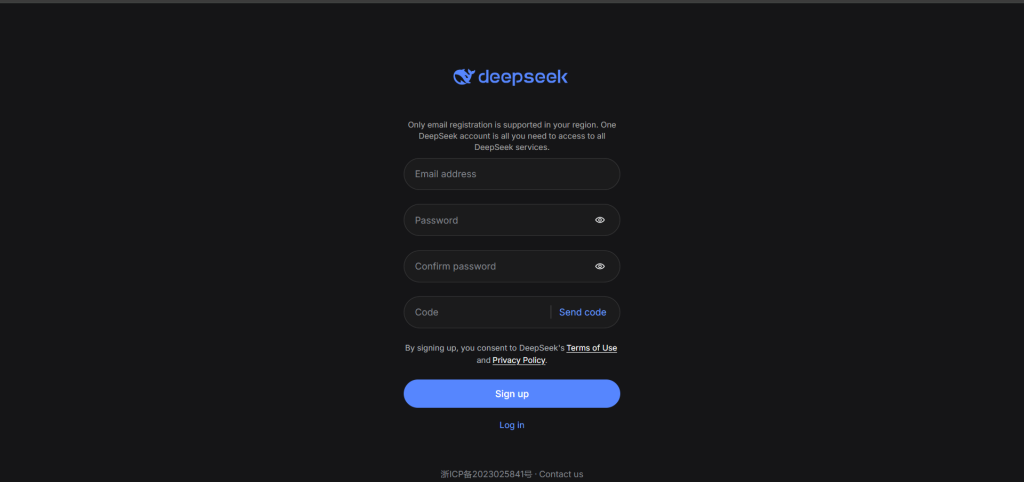
For the official web chat experience, use DeepSeek’s own chat domain. This is the correct path when you want official account login, official chat history behavior, official product settings, or the current official DeepSeek web experience.
- Open the official chat site: Go to chat.deepseek.com.
- Choose Log In or Sign Up: If you already have a DeepSeek account, use the login option. If you are new, use the official sign-up flow.
- Use the method shown by DeepSeek: Depending on region and platform availability, DeepSeek may show email, phone, password, verification code, Google, Apple, or other supported sign-in options. Use the same method you used when creating the account.
- Start using the official chat: After a successful login, continue inside the official DeepSeek interface. If the interface, model availability, or account settings change, follow the instructions shown directly by DeepSeek.
How to sign in to the official DeepSeek mobile app
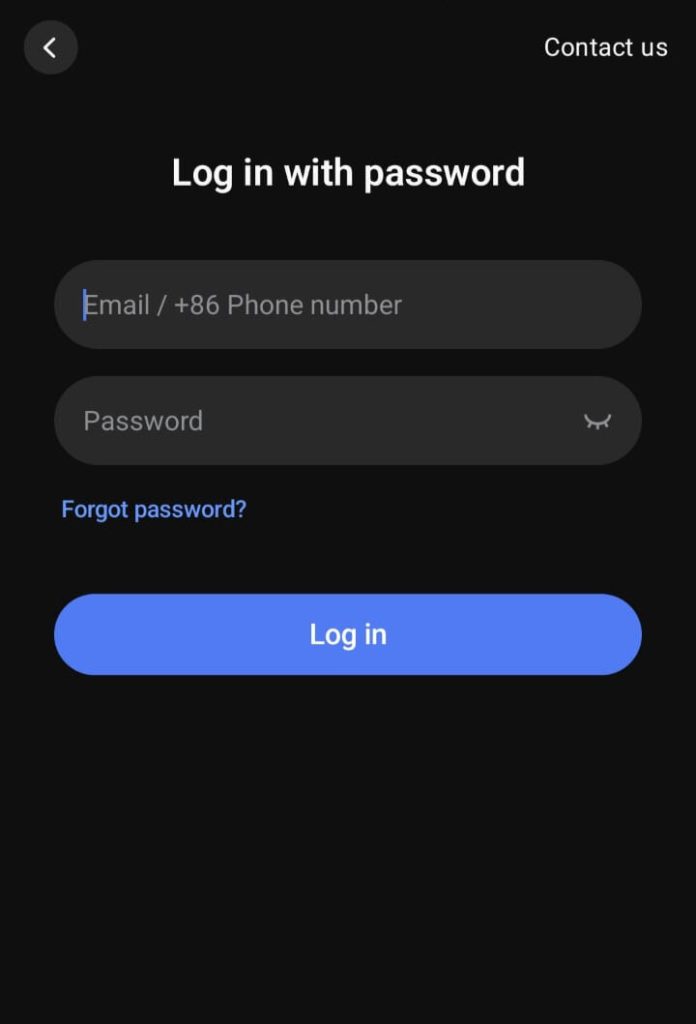
The official DeepSeek mobile app is the right path when you want DeepSeek on your phone or tablet. Start from DeepSeek’s own app download page or from the app store listing linked from official DeepSeek sources.
- Install the official app: Go to download.deepseek.com/app or use the app store listing linked from official DeepSeek pages.
- Open the app: Launch the app on your device and follow the account prompt shown in the app.
- Log in or sign up: Use your existing DeepSeek account, or create a new one if the app prompts you to register.
- Review app privacy details: App-store privacy labels and DeepSeek’s official privacy policy may describe what data is collected, linked to you, or shared. Always review the current listing for your device and region before using the app with sensitive content.
How to log in to the DeepSeek Platform for API access
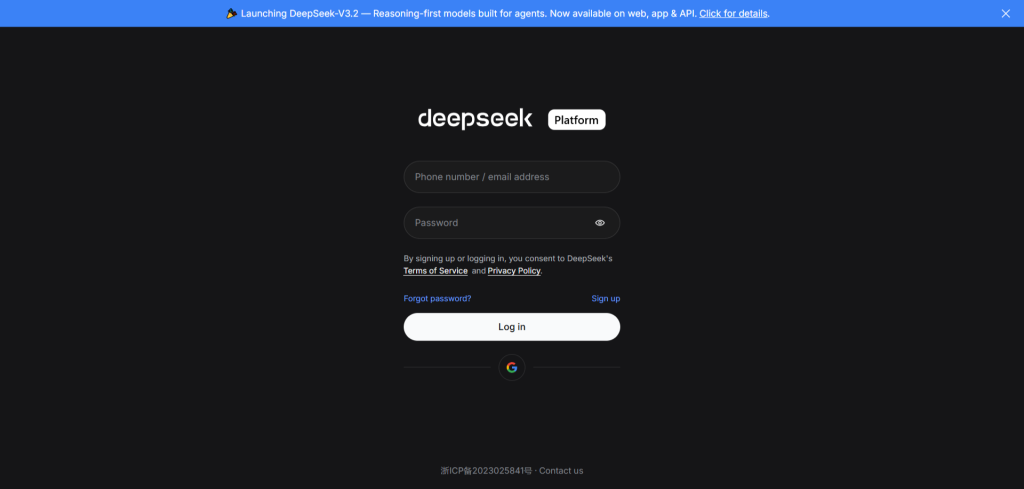
Use the DeepSeek Platform when you need developer access, API keys, usage tracking, billing, documentation, or model configuration for applications. This is separate from using an informal browser chat page.
- Open the official developer platform: Go to platform.deepseek.com.
- Sign in or register: Use platform.deepseek.com/sign_in if you already have access, or use platform.deepseek.com/sign_up if you need to create a platform account.
- Create and protect your API key: DeepSeek’s API documentation says you must create an API key before using the API. Keep your API key private and never paste it into public pages, browser chat boxes, comments, or screenshots.
- Check current API docs before production use: As of this review, DeepSeek’s official API docs list
deepseek-v4-flashanddeepseek-v4-proas the current API model IDs, whiledeepseek-chatanddeepseek-reasonerare legacy compatibility aliases. Always verify the official docs before shipping code or estimating costs.
Do you need a DeepSeek account?
For official DeepSeek account features, yes. Use an official DeepSeek account when you need the official web chat, official app account access, developer platform access, API keys, billing, usage controls, saved account settings, or official support.
For Chat-Deep.ai, no Chat-Deep.ai account is required for the browser chat experience. Chat-Deep.ai is designed for quick independent browser access, but it is not a replacement for DeepSeek’s official account system. It cannot reset your DeepSeek password, manage your official chat history, create API keys, handle billing, or provide official DeepSeek support.
If your goal is account management, security settings, privacy requests, API billing, or official product access, use DeepSeek’s official login pages. If your goal is quick independent browser chat with no Chat-Deep.ai registration, use Chat-Deep.ai Browser Chat.
Use Chat-Deep.ai without a DeepSeek login
Chat-Deep.ai Browser Chat is a no-login alternative for visitors who want a simple browser-based AI chat page. It does not require a Chat-Deep.ai account, and it will not ask for your DeepSeek account password.
- No Chat-Deep.ai registration: Open Chat-Deep.ai Browser Chat, type your prompt, and start. There is no Chat-Deep.ai sign-up form for normal chat use.
- Independent experience: Chat-Deep.ai is not the official DeepSeek web chat. Features, response behavior, limits, privacy handling, model routing, and account-linked capabilities can differ from official DeepSeek services.
- Local history where available: Chat-Deep.ai may keep recent chat history locally in your browser for convenience. This is not the same as official DeepSeek account history.
- Temporary processing may occur: Your prompts and responses may be transmitted temporarily to an AI model provider, API provider, or technical delivery layer to generate responses, maintain reliability, prevent abuse, and troubleshoot errors. Do not submit passwords, API keys, payment data, private documents, or regulated personal data.
For official DeepSeek account access, use DeepSeek’s own login pages. For a quick independent no-account chat page, use Chat-Deep.ai Browser Chat.
DeepSeek login not working?
If you cannot log in to DeepSeek, first confirm whether the problem is with the official DeepSeek web chat, the mobile app, or the developer platform. Each path may have different account prompts, cookies, region availability, billing checks, or security controls.
- Check the URL: For official chat, use chat.deepseek.com. For API access, use platform.deepseek.com. Avoid lookalike domains and pages asking for unnecessary credentials.
- Use the same login method: If you registered with email, phone, Google, Apple, or another method shown by DeepSeek, try signing in with that same method. Available options can vary by region, device, and platform.
- Reset your password: Use the official password reset page at chat.deepseek.com/forgot_password. Enter the email address or phone number associated with the account if DeepSeek asks for it.
- Check verification messages: If DeepSeek sends a code or link, check your inbox, spam folder, SMS messages, and the exact account identifier you entered.
- Fix browser issues: Try refreshing the page, clearing cookies for the official DeepSeek domain, disabling conflicting extensions, using another browser, or testing in a private/incognito window.
- Fix app issues: Update the official DeepSeek app, restart the device, check your network connection, and reinstall only from official app-store links if necessary.
- API platform problems: If you can log in to chat but not the API platform, check platform registration, API key status, account balance, billing requirements, rate limits, and official platform notices.
- Email domain or registration errors: If DeepSeek shows an error about your email domain, phone number, region, verification, or registration availability, follow the exact on-screen instructions from DeepSeek or try another supported sign-up method shown by the official page.
- Possible service issue: If multiple users are affected, check the official DeepSeek status page at status.deepseek.com and try again after the incident is resolved.
If none of the steps work, contact DeepSeek through official support or the official developer support channel shown in DeepSeek’s documentation. Chat-Deep.ai cannot access, recover, unlock, or modify your official DeepSeek account.
Privacy and security notes before logging in
Use the official DeepSeek privacy policy and terms of use for decisions about DeepSeek account data, prompts, uploaded files, device information, cookies, payment information, and data rights. DeepSeek’s privacy policy describes several types of personal data that may be collected when users create accounts, use the services, enter prompts, upload files, contact support, or use paid open platform services.
- Never share secrets: Do not paste passwords, API keys, verification codes, payment card details, private credentials, private keys, or confidential business data into any chat page unless your organization has approved that workflow.
- Use official login pages only: DeepSeek passwords and account recovery codes should only be entered on official DeepSeek domains or official app screens.
- Review official policies: Read DeepSeek’s Privacy Policy and Terms of Use before using official DeepSeek services with sensitive content.
- Review Chat-Deep.ai policies separately: Chat-Deep.ai is independent, so its privacy policy and terms are separate from DeepSeek’s official policies.
- Protect developer credentials: Treat DeepSeek API keys like passwords. Store them securely, rotate exposed keys, and avoid including them in browser screenshots, client-side code, public repositories, or support messages.
FAQ
What is the official DeepSeek login page?
The official DeepSeek Chat login path is chat.deepseek.com/sign_in. For API and developer access, use platform.deepseek.com/sign_in. Always check that you are on an official DeepSeek domain before entering account credentials.
Do I need an account to use DeepSeek?
You need an official DeepSeek account for official account-based features such as web chat login, app login, API platform access, API keys, billing, and account support. Chat-Deep.ai does not require a Chat-Deep.ai account for its independent browser chat page, but it is not the official DeepSeek service.
How do I create a DeepSeek account?
Go to an official DeepSeek sign-up page such as chat.deepseek.com/sign_up for chat access or platform.deepseek.com/sign_up for developer platform access. Follow the current DeepSeek prompts for email, phone, password, verification code, Google, Apple, or any other sign-up method shown in your region.
What if I forgot my DeepSeek password?
Use the official DeepSeek password reset page at chat.deepseek.com/forgot_password. Enter the account email address or phone number if DeepSeek asks for it, then follow the verification code or reset instructions sent by DeepSeek.
Can I use DeepSeek without signing in?
For official DeepSeek services, use the account flow shown by DeepSeek. For a no-login independent browser chat option, you can use Chat-Deep.ai Browser Chat. Chat-Deep.ai is not the official DeepSeek web chat and does not provide official DeepSeek account features.
Is Chat-Deep.ai affiliated with DeepSeek?
No. Chat-Deep.ai is an independent DeepSeek guide and browser chat site. It is not affiliated with, endorsed by, or operated by DeepSeek, DeepSeek.com, the official DeepSeek app, or the official DeepSeek developer platform.
Do I need a separate login for the DeepSeek API?
For developer access, sign in through the official DeepSeek Platform at platform.deepseek.com. DeepSeek’s API documentation says you must create an API key before using the API, and API requests authenticate with bearer authorization. Keep API keys private.
Why is DeepSeek login not working?
Common causes include using the wrong portal, entering the wrong email or phone number, using a different login method from the one used at registration, expired verification codes, browser cookie issues, app-version problems, region availability, platform billing or API account restrictions, or a temporary DeepSeek service incident. Use official DeepSeek login, reset, support, and status pages to troubleshoot.
Will Chat-Deep.ai ask for my DeepSeek password?
No. Chat-Deep.ai does not manage official DeepSeek accounts and should never need your DeepSeek password, API key, recovery code, or payment details. Enter official credentials only on official DeepSeek domains or official app screens.