This guide explains how to route Claude Code’s terminal client through DeepSeek’s Anthropic-compatible API endpoint — step by step. You will learn how to install Claude Code using Anthropic’s recommended native method, configure the right environment variables for DeepSeek’s gateway, verify your setup, and understand exactly what works and what does not on this route.
We also cover model naming behavior, timeout and rate-limit handling, API pricing differences versus native Claude, and common errors with their fixes. Everything here is grounded in DeepSeek’s current Anthropic API docs and Anthropic’s current Claude Code documentation, with explicit source links throughout.
What “using DeepSeek in Claude Code” actually mean
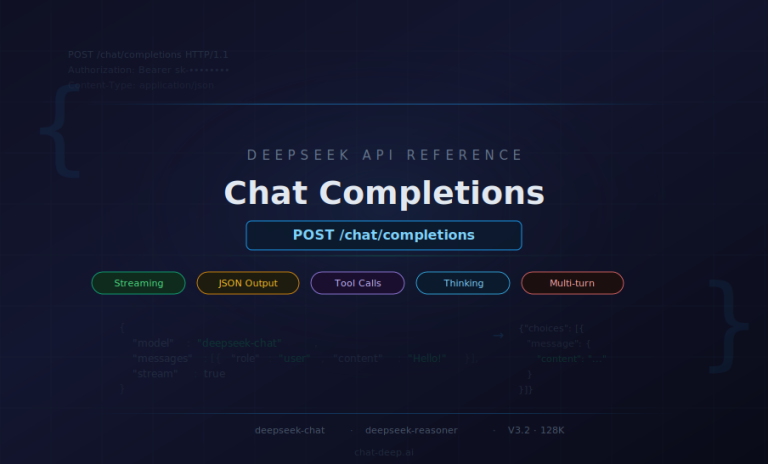
This setup does not turn DeepSeek into a first-party Claude provider. It means Claude Code’s terminal client sends Anthropic-format requests to DeepSeek’s https://api.deepseek.com/anthropic endpoint instead of Anthropic’s own API. DeepSeek says this endpoint exists to support the Anthropic API ecosystem, and its current API docs show deepseek-chat and deepseek-reasoner as DeepSeek-V3.2 API models with a 128K context window, distinct from the app/web version. Anthropic’s own API overview frames this kind of routing as a third-party or proxy-style access pattern rather than direct Claude API access. For the broader API surface, see our DeepSeek API Guide.
That distinction matters because Claude Code’s behavior depends on the API surface it sees. Anthropic’s gateway docs say Claude Code expects an Anthropic Messages-compatible surface for this kind of setup, and warns that missing forwarded headers or body fields can reduce functionality. DeepSeek does provide a compatible endpoint, but it also documents several ignored fields and unsupported content types, so you should expect “works well for text-first CLI coding” rather than “identical to direct Anthropic feature coverage.”
Requirements before you start
Before you begin, use a current Claude Code install, a DeepSeek API key, and a normal terminal workflow. Anthropic’s gateway docs list an up-to-date Claude Code install as a prerequisite, Anthropic’s setup docs recommend native installation as the default path, Windows requires Git for Windows, and DeepSeek’s error-code docs point users to creating an API key if they do not already have one.
Anthropic also makes an important surface distinction: the Terminal CLI and VS Code support third-party providers, but ANTHROPIC_AUTH_TOKEN and ANTHROPIC_API_KEY apply to terminal CLI sessions only. Claude Desktop and remote sessions use OAuth and do not read those API-key environment variables. So this guide is deliberately CLI-first.
Use DeepSeek in Claude Code: recommended installation path
As of March 31, 2026, DeepSeek’s own Anthropic guide still shows:
npm install -g @anthropic-ai/claude-code
But Anthropic’s current Quickstart and Advanced setup pages recommend native install first, and the setup page explicitly says npm installation is deprecated. Anthropic also says native installs auto-update in the background, while Homebrew and WinGet do not. That makes native install the best default, with npm kept only as a fallback for compatibility cases.
Native install example
# macOS / Linux / WSL
curl -fsSL https://claude.ai/install.sh | bash
On Windows PowerShell:
irm https://claude.ai/install.ps1 | iex
On Windows CMD:
curl -fsSL https://claude.ai/install.cmd -o install.cmd && install.cmd && del install.cmd
These commands come from Anthropic’s current Quickstart and setup docs. Windows also requires Git for Windows.
npm fallback example
npm install -g @anthropic-ai/claude-code
Use npm only if you have a compatibility reason. Anthropic’s setup docs now call npm installation deprecated, say the native installer is faster and dependency-free, and recommend migrating older npm installs to native. If you do use npm, Anthropic says you need Node.js 18+ and should not use sudo npm install -g.
DeepSeek environment variable setup
DeepSeek’s Claude Code example uses ANTHROPIC_AUTH_TOKEN, not ANTHROPIC_API_KEY, for the Claude Code route. That matches Anthropic’s authentication docs: ANTHROPIC_AUTH_TOKEN is the bearer-token path for gateways and proxies, while ANTHROPIC_API_KEY is the first-party Claude API key path. ANTHROPIC_BASE_URL reroutes the client to DeepSeek’s endpoint, ANTHROPIC_MODEL chooses the startup model, and ANTHROPIC_DEFAULT_HAIKU_MODEL controls the Haiku-class slot that Claude Code uses for background functionality. CLAUDE_CODE_DISABLE_NONESSENTIAL_TRAFFIC=1 disables updater, feedback, error reporting, and telemetry extras.
| Variable | Why set it | Recommended value |
|---|---|---|
ANTHROPIC_BASE_URL | Route Claude Code to DeepSeek’s Anthropic-compatible endpoint | https://api.deepseek.com/anthropic |
ANTHROPIC_AUTH_TOKEN | Send your DeepSeek API key as a bearer token | your DeepSeek API key |
API_TIMEOUT_MS | Prevent long outputs from timing out the Claude Code client | 600000 |
ANTHROPIC_MODEL | Pin the active model explicitly at session start | deepseek-chat |
ANTHROPIC_DEFAULT_HAIKU_MODEL | Map Haiku-class background work to a DeepSeek model | deepseek-chat |
CLAUDE_CODE_DISABLE_NONESSENTIAL_TRAFFIC | Reduce nonessential updater/feedback/telemetry traffic | 1 |
ANTHROPIC_CUSTOM_MODEL_OPTION (optional) | Add a visible DeepSeek model entry to /model | deepseek-chat |
Variable meanings are based on the current DeepSeek guide plus Anthropic’s current environment-variable, model-configuration, and authentication docs.
macOS/Linux setup example
export ANTHROPIC_BASE_URL=https://api.deepseek.com/anthropic
export ANTHROPIC_AUTH_TOKEN=YOUR_DEEPSEEK_API_KEY
export API_TIMEOUT_MS=600000
export ANTHROPIC_MODEL=deepseek-chat
export ANTHROPIC_DEFAULT_HAIKU_MODEL=deepseek-chat
export CLAUDE_CODE_DISABLE_NONESSENTIAL_TRAFFIC=1

claude --version
claude doctor
claude
This is the cleanest CLI path for macOS, Linux, and WSL based on the current DeepSeek and Anthropic documentation.
Windows setup example
irm https://claude.ai/install.ps1 | iex

$env:ANTHROPIC_BASE_URL = "https://api.deepseek.com/anthropic"
$env:ANTHROPIC_AUTH_TOKEN = "YOUR_DEEPSEEK_API_KEY"
$env:API_TIMEOUT_MS = "600000"
$env:ANTHROPIC_MODEL = "deepseek-chat"
$env:ANTHROPIC_DEFAULT_HAIKU_MODEL = "deepseek-chat"
$env:CLAUDE_CODE_DISABLE_NONESSENTIAL_TRAFFIC = "1"

claude --version
claude doctor
claude
Anthropic’s setup docs use PowerShell for the recommended Windows install path and note that Windows requires Git for Windows.
First launch and verification steps
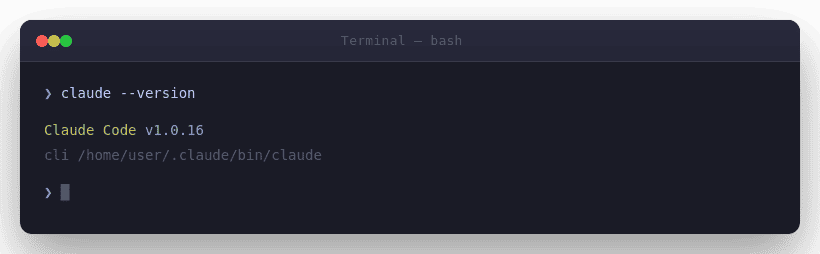
After exporting your variables, run claude --version and claude doctor.
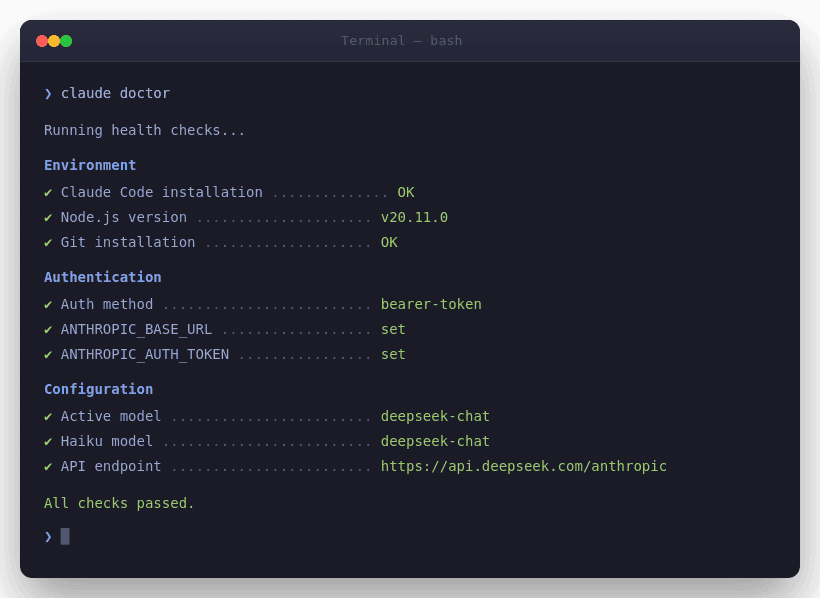
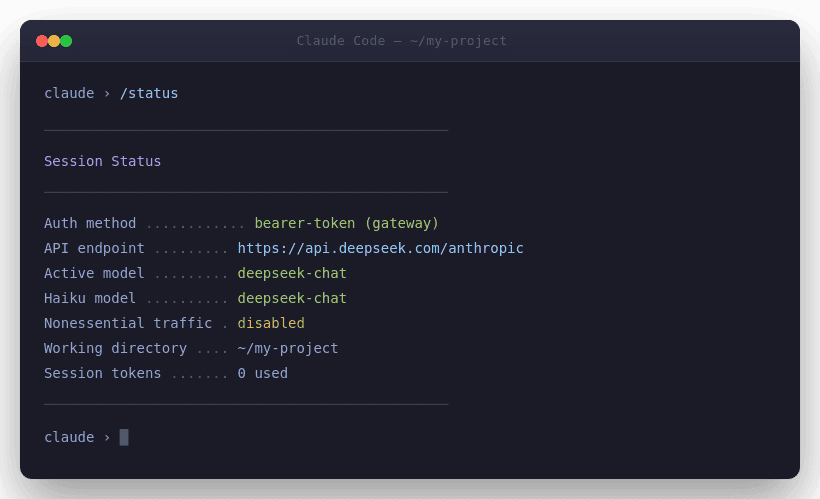
If the client behaves oddly, Anthropic’s troubleshooting guide recommends checking for conflicting installations with which -a claude on macOS/Linux or where.exe claude on Windows, then removing extras so one preferred install remains. Once you are in the session, use /status to confirm which auth path is active and which model Claude Code thinks it is using.
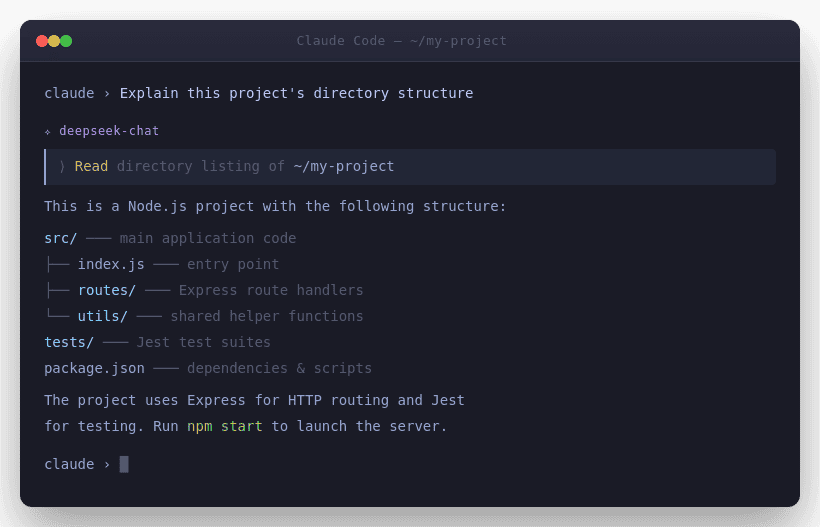
A minimal sanity test is simple: start Claude Code in a small repo, ask it to explain the directory structure, then ask for a tiny edit and review the diff. Because Claude Code’s core value is local file access and command execution, a text-first repo task is a better first test than any image, browser, or MCP-heavy workflow. If you want better coding prompts after setup, our DeepSeek Prompts page is a useful companion.
What works vs what does not
| What works | What breaks | Notes |
|---|---|---|
| Basic text prompts, system prompts, streaming, and normal message flow | image, document, and search_result content blocks | DeepSeek supports text-centric Anthropic-format requests, but not those content types |
| Bearer-token gateway auth in Terminal CLI | Desktop and remote sessions via API-key env vars | Anthropic says ANTHROPIC_AUTH_TOKEN / ANTHROPIC_API_KEY are terminal-only |
| Explicit DeepSeek model IDs | Relying on unsupported model names | DeepSeek auto-remaps unsupported names to deepseek-chat |
Basic tool schemas and tool_choice | MCP/server/web-search/code-execution tool result blocks | DeepSeek supports core tool fields, but not several advanced/result block types |
| Text-first terminal (CLI) workflows | Claude in Chrome (separate feature, not part of this setup) | Claude in Chrome is a paid Claude feature, while gateway/proxy authentication using ANTHROPIC_AUTH_TOKEN applies to terminal CLI sessions rather than browser-based integrations |
Table based on DeepSeek’s Anthropic compatibility page and Anthropic’s current auth and Chrome docs.
Anthropic compatibility limitations explained simply
The real limit here is not syntax; it is parity. DeepSeek says the endpoint ignores anthropic-beta and anthropic-version, ignores fields such as container, mcp_servers, metadata, service_tier, top_k, and several cache_control fields, supports thinking but ignores budget_tokens, and ignores disable_parallel_tool_use in tool_choice. Anthropic’s gateway docs warn that missing forwarded headers or preserved body fields may reduce functionality or block features. In plain English: normal text-centric CLI work is the safe path; beta-heavy, MCP-heavy, and provider-specific features are not.
There is also a subtle MCP caveat. Anthropic’s env-var docs say that when ANTHROPIC_BASE_URL points to a non-first-party host, MCP tool search is handled differently and can require extra configuration. But DeepSeek’s compatibility table marks mcp_servers, mcp_tool_use, and mcp_tool_result as ignored or unsupported. So this route is not where you should expect your most complex MCP-heavy workflows to be at their best.
Model naming and routing behavior
Two official references are relevant here. Claude Code supports setting the startup model with ANTHROPIC_MODEL, and Anthropic also documents ANTHROPIC_CUSTOM_MODEL_OPTION for adding a custom model ID to the /model picker in gateway-style deployments. Anthropic notes that this custom option skips model-ID validation, so it can be used with any model string your endpoint accepts. Separately, DeepSeek states that if you send an unsupported model name to its Anthropic-compatible API, the backend automatically maps it to deepseek-chat. In practice, that means you should explicitly set a real DeepSeek model ID such as deepseek-chat instead of relying on Anthropic aliases like sonnet or opus when you are routing Claude Code to a non-Anthropic endpoint.
If you want the /model picker to display a real DeepSeek option instead of relying on hidden remapping, add a custom model entry:
export ANTHROPIC_CUSTOM_MODEL_OPTION="deepseek-chat"
export ANTHROPIC_CUSTOM_MODEL_OPTION_NAME="DeepSeek Chat"
export ANTHROPIC_CUSTOM_MODEL_OPTION_DESCRIPTION="DeepSeek via Anthropic-compatible endpoint"
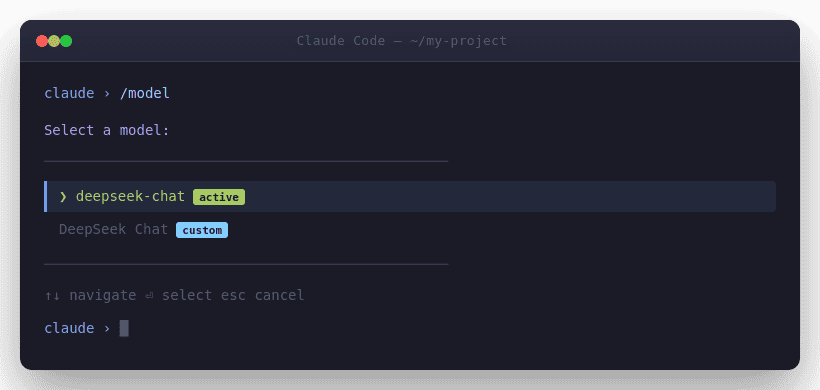
Anthropic documents this custom model option specifically for gateway deployments and notes that Claude Code skips validation for the model ID you supply there.
If you want to experiment with deepseek-reasoner, do it deliberately. DeepSeek lists it as a current API model and supports thinking, but the official Claude Code example is pinned to deepseek-chat, and the compatibility page notes that budget_tokens inside thinking is ignored. So deepseek-reasoner is a test path, not the safest default for a production CLI workflow.
Timeout, rate, and performance considerations
DeepSeek explicitly sets API_TIMEOUT_MS=600000 in its Claude Code example to avoid long outputs causing the client to time out. That is especially relevant when you test long reasoning chains or large repo edits. DeepSeek also says account-level rate limits are dynamic based on real-time traffic and short-term historical usage, and that they cannot currently be increased per account. When you see 429 or 503, treat that as a pacing/retry problem first, not a signal that your setup is fundamentally wrong.
In practice, start stable before you start fancy. Use deepseek-chat first, keep outputs modest, and only test heavier reasoning once the base route is working cleanly. If a turn takes too long, shorten the task, reduce expected output, or retry later instead of immediately assuming a field-format bug.
Cost comparison: DeepSeek vs native Claude API pricing
On list price, this route can be attractive. DeepSeek’s current API docs price deepseek-chat / deepseek-reasoner at $0.028 per MTok cache-hit input, $0.28 per MTok cache-miss input, and $0.42 per MTok output. Anthropic’s current first-party pricing lists Claude Haiku 4.5 at $1 input / $0.10 cache-hit / $5 output, Claude Sonnet 4.6 at $3 input / $0.30 cache-hit / $15 output, and Claude Opus 4.6 at $5 input / $0.50 cache-hit / $25 output. This is not a capability-equivalence claim; it is a routing-cost comparison only. You can cross-check this with our DeepSeek pricing hub, our DeepSeek vs Claude comparison, and the DeepSeek API cost calculator.
| Provider / model | Cache-hit input | Standard input | Output |
|---|---|---|---|
DeepSeek API (deepseek-chat / deepseek-reasoner) | $0.028 / MTok | $0.28 / MTok | $0.42 / MTok |
| Claude Haiku 4.5 | $0.10 / MTok | $1 / MTok | $5 / MTok |
| Claude Sonnet 4.6 | $0.30 / MTok | $3 / MTok | $15 / MTok |
| Claude Opus 4.6 | $0.50 / MTok | $5 / MTok | $25 / MTok |
Pricing table based on DeepSeek’s current Models & Pricing page and Anthropic’s current Pricing page. DeepSeek also notes that product prices may change and recommends checking the page regularly.
That makes the tradeoff straightforward: if you care most about lower token spend and a familiar CLI workflow, DeepSeek is compelling. If you care most about direct Anthropic billing, first-party support, and maximum feature coverage, native Claude still has the cleaner story. Anthropic’s own API overview says direct Claude API access gets the latest models and features first.
Common errors and fixes
When this setup fails, it usually fails in predictable ways: wrong auth header, unsupported content types, ambiguous model selection, or multiple Claude installations. Use the table below as your first-pass checklist, then see our broader DeepSeek not working troubleshooting guide for follow-up.
| Symptom | Likely cause | Fix |
|---|---|---|
401 Authentication Fails | Wrong DeepSeek key or wrong auth method | Use ANTHROPIC_AUTH_TOKEN for this route, verify the key, and check /status |
400 Invalid Format or 422 Invalid Parameters | Sending unsupported fields or content types | Remove unsupported message blocks like image / document / search_result and simplify the request path |
| Long hang or timeout | Long output + no explicit timeout | Set API_TIMEOUT_MS=600000, shorten the task, and retry |
429 or 503 | Dynamic rate limiting or server pressure | Pace requests and retry with backoff |
| Model seems wrong | Unsupported name got remapped to deepseek-chat | Pin ANTHROPIC_MODEL explicitly and optionally add ANTHROPIC_CUSTOM_MODEL_OPTION |
| Weird version or PATH behavior | Multiple Claude installs | Run which -a claude or where.exe claude, then keep one install |
| CLI auth behaves unexpectedly | Old Anthropic env vars still set | Clear stale ANTHROPIC_API_KEY and verify the active auth method with /status |
Troubleshooting guidance above is grounded in DeepSeek’s current error-code docs plus Anthropic’s current setup, auth, and troubleshooting documentation.
Security notes for API key handling
For secrets, prefer shell environment variables or an apiKeyHelper script over hardcoding tokens in shared project files. Anthropic documents apiKeyHelper for dynamic credentials and says bearer-token auth via ANTHROPIC_AUTH_TOKEN is the right path when routing through a gateway or proxy. Anthropic also makes clear that ANTHROPIC_AUTH_TOKEN and ANTHROPIC_API_KEY are terminal-only, so this is another reason to keep the setup scoped to the CLI.
One more practical warning: Anthropic’s auth precedence puts ANTHROPIC_AUTH_TOKEN above ANTHROPIC_API_KEY, and ANTHROPIC_API_KEY above normal subscription OAuth. If you leave old credentials in your shell, you can end up debugging the wrong provider. Remove ambiguity before testing: one install, one auth method, one explicit model.
When to use this setup
Use this setup when you want Claude Code’s agentic terminal workflow, lower API spend, and a text-first coding loop, and you are comfortable giving up some first-party Anthropic features or perfect API parity. It is a pragmatic fit for prototyping, internal tooling, refactors, and cost-sensitive engineering work more than for maximum feature completeness.
When native Claude is still the better option
Native Claude remains the better choice when you need direct Anthropic billing and support, the latest features first, Chrome integration, or product surfaces that rely on OAuth such as Desktop and remote sessions. Anthropic’s API overview says direct Claude API access gets the latest models and features first, and its authentication and Chrome docs make clear that some surfaces and features remain tied to direct Anthropic plans or OAuth flows.
FAQ
Can I use DeepSeek in Claude Code officially?
DeepSeek officially documents a Claude Code setup against its Anthropic-compatible endpoint, and Anthropic officially documents gateway/proxy routing in Claude Code. But Anthropic does not present DeepSeek as a first-party Claude provider, so this is best understood as an officially documented compatibility route from the DeepSeek side plus a supported gateway pattern from the Claude Code side.
Does Claude Code support third-party providers for this workflow?
Yes, but with an important distinction. Anthropic says the Terminal CLI and VS Code support third-party providers, while the bearer-token environment-variable route documented here applies to terminal CLI sessions. Desktop and remote sessions use OAuth instead.
Which Claude Code surfaces support this setup?
The safest answer is: Terminal CLI. Anthropic’s auth docs say ANTHROPIC_AUTH_TOKEN and ANTHROPIC_API_KEY apply to terminal sessions only, and Desktop/remote sessions use OAuth. VS Code supports third-party providers in general, but this article is intentionally written around the terminal path because that is the clearest documented route for DeepSeek bearer-token auth.
Should I use native install or npm?
Use native install unless you have a compatibility reason not to. Anthropic’s current Quickstart and setup docs recommend native install, and the setup docs explicitly say npm installation is deprecated. DeepSeek’s page still shows npm, but that is no longer the best default.
Can I use deepseek-reasoner in this setup?
Probably yes, but not as the safest default. DeepSeek lists deepseek-reasoner as a current API model and supports thinking, yet its official Claude Code example uses deepseek-chat. Because unsupported model names are auto-remapped to deepseek-chat, you should test deepseek-reasoner explicitly and verify the active model before depending on it.
Why is my model name being ignored or remapped?
Because DeepSeek says unsupported model names sent to its Anthropic-compatible endpoint are automatically mapped to deepseek-chat. Claude Code can pass ANTHROPIC_MODEL through as-is, so the safest approach is to pin an explicit DeepSeek model ID and optionally add it as a custom model option in the picker.
Why do image or document inputs fail?
Because DeepSeek’s compatibility table marks image, document, and search_result message content types as not supported on this endpoint. The route is much stronger for text-first CLI work than for multimodal or provider-specific message features.
Is this cheaper than using native Claude API models?
On current list price, yes, often dramatically so on token cost alone. DeepSeek’s current API prices are lower than Anthropic’s current first-party Claude API prices for Haiku, Sonnet, and Opus. But that is a cost comparison, not a model-capability equivalence claim.
Conclusion
DeepSeek in Claude Code is worth using if you think of it as a gateway-style, text-first, budget-conscious CLI setup. Install Claude Code natively, use ANTHROPIC_AUTH_TOKEN, pin a real DeepSeek model ID, verify the active route with claude doctor and /status, and do not expect perfect Anthropic feature parity. The cleaner you keep the setup — one install, one auth method, one explicit model — the more useful it becomes.
For everything else DeepSeek offers — chat, app, models, and pricing — visit our DeepSeek AI hub.