Category DeepSeek Comparisons

Compare DeepSeek with ChatGPT, Claude, Gemini and other AI tools by the work you want to finish. For everyday chat, look at writing, files and free access. For research, compare sources and the report you get back. For coding or your own application, the development tools, API and deployment options matter more.

The guides below explain those differences, including when paying changes what you can do. If you are still getting familiar with the product, our DeepSeek guide explains the main ways to use it.

Which DeepSeek comparison should you read?

Start with the task closest to yours. Each guide compares DeepSeek with one alternative in more depth, so you can check the relevant features, limits, costs and privacy terms before choosing.

Comparison Read it when you need to decide about…
DeepSeek vs ChatGPT Everyday work and creative tasks. Compare free chat, writing, Projects, images, voice and working with files. The guide also separates ordinary chat from ChatGPT Work, DeepSeek Harness and coding tools.
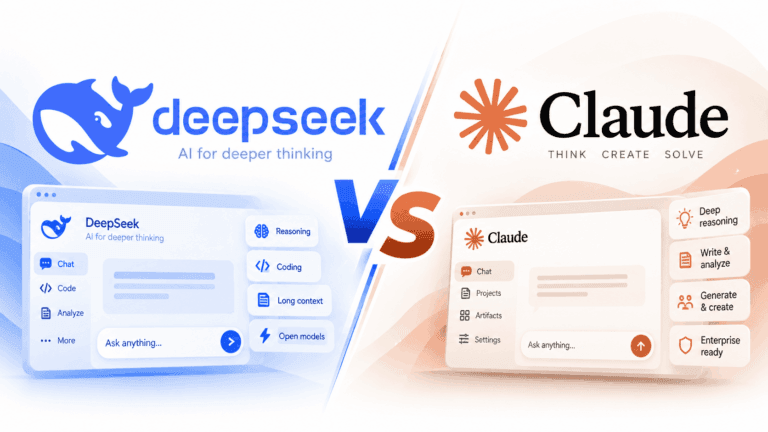
DeepSeek vs Claude Writing and ongoing projects. Look at reusable reference material, Projects, Artifacts and document work, then the reasons to consider paid Research or Claude Code.
DeepSeek vs Gemini Google apps, research and media. Compare the assistant experience, connected Google services, files, voice and creative tools, with separate coverage of developer APIs and local-model options.
DeepSeek vs Microsoft Copilot Office work and account differences. Understand personal Copilot, Microsoft 365 work access and GitHub Copilot before comparing documents, spreadsheets, research, subscriptions and data protection.
DeepSeek vs Perplexity Research that starts with sources. Compare search, research reports, supplied files and finished documents, then check how subscriptions, agent tools and developer services differ.
DeepSeek vs Grok X, current information and creative work. Compare search, writing, media and coding tools, while keeping standalone Grok, access through X and API billing separate.
DeepSeek vs Qwen Chat, creative output or a model for your own project. Explore research, files, images, video and coding, with a clear distinction between Qwen Chat, Model Studio and downloadable models.
DeepSeek vs Kimi Research and producing usable files. Compare document, slide and spreadsheet workflows, Kimi Code and international membership plans, then the separate API and self-hosting choices.
DeepSeek vs Mistral A work assistant, coding tools or deployment flexibility. Examine chat, research, document processing and coding alongside API costs, model choices, licenses and hosting.
DeepSeek vs Llama Models, APIs and running your own deployment. Compare named models, hosting providers, hardware demands and licenses. This guide distinguishes the Llama model family from the Meta AI assistant.

How to choose between DeepSeek and an alternative

Start with one real job, such as revising a report, investigating a question with sources or changing code in an existing project. A useful comparison should tell you whether the product supports the whole job, not just whether it can produce a plausible reply.

  1. Check what goes in and what must come out. Reading a PDF, understanding its charts and creating an editable document are different capabilities. For research, look for sources you can open and verify. For coding, decide whether you need an explanation, suggested code or a tool that can edit files and run checks.
  2. Choose the right working environment. A browser conversation may be enough for a draft. Work spread across documents, email or a software repository may benefit from an integration or agent. Check whether that connection is included for your account and whether it has access to the material you need.
  3. Compare the cost of your actual use. For a chat subscription, check the features and usage limits you will encounter. For an API, include input, output, caching and any tool charges. For self-hosting, include hardware, hosting and maintenance. A low token rate does not by itself tell you the cost of completing a task.
  4. Match privacy requirements to the service. Check the policy for your personal account, business workspace, API provider or local setup. Training settings, retention and connected services are separate questions. An open model license does not describe how a hosted service handles your uploads.

For example, if your weekly job is turning several source documents into a presentation, prioritize reading those documents, tracing claims to sources and exporting editable slides. If you only need help rewording the introduction, those extra tools may add little value. The same brand can be the right choice for one job and an unnecessary expense for another.

Compare chat with chat, and APIs with APIs

DeepSeek offers several ways to use its technology. Its official mobile assistant is free, while the developer API has usage-based pricing. Its R1 repositories also include downloadable model weights and local deployment guidance. Those routes have different costs and responsibilities.

A chat app supplies an interface and its own tools. An API supplies model access for software you build or connect; it does not automatically reproduce everything in the provider’s app. Downloadable weights let you choose a runtime and hosting arrangement, but you must check the particular model’s license and hardware needs.

This distinction changes the comparison. Someone choosing a writing assistant should examine the app and plan they will use. Someone building a support tool needs the API’s capabilities, billing and data terms. Someone choosing an offline setup needs a model that fits their hardware and a configuration that keeps the required work local. A desktop app alone does not establish that its model runs on the device.

Questions before you switch

Which DeepSeek alternative is best?

Start with the capability you are missing. For writing and ongoing document work, begin with the ChatGPT and Claude guides. For source-led research, read the Perplexity comparison; for work in Google or Microsoft apps, start with Gemini or Copilot. If your decision is about an API or a model you can host, look at Llama, Qwen and Mistral. These are starting points for choosing a comparison, not a ranking of answer quality.

Do I need a paid assistant if DeepSeek is free?

Only if the extra features or allowances are useful to you. Free access may be sufficient for occasional questions and drafts. Consider paying when a recurring limit interrupts your work, you need a particular integration, or a tool produces the files you would otherwise create yourself. Compare the relevant plan with your current use rather than assuming that a subscription guarantees better answers.

Can I use more than one AI assistant?

Yes. You might keep one for routine questions and another for a particular research or document workflow. That can be more practical than switching everything at once. Keep important files and instructions somewhere you control, and avoid adding subscriptions for capabilities you rarely use.

About these comparisons

Chat-Deep is an independent publication, not an official DeepSeek service. Our comparisons use the providers’ documentation, product pages, pricing, policies and model releases to explain practical differences. Recommendations reflect those documented features and constraints; they are not claims of independent performance-test results. Each guide links the relevant official sources beside important details, including the plan, product or deployment where a distinction matters.

Browse all DeepSeek comparisons

Privacy and cookie settings