AI chatbots are transforming customer interaction and support across industries. DeepSeek AI offers a powerful large language model (LLM) platform to create intelligent chatbots that converse naturally with users.
In this DeepSeek API tutorial, we’ll explain how to build a chatbot with the DeepSeek API – from understanding its capabilities to integrating your bot on websites, WhatsApp, Slack, or Microsoft Teams.
By the end, you’ll know how to create an AI customer support bot or any conversational assistant using DeepSeek’s API, complete with best practices for deployment, privacy, safety, and cost optimization.
Overview: DeepSeek AI’s Capabilities for Conversational Bots
DeepSeek AI is a cutting-edge conversational AI platform that has quickly gained attention as an alternative to big-name models.
DeepSeek’s current production models deliver strong conversational and reasoning capabilities across chat, coding, and complex Q&A tasks.
DeepSeek’s primary chat model (V3) was trained on a massive 15 trillion tokens spanning diverse domains, enabling it to write, summarize, answer questions, and hold natural conversations on a wide variety of topics.
In practice, DeepSeek can power everything from friendly customer service agents to creative content bots, thanks to its broad knowledge and fluent language skills.
For more demanding tasks that require advanced reasoning (like multi-step calculations, logic, or code debugging), DeepSeek offers a “Reasoner” model (R1) optimized for step-by-step problem solving.
This means you can choose the chatbot model best suited to your needs: use DeepSeek-Chat for general conversations and customer interactions, and DeepSeek-Reasoner for tasks where rigorous, stepwise reasoning or complex logic is needed.
Both modes share DeepSeek’s robust natural language performance, but the reasoner can “think out loud” (chain-of-thought) to improve accuracy on hard problems.
Another standout capability is DeepSeek’s extremely large context window – it can handle up to 128,000 tokens of context. In practical terms, this allows your chatbot to remember lengthy conversation history or ingest long documents/knowledge bases as context.
For business users, a DeepSeek chatbot could ingest entire policy documents or product manuals and still respond coherently using that information, far beyond the context limits of many other models.
Despite its power, DeepSeek remains efficient and fast, and as an open-source project it even supports on-premise deployment for those needing full data control.
In short, DeepSeek AI provides a versatile and enterprise-ready chatbot engine – one capable of natural conversations, detailed reasoning, and integration into various business workflows.
Use Cases: Deploying DeepSeek AI Chatbots on Websites, WhatsApp, Slack & Teams

AI chatbots built with DeepSeek can be deployed on almost any channel where your customers or team communicate. Here are some of the top use cases and integration platforms:
- Website Customer Support Bots: Embed a DeepSeek AI chatbot on your website to assist visitors with FAQs, product information, and support queries 24/7. This can greatly improve customer support by providing instant answers and guiding users to solutions, while reducing live agent workload and service costs. The chatbot can greet users, answer common questions about your business, and even help with lead generation by collecting visitor info or preferences in a conversational way. With DeepSeek’s fluent conversation skills, the experience feels interactive and helpful, keeping users engaged on your site.
- WhatsApp Virtual Assistants: WhatsApp is a popular channel for businesses to connect with customers. Using DeepSeek for WhatsApp chatbot deployment, you can offer personalized support or transactional assistants through WhatsApp. For example, a customer could message your business on WhatsApp to get order status updates, schedule appointments, or ask product questions, and the DeepSeek-powered bot will respond in natural language. Implementing this typically involves using a service like Twilio’s WhatsApp API to bridge between WhatsApp and your chatbot backend. Incoming messages from customers are sent via Twilio to your server, where your chatbot code calls the DeepSeek API for a response, then replies back through WhatsApp. This setup allows customers to chat with an AI assistant on a platform they already use daily, creating a more personal and immediate support channel.
- Slack Team Assistants: Deploy DeepSeek AI chatbots within Slack to support your employees or even customers in real-time. On Slack, a DeepSeek bot can be an internal assistant that answers employees’ HR questions, IT helpdesk queries, or pulls up knowledge base articles on request. Teams can also use such bots for brainstorming (the bot can generate ideas or summaries) or for onboarding new team members with an interactive Q&A. Creating a Slack chatbot involves registering a Slack App (bot user) and using Slack’s API or events to forward messages to your DeepSeek bot logic, then posting the AI’s replies back to the channel. Because DeepSeek integrates easily with external services, you can connect it to Slack with just a few steps. In fact, integration platforms like Relay.app and Zapier provide seamless DeepSeek–Slack connectivity with minimal effort. This means even without extensive coding, you can connect DeepSeek to Slack to have an AI assistant living alongside your human teams in your workspace.
- Microsoft Teams Bots: For organizations using Microsoft Teams, DeepSeek chatbots can serve as virtual consultants or support agents within your Teams environment. A Teams bot could help employees query company policies, get sales data summaries, or handle customer inquiries in Teams channels. You would typically use the Microsoft Bot Framework or Teams’ built-in bot integration to connect your DeepSeek chatbot. The approach is similar to Slack’s: you create a Teams bot registration and have it forward messages to your backend service, which calls the DeepSeek API and returns answers to Teams. You can also leverage third-party bot platforms (like BotPress or Power Virtual Agents) that support custom LLM integrations – simply configure them to call DeepSeek’s API for generating responses. With the bot added to Teams, users can chat naturally with the AI just as they would with a colleague, getting instant help. This is especially useful for large enterprises where employees need quick answers from big internal knowledge bases or documents – DeepSeek’s large context window means the bot can reference extensive internal data in its replies.
Each of these use cases shows the flexibility of DeepSeek AI chatbots. Whether it’s enhancing customer experience on public channels (website chat or WhatsApp) or improving productivity internally (Slack/Teams), a DeepSeek-powered bot can converse fluidly and provide valuable assistance.
Next, we’ll dive into how to actually build and integrate such a chatbot step by step using the DeepSeek API.
Step-by-Step: Building a Chatbot with the DeepSeek API

Building a chatbot with DeepSeek’s API is straightforward, especially if you’re familiar with OpenAI’s API, as DeepSeek is API-compatible with OpenAI’s ecosystem.
Below is a step-by-step guide for business users and product managers to create a DeepSeek AI chatbot. We’ll cover obtaining API access, designing your bot’s prompt (persona and behavior), writing the code to call the API (with examples in Python), and handling the responses.
1. Sign Up and Get a DeepSeek API Key: Start by creating an account on the DeepSeek API Platform and obtaining your API key. Sign in to the DeepSeek platform (platform.deepseek.com) and navigate to the API Keys section to generate a key.
Copy the API key and store it securely – note that for security, the full key may only be shown once on creation. This key is your secret credential (like a password) for using the DeepSeek API, so keep it confidential. If DeepSeek offers a free trial or credits, you’ll see your initial balance; otherwise, you may need to top-up credits based on their pricing.
Once you have the key, you’re ready to authenticate your API calls by including an authorization header: e.g. Authorization: Bearer YOUR_API_KEY. All requests to DeepSeek’s API must include this header to prove you have access rights.
2. Design Your Chatbot’s Prompt and Persona: Before coding, decide how you want your chatbot to behave and what prompt or context it should have. DeepSeek, like other GPT-style models, uses message history to determine responses. Typically, you will provide a system message that sets the role or tone of the assistant, followed by user messages (and eventually the assistant’s replies).
For example, a system message could be: “You are a helpful customer support assistant for ACME Inc. You answer questions about ACME’s products in a friendly, professional tone.” This primes the AI to respond in a certain way. Designing a good system prompt is crucial for aligning the bot with your business needs (be it a sales assistant, tech support agent, etc.).
You can also include sample Q&A examples in the prompt (as additional messages) if you want to shape its style or give it domain-specific knowledge. Keep in mind DeepSeek has seen a lot of general data, so it will have general knowledge; if you need it to know specifics (like your company’s policies), you might include those details in the conversation context or fine-tune separately.
Also decide which model to use: for most chatbot purposes, "deepseek-chat" (DeepSeek V3) is ideal, as it’s optimized for fluent dialogue. If your chatbot needs to perform complex reasoning or calculations during conversations (e.g. an AI tutor or a coding assistant bot), you might choose "deepseek-reasoner" (R1) for those particular queries.
You can even switch models dynamically based on query type if needed. Finally, consider the response style you want – instruct the model if answers should be concise bullet points, a JSON object, or a friendly paragraph.
DeepSeek allows formatting instructions; for instance, you could request structured JSON output for easy parsing. All these elements should be figured out before implementation to ensure your chatbot’s responses align with expectations.
3. Write the Code to Call the DeepSeek API: Now, implement the backend that sends user messages to DeepSeek and gets responses. This can be done in various languages; here we’ll illustrate with Python (a popular choice for prototyping chatbots).
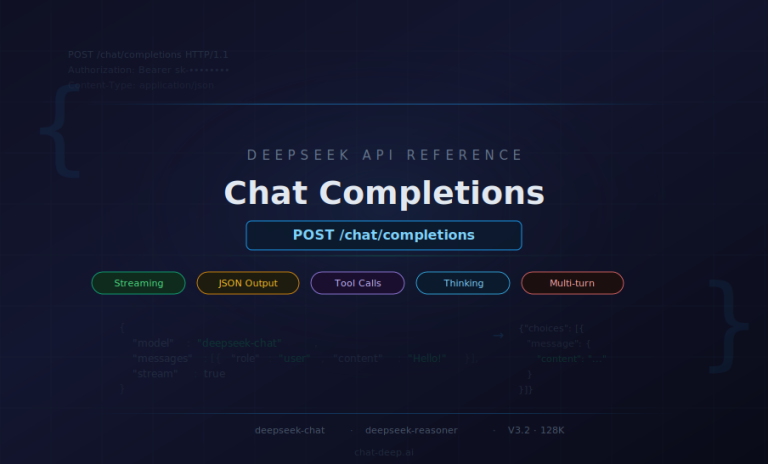
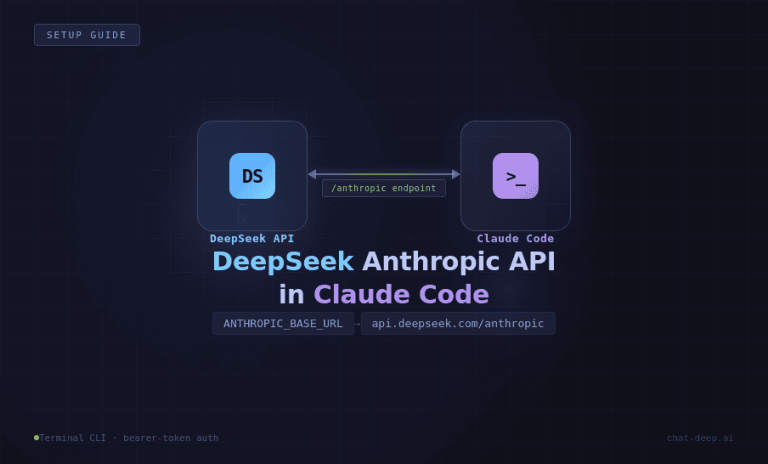
DeepSeek’s API endpoint is compatible with OpenAI’s, so you can use the OpenAI Python SDK directly by pointing it to DeepSeek’s URL. First, install the OpenAI client library in your environment (pip install openai). Then in your code, set your API key and base URL, and call the chat completion API:
import openai

# Set your DeepSeek API credentials
openai.api_key = "YOUR_DEEPSEEK_API_KEY"
openai.api_base = "https://api.deepseek.com"  # DeepSeek API endpoint

# Compose the conversation messages
messages = [
    {"role": "system", "content": "You are a helpful assistant."},
    {"role": "user", "content": "Hello!"},
]

# Send the chat completion request
response = openai.ChatCompletion.create(
    model="deepseek-chat",
    messages=messages,
    temperature=1.0,   # default creativity level
    stream=False       # get the full response in one go
)

# Extract the assistant's reply
assistant_reply = response['choices'][0]['message']['content']
print("Bot says:", assistant_reply)
In this snippet, we import OpenAI’s library and configure it to use DeepSeek. The api_base is set to DeepSeek’s API URL (note: DeepSeek’s API supports an OpenAI-compatible path, so using api.deepseek.com/v1 is also acceptable).
We prepare a list of messages with roles: the system message defines the bot’s persona (here a generic helpful assistant) and a user message with a greeting. We then call ChatCompletion.create() with the model set to "deepseek-chat" (for the general chat model) and pass the messages.
We also specify temperature=1.0 which is the default creativity level; you can adjust this to control how deterministic or creative the bot’s responses are (lower for strict/factual answers, higher for more varied or creative output).
The stream=False parameter means we want the full reply in one response (if set to True, the API would stream partial reply chunks useful for real-time typing effect). The API returns a JSON with a list of choices; we grab the content of the first choice’s message as our bot’s answer.
4. Handle the API Response and Conversation Flow: Once you receive the response from DeepSeek, you need to deliver it to the end-user (and possibly prepare for the next user query). In a simple script or test, as above, we just print the answer.
In a real chatbot application, you would take assistant_reply and display or send it via the relevant channel (render it in your web chat UI, send it as a WhatsApp message via Twilio, etc.). It’s important to also handle errors or edge cases: check the HTTP status or catch exceptions from the OpenAI SDK in case the API call fails or times out.
DeepSeek may return error codes (for example, if your API key is invalid or you exceeded usage limits), which you should handle gracefully (log the error and perhaps inform the user of a temporary issue).
To maintain a multi-turn conversation, you should append the assistant’s answer to the messages list before the next user question. This way, the next API call sees the full dialogue history and the bot can remember context.
DeepSeek supports very long context, but it’s wise to truncate or summarize older parts of conversation if it gets extremely large to save on token usage. For most use cases, keeping the last several messages is sufficient for context.
Also, if your chatbot should follow certain rules (for example, not revealing confidential info or not using certain language), it’s good to reinforce those in the system prompt or even programmatically post-process the answer.
Many developers implement a safety check on the AI’s response – e.g., using content filtering or simple keyword checks – before sending it out to users, to ensure nothing offensive or disallowed goes through.
Example: If the user now asks, “Can you help me track my order?”, your next API call’s messages would include the previous conversation (system role, the user “Hello”, assistant greeting reply, and then the new user query about order tracking).
This running history lets the chatbot respond in context (perhaps it will ask for an order number, etc.). Handling the state and storage of these messages is typically done in your backend service or within the chat session state.
5. Test Your Chatbot Locally: At this stage, you should test the basic chatbot logic with a few sample prompts to ensure it’s working as expected. You can run your script with different user messages and see the outputs. This is also a good time to fine-tune your system prompt or parameters if the bot’s style isn’t quite right.
For instance, if answers are too verbose, you might add an instruction like “Keep answers under 3 sentences.” or set a lower max_tokens limit for the response. If the bot is not creative enough, you might raise the temperature; if it’s too random, lower the temperature.
Testing iteratively will help you refine the prompt and settings before integrating the bot into a user-facing environment. (Tip: You can also test the API without writing code by using tools like Postman or Apidog – simply make a POST request to https://api.deepseek.com/chat/completions with the appropriate JSON body and headers. This can be useful for quickly experimenting with prompts and seeing the raw JSON reply.)
At this point, you have a working chatbot brain powered by DeepSeek. Next, we’ll cover how to connect this chatbot to various platforms so that end-users can actually chat with it through your website or messaging apps.
Integrating Your DeepSeek Chatbot with Different Platforms

Having a functioning chatbot backend is half the battle – the other half is deploying it where your users are, be it on your website or in chat apps.
Integration typically involves writing a bit of glue code or using third-party services to connect incoming messages from the platform to your DeepSeek bot, and then sending the AI’s replies back out.
Below are guidelines for integrating with common channels (Web, WhatsApp, Slack, Teams), and you can adapt them to others (Facebook Messenger, Telegram, etc.) similarly.
Website Integration (Chat Widget or Live Chat)
To embed your DeepSeek AI chatbot on a website, you’ll need a front-end chat interface and a way to communicate with your backend. Many companies implement a chat widget – a small chat window on the site where users can type messages.
You can either build a custom chat widget or use ready-made solutions. A simple approach is to create a web page element (like a chat popup) with JavaScript to handle user input and display the bot’s responses.
When the user sends a message, your front-end code should make an AJAX call (or WebSocket message) to your backend service (the one that calls DeepSeek). The backend receives the user message, calls the DeepSeek API as we discussed, and returns the answer, which the front-end then displays in the chat UI.
If you prefer no-code/low-code solutions, some services provide drop-in chat widgets that can connect to an API. For example, Chatbase and BotPress offer no-code chatbot builders – you could train a bot there or configure it to use DeepSeek as the AI model and then embed their widget on your site.
In fact, Chatbase allows creating an AI agent with DeepSeek and provides an embed script to put that bot on your website. This means much of the integration heavy lifting (UI, routing messages, etc.) is handled by the platform.
Alternatively, if you use a customer support platform (like Intercom or Zendesk), you might integrate DeepSeek by routing unrecognized queries to the AI for an answer.
But for most straightforward cases, implementing a lightweight web chat widget hooked to a Python/Node backend that calls DeepSeek will do the job. Ensure you host your backend securely (HTTPS) so that communications with the chatbot are protected.
WhatsApp Integration via Twilio
WhatsApp doesn’t let you plug in a bot directly; instead, you use the WhatsApp Business API through providers like Twilio.
Twilio acts as the gateway: it provides a WhatsApp-enabled phone number and will forward incoming WhatsApp messages from users to your webhook endpoint. Here’s how it typically works to connect a DeepSeek bot:
- Set up a Twilio WhatsApp number: Sign up for Twilio (if you haven’t) and follow their guide to configure a WhatsApp sandbox or phone number for messaging. You’ll set a webhook URL in Twilio’s console – this is the URL of your chatbot backend that Twilio will call whenever a user sends a WhatsApp message to your number.
- Implement the webhook receiver: In your backend code (e.g., using Flask or FastAPI for Python, or any web framework), create an endpoint (e.g.
/whatsapp_webhook) that can handle HTTP POST requests from Twilio. Twilio will send a payload containing the user’s phone number, message text, etc. Your code should parse the incoming message. - Call DeepSeek and formulate a reply: Take the user’s WhatsApp message and feed it into your DeepSeek chat logic (as designed earlier). Get the AI response text. Then, you need to send a reply back via Twilio’s API.
- Respond via Twilio API: Twilio provides helper libraries and a specific API call to send WhatsApp messages. Using the Twilio SDK (or by responding directly in the webhook in XML format), send the DeepSeek chatbot’s answer back to the user’s WhatsApp. For example, using Twilio’s Python library, you’d do something like:
from twilio.rest import Client client = Client(twilio_sid, twilio_auth_token) client.messages.create(body=assistant_reply, from_='whatsapp:+YourTwilioNumber', to='whatsapp:+UserNumber')Twilio will then deliver that message to the user in WhatsApp.
In essence, Twilio bridges WhatsApp and your DeepSeek bot. The user experiences a normal WhatsApp chat, unaware that behind the scenes their message went from WhatsApp -> Twilio -> your DeepSeek AI -> back through Twilio -> WhatsApp.
This setup can handle many conversations concurrently. Just be mindful of WhatsApp’s messaging policies (especially if sending proactive messages or requiring user opt-in). Also, monitor the latency – DeepSeek responses are fast, but network hops through Twilio and your server add some delay.
Overall, this approach enables a rich WhatsApp AI chatbot experience, useful for customer service, booking systems, or personal assistants on WhatsApp.
Slack Bot Integration
To integrate a DeepSeek chatbot into Slack, you will create a Slack App that acts as a bot user in your workspace. Slack bots can listen to messages in channels or DMs and respond via the Slack API. Here’s a high-level approach:
- Create and configure a Slack App: Go to Slack’s developer portal and create a new app. Give it the Bot capability. You’ll need to grant permissions such as reading messages and posting messages (e.g., the
channels:historyandchat:writescopes, among others, depending on whether the bot is in channels or DMs). Once configured, install the app to your Slack workspace. Slack will provide you with a Bot User OAuth Token. - Set up an event subscription: In the Slack App settings, you can subscribe to events (like message.posted events) and specify a request URL (similar to a webhook) for Slack to send those events. For example, you might subscribe to the
message.channelsormessage.imevents so that any message a user sends in a channel (or direct message to the bot) triggers an event to your server. - Implement the Slack event handler: Your backend service should have an endpoint to receive Slack events (Slack sends them as HTTP POST with a JSON payload). You’ll receive the text of the message and channel/user info. Ignore messages from the bot itself to avoid loops. When a new user message comes in, take the text and feed it to your DeepSeek chatbot logic to generate a reply.
- Respond via Slack API: Use Slack’s Web API to post the reply back to the appropriate channel or user. You can use Slack’s SDK (Python has
slack_sdk, Node has official package) with the bot token to callchat_postMessagewith the channel ID and text. This will make the bot appear to talk in Slack. Ensure you handle thread context if needed (you can reply in threads by including the thread_ts Slack ID if appropriate, or just post normally).
For example, suppose a user types “@TechBot I can’t access my email” in Slack. Slack will send your server an event with text “I can’t access my email” addressed to your bot. Your server calls DeepSeek with that text (perhaps including a system prompt that it is an IT helpdesk bot).
DeepSeek returns a helpful troubleshooting tip. Your server then calls Slack’s API to post that answer as the bot’s message in the channel. The user sees a response from the bot within seconds. From their perspective it’s a smooth Q&A with an AI.
If setting up the Slack App sounds too technical, note that there are no-code alternatives: for instance, you could use a workflow automation tool like Zapier, Make (Integromat), or Relay.app to connect Slack and DeepSeek.
These platforms can watch for Slack messages and then automatically call DeepSeek’s API, all through a visual interface. In fact, DeepSeek is already integrated into such platforms – e.g., Zapier lists DeepSeek integration with thousands of apps and Relay.app lets you connect DeepSeek to Slack “in just a few clicks”.
These can be great options for quickly testing a concept or if you lack developer resources, though for a robust production bot, coding the integration provides more control.
Microsoft Teams Integration
Integrating with Microsoft Teams is conceptually similar to Slack but uses Microsoft’s bot framework. You have a few options: you can use the Azure Bot Service to host a bot that connects to Teams, or use the newer Teams AI libraries. At a high level:
- Register a Teams bot: Through the Azure portal, register a new Bot Channels Registration (or via the Teams developer portal). You’ll obtain a bot ID and secret. Configure the messaging endpoint – this is where Teams will send messages for your bot.
- Bot logic: You can build the bot using Microsoft’s Bot Framework SDK (available in C#, Python, JavaScript). In your bot’s code, when a message activity comes in from a user, you call the DeepSeek API with the text (similar to before) and capture the response. Then you formulate a reply message activity and send it back via the framework, which delivers it to Teams. Essentially, your DeepSeek-calling code resides inside the Teams bot’s message handler.
- Teams-specific considerations: You might need to package your bot into an app and upload it to Teams (especially for an internal bot). Also, Teams may require certain formatting (Adaptive Cards, etc., if you want fancy output). For a basic Q&A bot, a text reply is fine.
- Third-party platforms: If the above sounds complex, note that tools like BotPress have connectors for Teams. You could build your chatbot logic in BotPress (which has a nice UI for flows and can call external APIs like DeepSeek for generating answers), then use BotPress’s Teams connector to deploy it. BotPress even demonstrated integration with DeepSeek models for advanced reasoning in their studio. Another approach is to use Power Virtual Agents (Microsoft’s no-code bot builder) with an extension that calls an HTTP endpoint (your DeepSeek service) for unmatched queries.
Given Teams’ business focus, a DeepSeek AI bot in Teams could be transformational for internal support – answering policy questions, helping with data insights, or serving as a personal assistant to staff.
The integration requires a bit more configuration due to enterprise security, but once set up, users can chat with the AI directly in their Teams channels or chats.
Always test the bot in a Teams sandbox or with a few users before wider deployment, as enterprise environments can have strict compliance rules for bots.
Deployment and Testing Best Practices
When your DeepSeek chatbot is built and integrated into the desired channels, it’s crucial to deploy it reliably and test it thoroughly. Here are some best practices for deployment and testing:
- Start in a Sandbox Environment: Before going live to all users, deploy your chatbot in a controlled environment. This could mean a test page on your website (not linked to main site navigation), a test phone number for WhatsApp, or a private Slack/Teams channel with only your team. Use this sandbox to simulate real user interactions and observe how the bot performs without risking real customers encountering issues.
- Thorough QA with Diverse Scenarios: Test the chatbot with a wide range of queries – from very simple questions to off-topic or complex ones. Make sure to include edge cases and potentially problematic inputs (slang, typos, angry customer messages, etc.). This helps ensure the bot responds gracefully even when faced with unexpected inputs. During testing, verify that the bot stays on persona (e.g., doesn’t suddenly output irrelevant or inappropriate content) and that it correctly handles multi-turn dialogues (maintaining context). If you find the bot giving unsatisfactory answers for certain queries, refine your system prompt or add training examples to guide it. Remember that DeepSeek’s outputs, while strong, are probabilistic – so test multiple times; an answer might vary slightly on each run, and you want to ensure consistency for critical questions.
- Performance and Load Testing: If you anticipate heavy usage, test your setup under load. DeepSeek’s API itself doesn’t impose strict rate limits (they aim to serve every request), but high traffic might slow responses. Simulate multiple concurrent users chatting and see if your infrastructure (and DeepSeek’s response time) holds up. If needed, scale your backend horizontally (multiple instances behind a load balancer) to handle many simultaneous conversations. Also consider enabling streaming responses if response latency is a concern – streaming can start showing partial answers to users faster, improving perceived speed.
- Monitoring and Logging: Deploy logging in your chatbot backend to record interactions (at least anonymized or non-sensitive parts of them) and any errors. Logs are invaluable for troubleshooting issues in production and for understanding how users are actually using the bot. You might log user questions and the bot’s answers along with timestamps and any errors from the API. This can help identify if the bot is failing on certain kinds of questions or if the API returns any errors. DeepSeek provides a status page and you should monitor it or catch exceptions in case of downtime or API errors, so you can fail gracefully (for instance, reply with “Sorry, I’m having trouble accessing my knowledge right now. Please try again later.” when the AI is unavailable).
- Gradual Rollout: For customer-facing bots, consider a soft launch. Release the chatbot to a small percentage of users or a specific segment first. Gather feedback and ensure it’s adding value. During this phase, keep human support on standby – either visible as a fallback (“Chat with a human” option) or at least monitoring the conversations. This way, if the AI misinterprets something or a user is unsatisfied, a human can intervene. Many companies use a hybrid approach initially, where the AI handles what it confidently can, and passes the rest to human agents.
- Feedback Loop: Encourage users (especially internal users for Slack/Teams bots) to provide feedback on incorrect answers or frustrations. This can be as simple as a thumbs-up/down button or a form. Use this feedback to continuously improve the bot – either by adjusting prompts, adding context, or in some cases, updating the model’s knowledge base (e.g., if the bot frequently doesn’t know about a certain product, you might add that info into its context or fine-tune an update if possible).
- Secure and Scalable Deployment: When moving to production, host your chatbot backend on a reliable service (cloud server, container platform, etc.). Keep your DeepSeek API key secure – don’t expose it in client-side code. Use environment variables or secure config stores on the server side. If using container orchestration (like Kubernetes), mount the key as a secret. Also plan for scaling: if your usage grows, you might need to increase the compute power or instances for your bot service. The good news is the heavy lifting (AI computation) is on DeepSeek’s side, but your server should handle the I/O and any other processing efficiently (e.g., if you integrate with databases or other APIs alongside the AI). Monitor resource usage (CPU, memory) of your service over time.
- Regular Updates and Model Improvements: Keep an eye on DeepSeek’s updates (their docs show a changelog of model improvements). Upgrades in the model might improve your bot’s performance or add features (e.g., function calling, better formatting options). Test new versions in a staging environment before switching over in production. Also, maintain your dependency updates (e.g., security patches in your web framework or integration SDKs like Twilio/Slack libraries).
By adhering to these practices, you ensure that your DeepSeek AI chatbot remains reliable, accurate, and helpful over time, providing a positive experience for users.
Privacy, Safety, and Cost Management Considerations
When deploying AI chatbots in a business context, it’s essential to address privacy, safety, and cost concerns proactively. DeepSeek offers flexibility in these areas, but you as the implementer need to configure and use it responsibly. Let’s break down these considerations:
- Data Privacy: Any time you send user queries to an AI cloud service, you should be mindful of what data is being transmitted and where it’s stored. DeepSeek’s servers will process the conversation, which might raise concerns if sensitive or personal data is involved. Avoid sending highly confidential information in prompts unless you have to – and if so, ensure it’s allowed by DeepSeek’s privacy policy. Some businesses opt to anonymize or redact personal identifiers in user messages before forwarding them to the AI. Uniquely, DeepSeek being an open project allows for on-premises deployment if needed – meaning you could run the model on your own servers, keeping all data in-house (DeepSeek even supports running on consumer-grade devices or dedicated hardware). This is a big advantage for industries with strict data governance (finance, healthcare, etc.). If you use DeepSeek’s cloud API, review their data usage terms: do they store conversation logs, and if so, for how long and for what purpose? Additionally, since DeepSeek has Chinese origins, some have expressed concern about data routing and access. The Chatbase team notes that these worries are legitimate – businesses wonder if data could be accessed by foreign entities. To mitigate this, DeepSeek and partners offer solutions like U.S.-hosted instances (e.g., via the Perplexity AI app or Chatbase) that operate under U.S. privacy regulations. In summary: understand where your chatbot data is going, consider self-hosting if critical, and always communicate to users how their data is handled (especially for customer-facing bots, a brief privacy notice is good practice).
- User Safety and Content Moderation: An AI chatbot should be not only helpful but also safe and aligned with your brand values. This means preventing it from producing offensive, misleading, or harmful content. DeepSeek, like other LLMs, has some built-in content filtering – in fact, being a Chinese-developed model, it reportedly has heavy censorship on politically sensitive or controversial topics. This can be a double-edged sword: on one hand, it might refuse to discuss certain sensitive topics (which could frustrate users if those topics are legitimate queries), on the other hand it may be less likely to output inappropriate content in those areas. You should test how your DeepSeek bot handles potentially problematic prompts (e.g., harassment from a user, or requests that violate guidelines) and adjust accordingly. Use the system message to explicitly set rules: e.g. “You will not provide disallowed content such as hate speech, harassment, or personal advice in medical/legal matters. If asked such things, respond with a polite refusal.” While DeepSeek’s exact moderation levels are not fully transparent, you, as the developer, are responsible for final outputs. Implement a moderation layer if possible – for example, run user inputs (or AI outputs) through an open-source content filter or keyword list. At minimum, log all interactions so you can audit them. Additionally, guard against the AI giving wrong or fabricated answers (the AI might sometimes “hallucinate” facts). For critical information (like financial advice, medical info, etc.), have the bot include a disclaimer or encourage consulting a human. Finally, ensure your bot respects user privacy in responses – it should not divulge sensitive info (which it shouldn’t have unless provided) and should handle personal data carefully. By proactively addressing safety, you reduce the risk of the chatbot causing PR or compliance issues down the line.
- Cost Management: One of the advantages of DeepSeek is its cost-effectiveness compared to some other AI services. DeepSeek’s pricing (as of writing) is around $0.56 per 1 million input tokens and $1.68 per 1 million output tokens for a cache miss, with even cheaper rates ($0.07 per 1M) for cached inputs. This is significantly lower than, say, OpenAI’s GPT-4 model which could be an order of magnitude more expensive per token. Nevertheless, costs can add up with heavy usage, so it’s wise to optimize. Here are some tips:
- Optimize Prompts and Responses: Be concise in the system prompt and avoid unnecessary tokens. Encourage the bot to be concise as well when appropriate. As an example, if a user asks for a simple fact, you don’t want the bot giving a verbose explanation every time. In one case study, prompting the model to give just the steps and answer to a math problem (instead of a lengthy narrative) cut the token usage from ~910 tokens down to ~150 tokens – a dramatic saving. Multiply such savings across thousands of queries, and it has a big impact on cost. The rule of thumb: tighter prompts = fewer tokens = lower cost. So instruct your chatbot not to over-explain if not needed.
- Use Temperature and Features Wisely: Adjusting the
temperatureto an appropriate level can indirectly affect cost. Higher temperature might produce longer, more meandering answers (and possibly require follow-up if unclear), whereas a focused lower-temperature response might be shorter and on-point. Choose the setting that fits the use case – e.g., for straightforward Q&A or troubleshooting, you might use a moderate or low temperature to get concise answers. For creative tasks you accept the higher token usage. Also, DeepSeek supports an optionalresponse_format={'type': 'structured_json'}mode – using structured outputs can eliminate fluff and make responses smaller and easier to parse, which saves tokens especially in repetitive query scenarios. - Leverage Context Caching: DeepSeek has a context caching mechanism. This means if the same prompt (or part of it) is repeated, DeepSeek can reuse previous results instead of computing from scratch, charging a much lower rate for those input tokens (cache hits cost only $0.07 per 1M tokens). For example, if your chatbot often sends the same long system prompt with every query, that could be a candidate for caching so you aren’t billed full price each time. Check DeepSeek’s docs on enabling context or result caching. By caching prompts or common follow-up questions, you reduce redundant computation.
- Monitor Usage and Set Budgets: Keep track of how many tokens your bot is using per conversation on average and identify any outlier cases where usage spikes. DeepSeek’s platform likely provides usage stats; use these to forecast costs. Set up alerts if possible – for instance, if a bug causes a loop of calls or someone tries to abuse the bot with extremely long inputs, you’d want to know and mitigate it. You can also enforce limits in your code (e.g., don’t allow user inputs beyond a certain length, or cap the maximum tokens in a response).
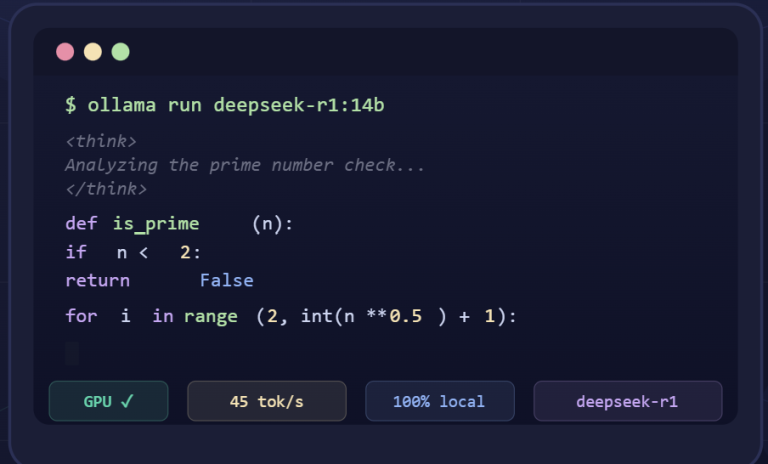
- Consider Free or Hybrid Options for Prototyping: If you are in the development or pilot phase and want to minimize costs, you can use the OpenRouter free tier for DeepSeek as described in some guides. OpenRouter provides access to DeepSeek’s model for free (with certain rate limits), which is great for testing and small-scale demos. Just be aware that for production you’ll likely want the official DeepSeek API for reliability and performance, but the free route can save cost early on. Also, if you have the capability, running DeepSeek locally is another way to avoid API costs entirely – though you’ll incur hardware costs. Some teams run DeepSeek on local servers or rented GPUs to serve their chatbot, which after a certain scale could be more cost-efficient.
In summary, DeepSeek makes it relatively economical to run an AI customer support bot or similar application, but prudent prompt engineering and system design can further keep the costs in check.
By ensuring privacy safeguards are in place, maintaining safety and moderation, and optimizing for cost, you create a sustainable and trustworthy AI chatbot solution for your business.
Conclusion
Building a chatbot with DeepSeek AI API enables businesses to deliver smarter, faster customer interactions and team assistance across various platforms.
We’ve seen that DeepSeek offers powerful conversational capabilities (comparable to top-tier models) with the flexibility of open integration and cost-efficient usage.
By following a clear development process – from crafting your bot’s persona and prompt, to writing the integration code, and deploying on channels like websites, WhatsApp, Slack, or Teams – you can create an AI assistant tailored to your needs.
Remember to apply best practices around testing, safety, and optimization to ensure the chatbot remains reliable and on-brand.
With DeepSeek AI chatbots, companies can provide 24/7 support and personalized engagement, whether it’s an AI customer support bot answering FAQs or an internal bot boosting employee productivity.
The combination of DeepSeek’s advanced AI model and a well-thought-out implementation will help you deliver exceptional conversational experiences.
Now is a great time to get started – sign up for the DeepSeek API, follow this guide, and you’ll be well on your way to deploying your own intelligent chatbot that can enhance customer satisfaction and operational efficiency in your organization. Good luck with building your DeepSeek-powered chatbot!