DeepSeek error codes are much easier to fix when you separate request-side problems from server-side problems first. The current official DeepSeek error-code list centers on seven main HTTP responses: 400, 401, 402, 422, 429, 500, and 503. The current API docs also show an OpenAI-compatible request format, a chat completions endpoint, and the active API model identifiers deepseek-chat and deepseek-reasoner. Chat-Deep.ai is an independent guide, not the official DeepSeek platform, so if you need API keys, billing changes, or balance top-ups, use the official platform. If your issue is broader than API responses, start with our DeepSeek troubleshooting guide.
If you want the fastest diagnosis, use this rule: 4xx errors usually mean you need to fix something in the request, authentication, or account; 5xx errors usually mean retrying and checking service health matters more than editing your JSON. In other words, 400, 401, 402, and 422 are usually solved by changing something on your side, while 500 and 503 usually point to a temporary service-side issue. 429 sits in the middle: it often needs pacing and retry logic, not a full rewrite of your request.
DeepSeek Error Codes at a Glance
| Code | Meaning | Fastest next step | Retry or fix? |
|---|---|---|---|
| 400 | Invalid request format | Validate JSON and required fields | Fix the request |
| 401 | Authentication failed | Check API key and auth header | Fix auth first |
| 402 | Insufficient balance | Check official balance and top up if needed | Fix account state |
| 422 | Invalid parameters | Remove unsupported or malformed fields | Fix the request |
| 429 | Rate limit reached | Slow down and add backoff | Retry with pacing |
| 500 | Server error | Wait briefly and retry | Retry |
| 503 | Server overloaded | Wait, reduce concurrency, check status | Retry later |
The code labels and first-line fixes in this table follow the current official DeepSeek error-code documentation.
How to tell whether a DeepSeek error is on your side or DeepSeek’s side
A simple test saves time: send one minimal known-good request. If that request fails with 400, 401, 402, or 422, the problem is usually not your prompt quality but your payload shape, credentials, or account state. If the same minimal request works, but your production traffic fails only under bursts or concurrency, think 429 or 503 before you blame your schema. And if multiple requests start failing at the same time for multiple users, check a status source before you spend an hour rewriting valid JSON. Our DeepSeek status checker is useful for a quick read, but its own page is explicit that it is an independent monitor and that the official DeepSeek status page remains the canonical source for incidents.
Another useful rule: stop blind retries when the same payload keeps returning 400, 401, or 422. Those usually need a change in code, credentials, or parameters. For 500 and 503, do the opposite: status pages and retry logic matter more than re-editing the body right away. If your issue is not an API response at all, and instead looks like login trouble, a browser problem, or a broader service failure, use the DeepSeek troubleshooting guide rather than forcing everything into an API-error workflow.
DeepSeek Error Codes Explained and Fixed
400 Invalid Format
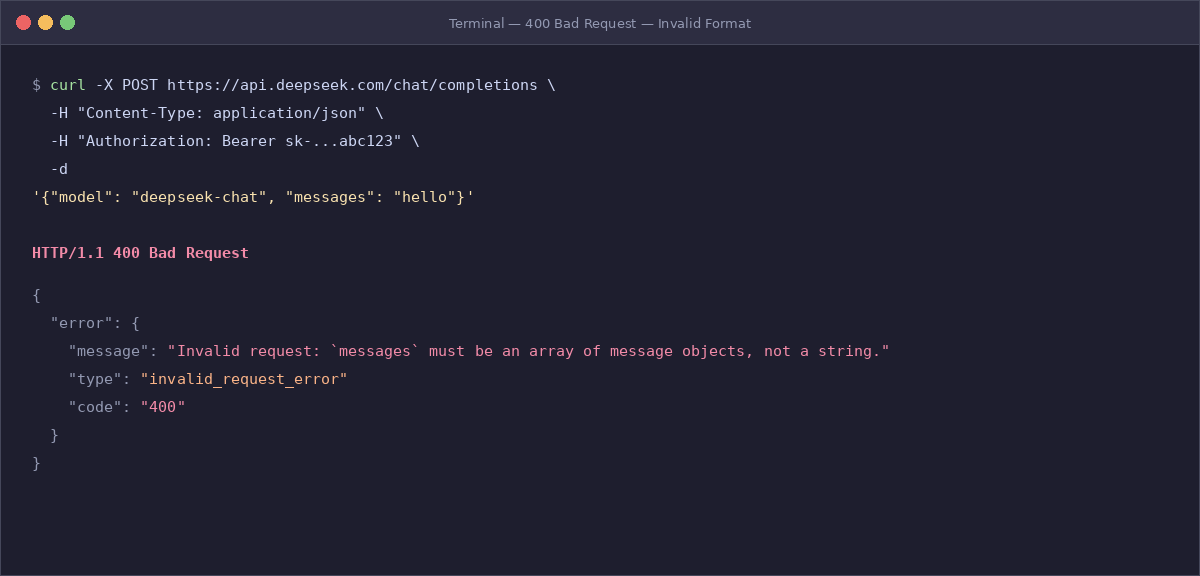
What it means: DeepSeek could not accept the request body in the format it expected. That usually means the problem is structural, not semantic.
Most common causes: malformed JSON, missing required fields, wrong endpoint usage, a broken messages array, or fields placed in the wrong type or position.
Fastest fix: compare your failing request against a known-good example from the DeepSeek API guide, then strip optional fields until the request succeeds.
Retry or change something? Change the request first. Retrying the same malformed payload rarely helps.
How to prevent it next time: keep one validated smoke-test payload in your codebase and use schema validation before sending requests. The current DeepSeek API guide also makes clear that chat completions expect a structured messages array and a valid model name.
401 Authentication Fails
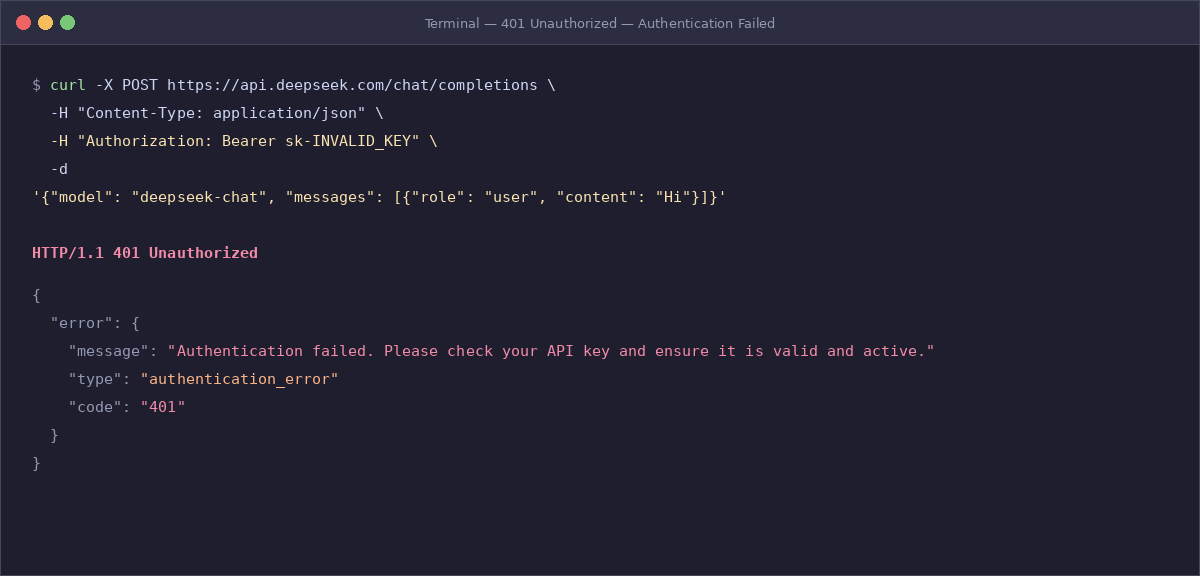
What it means: the API could not authenticate your request.
Most common causes: a wrong API key, a missing Authorization: Bearer ... header, an environment variable that never loaded, or a secret that was copied with an extra character or whitespace.
Fastest fix: verify that your application is actually sending the right key, in the right header, to the right endpoint. If you do not yet have a valid API key, you need to create it on the official DeepSeek platform.
Retry or change something? Change the auth setup first. 401 is not a “wait and retry” error.
How to prevent it next time: run a startup health check that confirms the key exists and that a minimal request can authenticate successfully. DeepSeek’s current quick-start docs explicitly define api_key as required for API calls.
If the error is happening on /chat/completions, compare your payload against our DeepSeek Chat Completions API guide for message roles, request fields, streaming behavior, and common 400/422 failure patterns.
402 Insufficient Balance
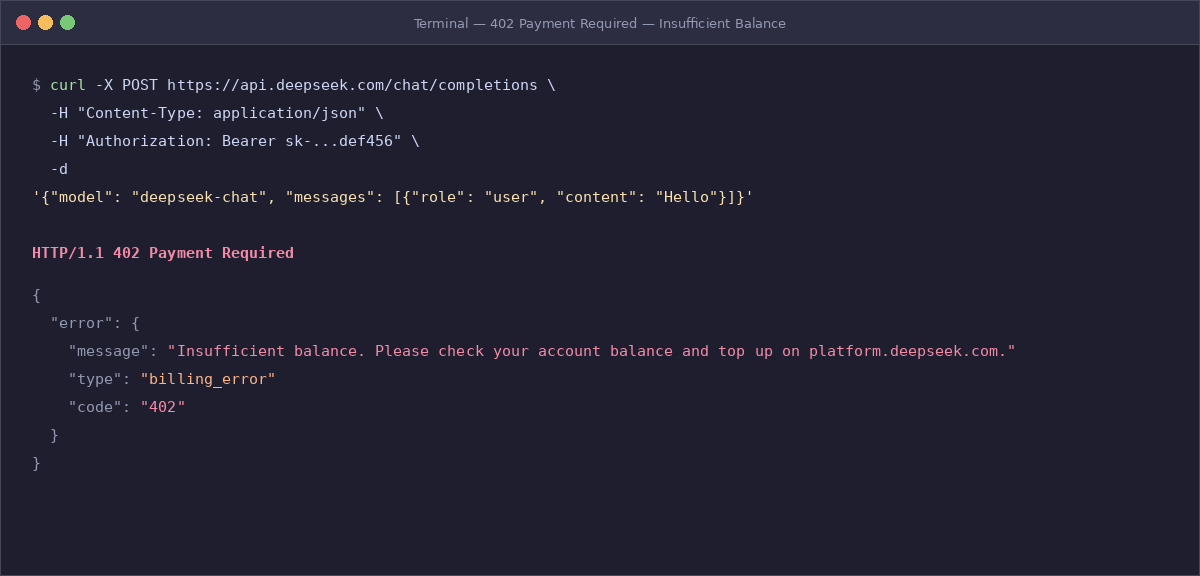
What it means: your API request reached DeepSeek, but the account no longer has enough balance to process it.
Most common causes: depleted prepaid balance, assuming the official API is free because the web or app experience looks free to general users, or scaling a workload without estimating token spend first.
Fastest fix: check the official platform balance and top up if required. Then use our DeepSeek pricing page and DeepSeek API cost calculator to estimate how fast your workload can burn through usage.
Retry or change something? Retrying will not fix 402 until the balance issue is resolved.
How to prevent it next time: estimate usage before deployment, track daily consumption, and set internal alerts before you hit zero. Chat-Deep.ai’s pricing pages already distinguish between free browser chat and usage-based official API billing, which is exactly the confusion that causes many 402 surprises.
422 Invalid Parameters
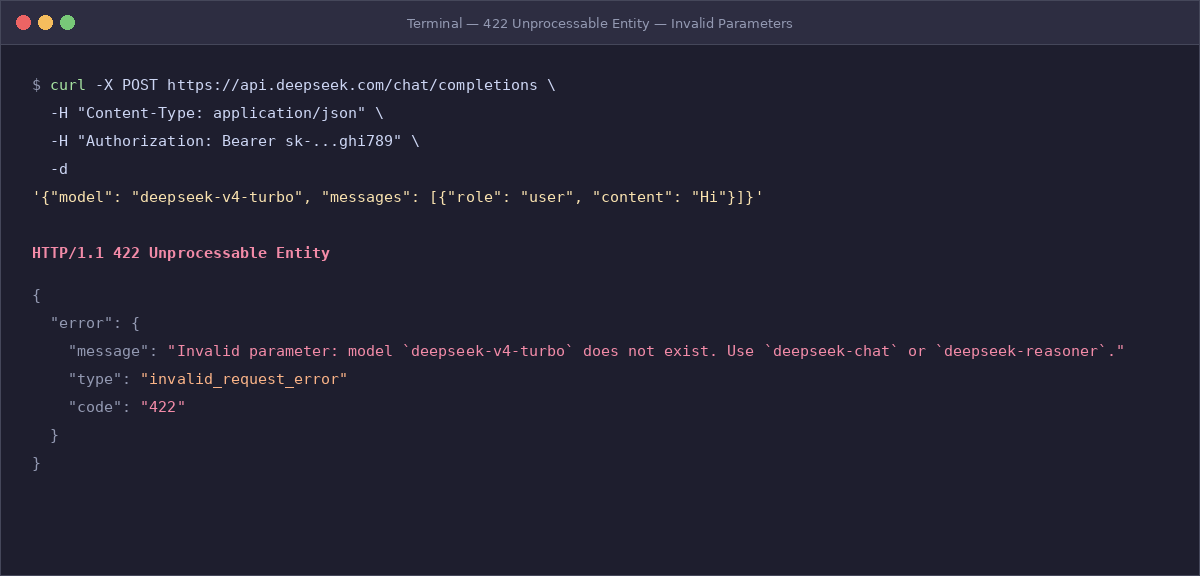
What it means: the request reached the correct API surface, but one or more parameters are invalid.
Most common causes: wrong model name, unsupported fields, malformed messages, invalid parameter types, or a request body that mixes fields your client library accepts with fields DeepSeek does not.
Fastest fix: reduce the payload to the smallest valid request, confirm it works, then add fields back one at a time.
Retry or change something? Change the payload. Repeating the same invalid parameters is wasted traffic.
How to prevent it next time: validate payload types before sending, pin integration tests to a known-good request shape, and cross-check model identifiers against the current DeepSeek API guide. The current DeepSeek docs show deepseek-chat and deepseek-reasoner as active API model identifiers, and the chat-completions format expects a proper messages array.
A practical way to debug 422 is to check these four mistakes first:
- wrong model name
- unsupported field names
- malformed
messagesarrays - invalid parameter types
If your request still fails after removing everything optional, the error message itself usually points you toward the offending field or type.
429 Rate Limit Reached
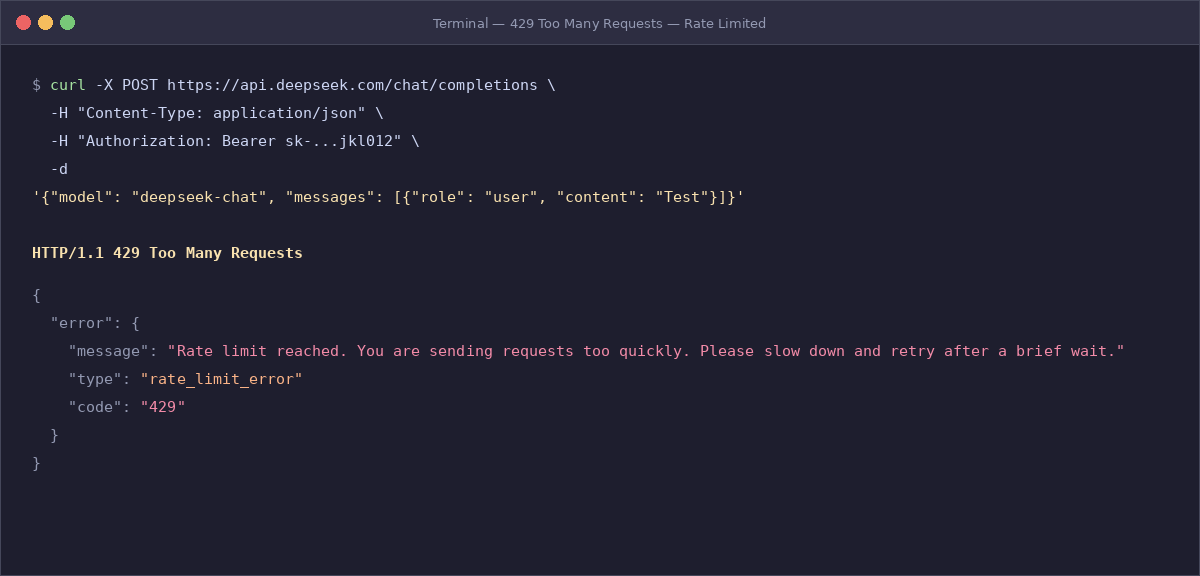
What it means: you are sending requests too quickly for current conditions.
Most common causes: bursts, too many parallel workers, naive retry loops, or traffic spikes after a queue drains all at once.
Fastest fix: slow down, add exponential backoff with jitter, and smooth your concurrency instead of hammering the API again immediately.
Retry or change something? Retry, but retry intelligently.
How to prevent it next time: batch where appropriate, queue requests, cache repeated work, and space traffic more evenly over time. DeepSeek’s current FAQ says the rate limit exposed to an account is adjusted dynamically based on real-time traffic pressure and short-term usage, so a 429 does not automatically mean a permanent account restriction or a fixed published quota.
That distinction matters. A 429 is often temporary and traffic-dependent. If your account and request are otherwise valid, better pacing usually helps more than rewriting the entire integration.
500 Server Error
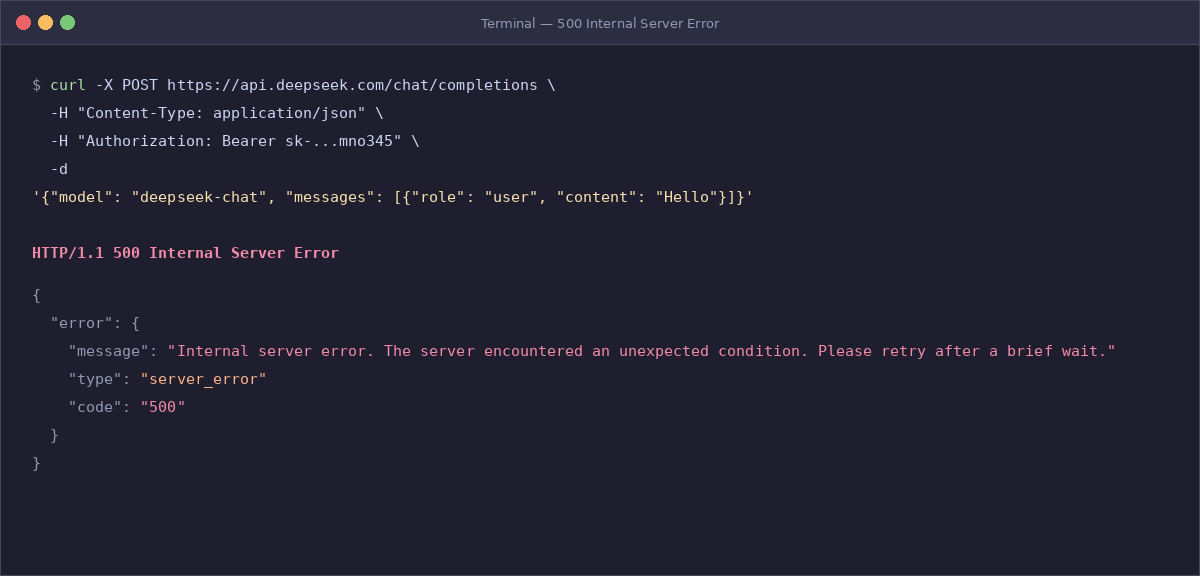
What it means: the server encountered an internal issue.
Most common causes: transient backend faults, partial outages, or infrastructure-side processing problems that are outside your application logic.
Fastest fix: wait briefly, retry, and check service health. Start with our DeepSeek status checker for a quick signal, then verify on the official DeepSeek status page if the issue appears widespread.
Retry or change something? Retry first. If simple requests start working again while one special payload still fails, then inspect that payload.
How to prevent it next time: use short retry windows, circuit breakers, and monitoring that separates 5xx spikes from 4xx validation bugs. The official DeepSeek guidance for 500 is to retry after a brief wait and contact support if the issue persists.
503 Server Overloaded
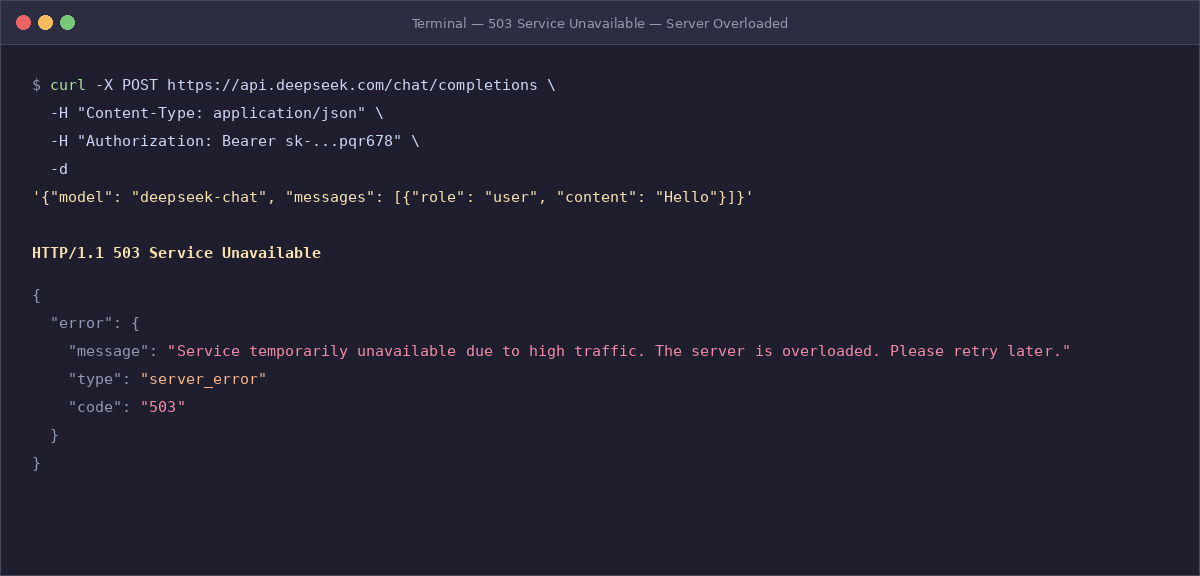
What it means: the service is overloaded by high traffic.
Most common causes: heavy platform demand, bursty client traffic, or temporary capacity pressure during peak periods.
Fastest fix: wait, reduce concurrency, and retry later rather than constantly resubmitting the same request.
Retry or change something? Retry later, with backoff and load shedding.
How to prevent it next time: smooth traffic spikes, queue non-urgent work, and make your client resilient when the provider is under load. For 5xx errors in general, status pages and retry logic matter more than re-editing JSON. The official DeepSeek list distinguishes 503 from 500 by describing 503 specifically as overload due to high traffic.
In practice, 500 and 503 should change your next step slightly. Treat 500 as a transient internal fault and 503 as congestion. Both are retryable, but 503 should also trigger pacing, queueing, and concurrency reduction on your side.
Minimal valid request example to compare against
When you are not sure whether the issue is 400, 401, or 422, compare your request to a minimal known-good baseline like this:
curl https://api.deepseek.com/chat/completions \
  -H "Content-Type: application/json" \
  -H "Authorization: Bearer $DEEPSEEK_API_KEY" \
  -d '{
    "model": "deepseek-chat",
    "messages": [
      {"role": "user", "content": "Say hello in one sentence."}
    ]
  }'
If this request works, your base URL, authentication, and basic message structure are probably fine. The bug is then more likely in optional fields, model naming, or wrapper logic. If it fails with 401, fix auth first. If it fails with 422, compare every added field against the current DeepSeek API guide before layering complexity back in. The current DeepSeek docs show an OpenAI-compatible format and document both the base URL and the active model identifiers.
Retry and backoff pattern for temporary DeepSeek errors
Use automatic retries for 429, 500, and 503. Do not blindly retry 400, 401, or 422, because those usually require a real change in the request, authentication, or parameters.
import random
import time

RETRYABLE_STATUS_CODES = {429, 500, 503}
MAX_RETRIES = 5

for attempt in range(MAX_RETRIES):
    response = call_deepseek()

    if response.status_code < 400:
        break

    if response.status_code not in RETRYABLE_STATUS_CODES:
        raise Exception(
            f"Do not blindly retry this error: "
            f"{response.status_code} {response.text}"
        )

    sleep_seconds = min(30, (2 ** attempt) + random.random())
    time.sleep(sleep_seconds)
else:
    raise Exception("DeepSeek is still unavailable after multiple retries.")
This pattern helps most when traffic is bursty or the platform is briefly overloaded. It is especially useful for 429 and 503, where pacing and short waits often matter more than changing your payload. If the retries still fail, check our DeepSeek status checker and then confirm against the official status page.
How to prevent DeepSeek API errors in production
A few habits prevent most DeepSeek error codes before they reach users:
- Keep one minimal, known-good request fixture for smoke testing.
- Validate JSON shape, required fields, and parameter types before sending.
- Store the API key in a proper secret manager and verify it at startup.
- Monitor 4xx and 5xx separately so request bugs do not get mixed with platform incidents.
- Review DeepSeek pricing and use the DeepSeek API cost calculator before launching high-volume jobs, so 402 errors do not surprise you.
- Add pacing, queueing, and exponential backoff to absorb 429 and 503 conditions.
- Use the DeepSeek API guide when debugging format, model, and parameter issues.
- Use our DeepSeek troubleshooting guide when the problem is broader than API responses.
These practices line up well with the current DeepSeek docs, your site’s API guide, and your pricing/status/troubleshooting cluster. They also make this page a useful hub rather than a dead-end error list.
FAQ
What is the difference between DeepSeek 400 and 422?
A 400 usually points to a request body or format problem at a more structural level, while 422 usually means the request reached the right API surface but contains invalid parameters. In practice, 400 often means “your payload shape is broken,” while 422 means “your payload shape is close, but one or more fields are wrong.”
Does DeepSeek 429 mean my account is permanently limited?
Not necessarily. DeepSeek’s FAQ says the rate limit exposed to an account is dynamic and depends on real-time traffic pressure and short-term usage. That means a 429 can be temporary and traffic-related, not necessarily a permanent cap or account problem.
Why do I get 402 if some DeepSeek experiences look free?
Because the official API is usage-based even when some consumer-facing web or app experiences are promoted as free for general use. API billing, balance, and top-ups are separate from browser chat access.
Should I retry 500 and 503 automatically?
Yes, usually with short exponential backoff and jitter. But keep retries limited. If the issue is widespread or lasts longer than a brief burst, check status before retrying forever.
What is the fastest way to debug a failing DeepSeek request?
Start from a minimal valid request. If that works, add fields back one by one. If it fails, the status code will usually tell you whether you need to fix formatting, authentication, balance, parameters, or retry behavior.
DeepSeek error codes are much easier to handle when you stop treating them as one bucket. 400, 401, 402, and 422 usually mean fix something on your side. 429 usually means pace and retry more intelligently. 500 and 503 usually mean retry, reduce pressure, and check service health. If you want the broader decision tree, use our DeepSeek troubleshooting guide. If you need payload-level help, go straight to the DeepSeek API guide.
Need the broader overview? Start with our main DeepSeek AI guide