
You can use DeepSeek AI to fix English grammar and improve writing by pasting your text into DeepSeek Chat or the DeepSeek app, giving it a clear grammar correction prompt, and asking it to improve spelling, punctuation, sentence structure, clarity, and tone while keeping your original meaning. DeepSeek can work like a writing assistant when you guide it properly.
This guide shows you how to use DeepSeek AI step by step, including copy-paste prompts, before-and-after examples, grammar correction workflows, privacy tips, and practical ways to improve writing with DeepSeek AI without losing your own voice.
DeepSeek’s official website currently presents access through web, app, and API options, so users may use the tool in different ways depending on their needs and availability.
Can DeepSeek AI Fix English Grammar?
Yes, DeepSeek AI can help fix English grammar. It can identify common grammar problems, spelling mistakes, punctuation errors, awkward sentence structure, unclear wording, and tone issues.
For example, it can help you correct:
- Subject-verb agreement mistakes
- Wrong verb tense
- Missing commas or punctuation problems
- Confusing sentence structure
- Repetitive wording
- Unnatural English phrases
- Overly long sentences
- Weak transitions
- Informal tone in professional writing
However, DeepSeek should be used as a writing assistant, not as a perfect replacement for human judgment. Like any AI grammar checker, it may sometimes over-edit your text, change your tone, or misunderstand your intended meaning.
The best way to fix English grammar with DeepSeek is to give it a specific instruction. Instead of typing only “fix this,” tell it exactly what you want it to do: correct grammar, preserve meaning, explain changes, improve clarity, or adjust tone.
Pro tip: The clearer your prompt is, the better the result will usually be.
How to Use DeepSeek AI to Fix English Grammar Step by Step
Follow this simple process when using DeepSeek as a grammar correction and writing improvement tool.
- Open DeepSeek Chat or the DeepSeek app
Go to DeepSeek Chat or use the official app if available in your region. The DeepSeek chat page describes the service as an AI assistant for tasks such as content creation, file reading, and long-context conversations. - Paste your text
Copy the paragraph, email, essay, blog post, report, or social media caption you want to improve. - Tell DeepSeek exactly what to fix
Be specific. Ask it to fix grammar, spelling, punctuation, sentence structure, and clarity. - Ask it to explain the corrections
This is especially useful for non-native English writers because it helps you learn from your mistakes. - Compare the original and improved versions
Do not accept the edited text blindly. Check whether the meaning, tone, names, numbers, and facts are still correct. - Edit the final version manually
Use DeepSeek’s output as a strong draft, then polish it yourself.
Quick Grammar Correction Prompt
Please proofread the text below. Fix grammar, spelling, punctuation, and sentence structure. Keep my original meaning and tone. Then explain the most important changes.

Text:
[Paste your text here]
This prompt works well for everyday writing, emails, assignments, blog paragraphs, and professional messages.
Best DeepSeek Prompts for Grammar Correction
The right grammar correction prompt can make DeepSeek much more useful. Below are copy-paste prompts for different writing needs.
1. Basic Grammar Correction Prompt
Please correct the grammar, spelling, and punctuation in the text below. Keep the original meaning and make only necessary changes.

Text:
[Paste your text here]
When to use it: Use this when your text is mostly good but needs grammar cleanup.
2. Grammar and Punctuation Prompt
Proofread the following text for grammar, punctuation, capitalization, and spelling mistakes. Do not rewrite the style unless necessary.

Text:
[Paste your text here]
When to use it: Use this for emails, short messages, captions, and simple paragraphs.
3. Sentence Structure Improvement Prompt
Please improve the sentence structure of the text below. Fix grammar mistakes, reduce awkward phrasing, and make the sentences flow more naturally. Keep my meaning unchanged.

Text:
[Paste your text here]
When to use it: Use this when your sentences feel unnatural, long, or confusing.
4. Clarity and Readability Prompt
Improve the clarity and readability of the following text. Make it easier to understand, remove unnecessary words, and keep the tone natural.

Text:
[Paste your text here]
When to use it: Use this for blog posts, reports, explanations, and website content.
5. Academic Writing Prompt
Please proofread this academic paragraph. Correct grammar, punctuation, and sentence structure. Make the tone formal and clear, but do not add unsupported claims or change the argument.

Text:
[Paste your text here]
When to use it: Use this for essays, research summaries, academic assignments, and formal paragraphs.
6. Professional Email Prompt
Rewrite the email below in clear, professional English. Fix grammar and punctuation, improve tone, and keep the message polite and concise.

Email:
[Paste your email here]
When to use it: Use this for workplace communication, client emails, follow-ups, and business requests.
7. Blog Post Editing Prompt
Please edit this blog post section for grammar, clarity, flow, and readability. Keep the tone helpful and engaging. Do not make it sound robotic.

Text:
[Paste your blog section here]
When to use it: Use this for articles, tutorials, product guides, and online content.
8. ESL Learning Prompt
I am a non-native English speaker. Please correct the text below and explain my grammar mistakes in simple English. Show me how to avoid similar mistakes in the future.

Text:
[Paste your text here]
When to use it: Use this when you want to improve your English, not just fix one piece of text.
9. Tone Improvement Prompt
Please improve the tone of the following text. Make it sound more [professional/friendly/confident/polite/formal] while fixing grammar and keeping the meaning the same.

Text:
[Paste your text here]
When to use it: Use this when your grammar is acceptable but the tone does not fit your audience.
10. Corrections in a Table Prompt
Please proofread the text below. Then show the corrections in a table with three columns: Original, Corrected, and Explanation.

Text:
[Paste your text here]
When to use it: Use this when you want to understand exactly what changed and why.
Example: Fixing English Grammar with DeepSeek AI
Here is a realistic example of how to use DeepSeek AI to correct grammar and improve sentence structure.
Original Text
I am working on this project since two weeks and I needs to send the report yesterday, but I don’t know if the grammar are correct.Prompt Used
Please proofread the text below. Fix grammar, spelling, punctuation, and sentence structure. Keep my original meaning and tone. Then explain the most important changes.

Text:
I am working on this project since two weeks and I needs to send the report yesterday, but I don’t know if the grammar are correct.
Corrected Version
I have been working on this project for two weeks, and I was supposed to send the report yesterday, but I am not sure if the grammar is correct.Explanation of Changes
| Error | Correction | Why it matters |
|---|---|---|
| “I am working” | “I have been working” | The present perfect continuous is better for an action that started in the past and continues now. |
| “since two weeks” | “for two weeks” | Use “for” with a period of time and “since” with a starting point. |
| “I needs” | “I needed” | The subject “I” does not take “needs,” and the past tense matches “yesterday.” |
| “grammar are” | “grammar is” | “Grammar” is singular, so it takes “is.” |
| Long sentence | Added comma and smoother structure | Better punctuation improves readability. |
This is why DeepSeek can be useful not only as a DeepSeek grammar checker but also as a learning tool.
How to Use DeepSeek AI to Improve Writing, Not Just Fix Grammar
Grammar correction is only one part of good writing. You can also use DeepSeek to improve clarity, tone, conciseness, flow, and vocabulary.
Grammar Correction
Grammar correction fixes technical language errors.
Correct the grammar, spelling, and punctuation in this text. Keep the meaning unchanged.

Text:
[Paste your text here]
Rewriting
Rewriting improves the way your ideas are expressed.
Rewrite the text below to make it smoother and more natural. Keep the original meaning and do not add new information.

Text:
[Paste your text here]
Clarity Improvement
Clarity improvement makes your writing easier to understand.
Make this text clearer and easier to read. Simplify confusing sentences and remove unnecessary words.

Text:
[Paste your text here]
Tone Adjustment
Tone adjustment helps your writing match the situation.
Adjust the tone of this text to sound more professional and polite. Keep the message clear and direct.

Text:
[Paste your text here]
Conciseness
Conciseness removes extra words without removing meaning.
Make this text more concise. Remove repetition and unnecessary words while keeping the main message.

Text:
[Paste your text here]
Flow and Transitions
Flow improvement helps your paragraphs connect better.
Improve the flow of this text. Add smoother transitions between ideas and make the paragraph feel more connected.

Text:
[Paste your text here]
Vocabulary Improvement
Vocabulary improvement can make your writing more precise.
Improve the vocabulary in this text without making it too complex. Use natural English and keep the tone appropriate for the audience.

Text:
[Paste your text here]
Pro tip: Do not ask DeepSeek to improve everything in one step when working on an important document. Use several passes: grammar first, clarity second, tone third, and final review last.
DeepSeek AI for Different Writing Types
DeepSeek can help with many types of English writing. The best prompt depends on the context.
Emails
Emails need to be clear, polite, and direct. DeepSeek can help you fix grammar, improve tone, and make your message sound more professional.
Rewrite this email in professional English. Fix grammar, improve clarity, and make the tone polite but direct.

Email:
[Paste your email here]
Essays
For essays, DeepSeek can help improve grammar, structure, and academic tone. However, it should not replace your own thinking or research.
Proofread this essay paragraph. Fix grammar and sentence structure, improve clarity, and keep my original argument unchanged.

Paragraph:
[Paste your paragraph here]
Blog Posts
Blog posts need to be readable, engaging, and easy to scan. DeepSeek can help simplify long sentences, improve flow, and remove awkward wording.
Edit this blog post section for grammar, readability, and flow. Keep the tone helpful and natural.

Text:
[Paste your blog section here]
Business Reports
Business reports should be clear, concise, and professional. DeepSeek can help remove vague wording and improve structure.
Improve this business report paragraph. Make it clear, concise, and professional. Fix grammar and keep all facts unchanged.

Text:
[Paste your report paragraph here]
Social Media Posts
Social media writing should be short, clear, and engaging. DeepSeek can help improve grammar while keeping the message natural.
Improve this social media post. Fix grammar, make it clearer, and keep it short and engaging.

Post:
[Paste your post here]
Resumes and Cover Letters
Resumes and cover letters must be polished and specific. DeepSeek can help improve grammar, action verbs, and professional tone.
Proofread this resume bullet or cover letter paragraph. Improve grammar, clarity, and professional tone without exaggerating my experience.

Text:
[Paste your text here]
Should You Accept Every DeepSeek Suggestion?
No. You should not accept every DeepSeek suggestion automatically.
AI tools can be helpful, but they can also make changes that do not fit your purpose. Sometimes DeepSeek may make your writing sound too formal, remove your personal voice, or slightly change the meaning of a sentence.
Before using the final version, check:
- Meaning: Does the edited text still say what you wanted?
- Tone: Does it sound like you?
- Facts: Are names, dates, numbers, and claims still correct?
- Audience: Is the style right for your reader?
- Requirements: Does it follow your teacher’s, client’s, or company’s rules?
- Citations: Did it change or invent any source-related information?
Use DeepSeek as a writing coach, not as the final authority.
Common Mistakes When Using DeepSeek for Grammar
Many users get weak results because their prompts are too vague. Here are the most common mistakes to avoid.
1. Giving Vague Prompts
A prompt like “fix this” may work, but it does not tell DeepSeek what kind of editing you need.
Better prompt:
Fix grammar and punctuation only. Do not change my tone or rewrite the paragraph unless necessary.2. Not Specifying Tone
A casual message, academic paragraph, and business email need different tones. Tell DeepSeek the tone you want.
Example:
Make this sound polite and professional, but not too formal.3. Not Checking Whether the Meaning Changed
DeepSeek may rewrite a sentence in a way that sounds better but slightly changes the meaning. Always compare the original and edited versions.
4. Accepting All Edits Blindly
Some edits may be unnecessary. Keep the suggestions that improve your writing and reject the ones that do not fit.
5. Pasting Sensitive Information
Do not paste passwords, private client details, confidential business documents, legal data, medical information, or unpublished sensitive work.
6. Using AI Instead of Learning
For non-native English writers, the best use of DeepSeek is not only correction. Ask it to explain your mistakes so you can improve over time.
DeepSeek vs Traditional Grammar Checkers
DeepSeek and traditional grammar checkers can both help improve English writing, but they are useful in different ways.
| Feature | DeepSeek AI | Traditional Grammar Checker |
|---|---|---|
| Grammar correction | Can correct grammar with the right prompt | Usually strong for quick grammar checks |
| Real-time browser suggestions | Not necessarily built into your browser workflow | Often available through browser or document integrations |
| Explanation of mistakes | Can explain corrections in detail | May provide short grammar explanations |
| Rewriting | Useful for deeper rewriting and alternative versions | Usually more limited unless using premium rewriting features |
| Tone adjustment | Can adjust tone based on prompts | Often includes tone suggestions, depending on the tool |
| Learning support | Good for asking follow-up questions | Helpful, but usually less conversational |
| Best use case | Deep revision, rewriting, learning, and prompt-based editing | Fast inline correction and final proofreading |
A good workflow is to use DeepSeek for deeper revision and learning, then use manual proofreading or a dedicated grammar checker for final polish.
Privacy and Safety Tips Before Pasting Your Text
Before pasting text into any AI grammar checker, think about privacy.
DeepSeek’s privacy policy says user inputs may include prompts, uploaded files, photos, feedback, and chat history, and it also collects device and network data such as IP address and device identifiers. The policy also states that personal data may be processed and stored in the People’s Republic of China, so users should avoid pasting sensitive or confidential text.
Avoid pasting:
- Passwords
- Private financial information
- Confidential client documents
- Legal or medical records
- Company secrets
- Unpublished sensitive work
- Personal identification details
- Private emails that include names, phone numbers, or addresses
A safer approach is to remove identifying information before pasting your text.
For example, replace real names with placeholders:
[Client Name]
[Company Name]
[Email Address]
[Project Name]
Pro tip: Always check the privacy policy of the platform you use, especially when editing professional, academic, legal, medical, or client-related documents.
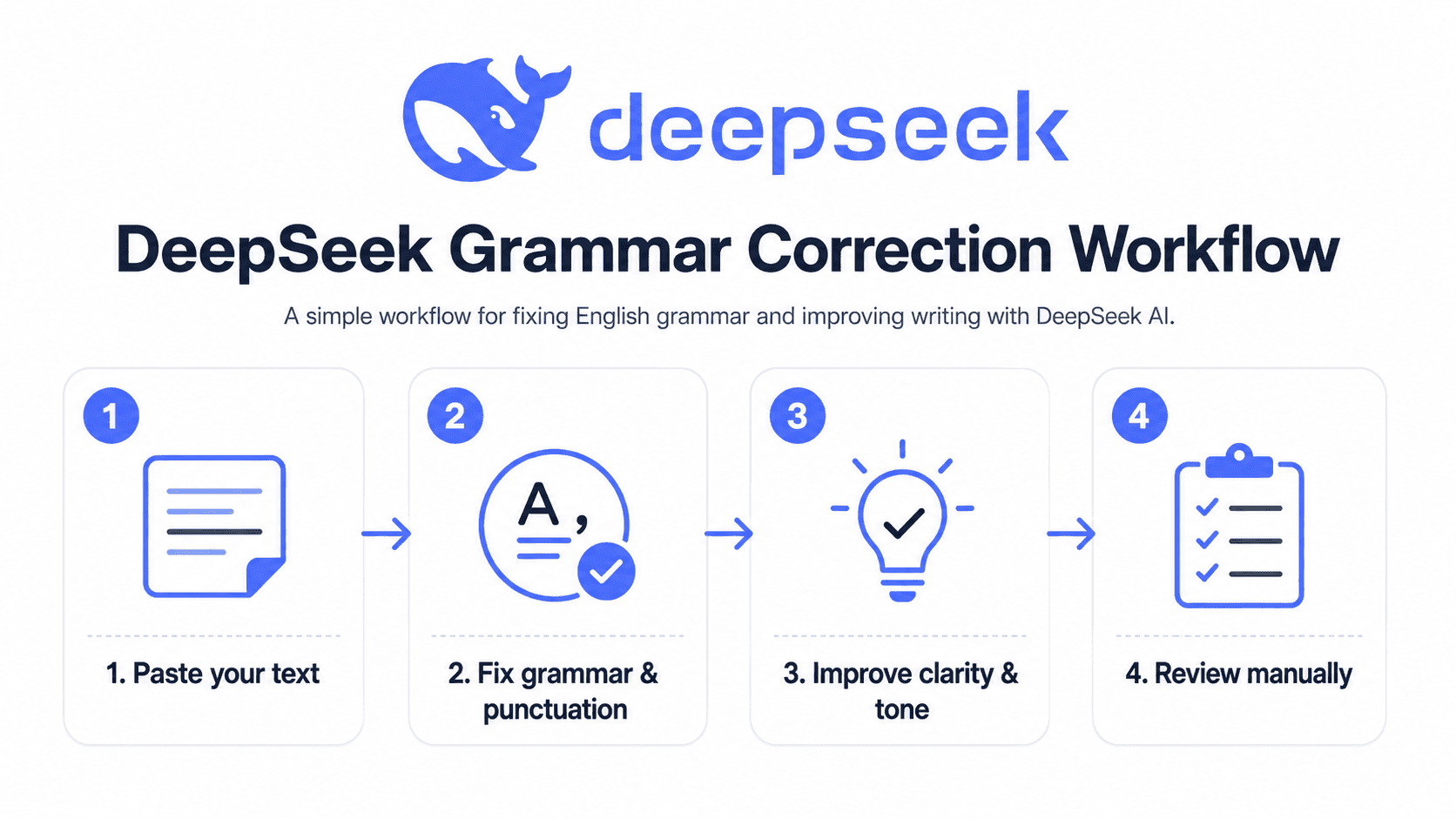
Final DeepSeek Grammar Correction Workflow
Here is a simple workflow you can use whenever you want to proofread English text with DeepSeek.
First Pass: Grammar and Punctuation
Correct grammar, spelling, punctuation, and capitalization. Keep the original meaning and tone.Second Pass: Clarity and Sentence Structure
Improve clarity and sentence structure. Make the text easier to read without changing my message.Third Pass: Tone and Audience
Adjust the tone for [audience]. Make it sound [professional/friendly/formal/confident] while keeping the meaning.Fourth Pass: Final Human Review
Read the final version yourself. Check facts, tone, meaning, names, numbers, and formatting.
Optional Pass: Learn From Your Mistakes
Based on the corrections, what grammar mistakes do I make most often? Explain them in simple English and give me examples.This final step is especially useful for ESL learners and non-native English writers because it turns grammar correction into active learning.
FAQs About Using DeepSeek AI to Fix English Grammar
Is DeepSeek good for fixing English grammar?
Yes, DeepSeek can help fix English grammar, punctuation, spelling, and sentence structure when you give it a clear prompt. It is most useful when you ask it to preserve your meaning and explain important corrections.
Can DeepSeek improve my writing style?
Yes. DeepSeek can help improve writing style by making text clearer, smoother, more concise, more professional, or more natural. You should specify the style or tone you want.
Can DeepSeek explain grammar mistakes?
Yes. You can ask DeepSeek to explain corrections in simple English. This is helpful for students and non-native English speakers who want to understand their mistakes instead of only receiving a corrected version.
Is DeepSeek better than Grammarly?
DeepSeek and Grammarly-style tools are different. Traditional grammar checkers are often better for fast inline corrections and browser or document integrations. DeepSeek is useful for deeper rewriting, explanations, tone changes, and learning through conversation.
Can I use DeepSeek for academic writing?
Yes, you can use DeepSeek to proofread grammar, improve clarity, and check sentence structure in academic writing. However, you should not use it to replace your own research, arguments, citations, or original work. Always follow your school or university’s AI policy.
Can DeepSeek rewrite emails professionally?
Yes. DeepSeek can rewrite emails in a more professional, polite, or concise tone. For best results, tell it who the email is for and what tone you want.
Does DeepSeek change the meaning of my text?
It can happen. That is why you should ask DeepSeek to keep your original meaning and then compare the edited version with your original text.
What is the best prompt for grammar correction?
A strong general prompt is:
Please proofread the text below. Fix grammar, spelling, punctuation, and sentence structure. Keep my original meaning and tone. Then explain the most important changes.Should non-native English speakers use DeepSeek?
Yes, non-native English speakers can use DeepSeek as a writing assistant and learning tool. The best approach is to ask for corrections plus simple explanations so you can learn from repeated mistakes.
Conclusion
Learning how to use DeepSeek AI to fix English grammar and improve writing is mostly about using clear prompts, reviewing the output carefully, and learning from the corrections. DeepSeek can help you proofread English text, improve sentence structure, rewrite awkward phrases, adjust tone, and make your writing clearer.
However, it should not replace your judgment. Always check the final version for meaning, accuracy, tone, and privacy. The best results come when you treat DeepSeek as a writing coach: ask specific questions, compare versions, and learn from the explanations.
Copy one of the prompts above, paste your draft into DeepSeek, and compare the improved version with your original text.