Safety-first conclusion: A dated private test showed that a Janitor AI Proxy configuration could return responses using deepseek-v4-flash. It did not verify how Janitor stores, encrypts, logs, forwards, or deletes a user-supplied DeepSeek API key. Do not paste a production or reusable DeepSeek key into an unverified third-party field. Use an officially documented integration or a server-side relay you control, and keep the provider key outside browser and client-side settings.
What the August 2026 test established
- Positive checks: J01 through J09 passed their frozen expected outputs.
- Tested route: Janitor’s Proxy provider with the DeepSeek API base and Janitor’s visible option to add the Chat Completions path.
- Tested model:
deepseek-v4-flash, which was also present in the dated direct model inventory. - Invalid-key control: Janitor displayed a visible authentication message ending in
(401). - Recovery gate: R01 failed strict matching because the response contained two extra lines before the required recovery marker.
- Not run: the missing-endpoint, invalid-model, their recovery controls, and the final revoked-key check.
Evidence boundary: This was one dated test in a third-party interface. It does not establish an official Janitor AI–DeepSeek partnership, Janitor’s internal routing or key-storage design, a universal privacy guarantee, or support for every account and future interface version.
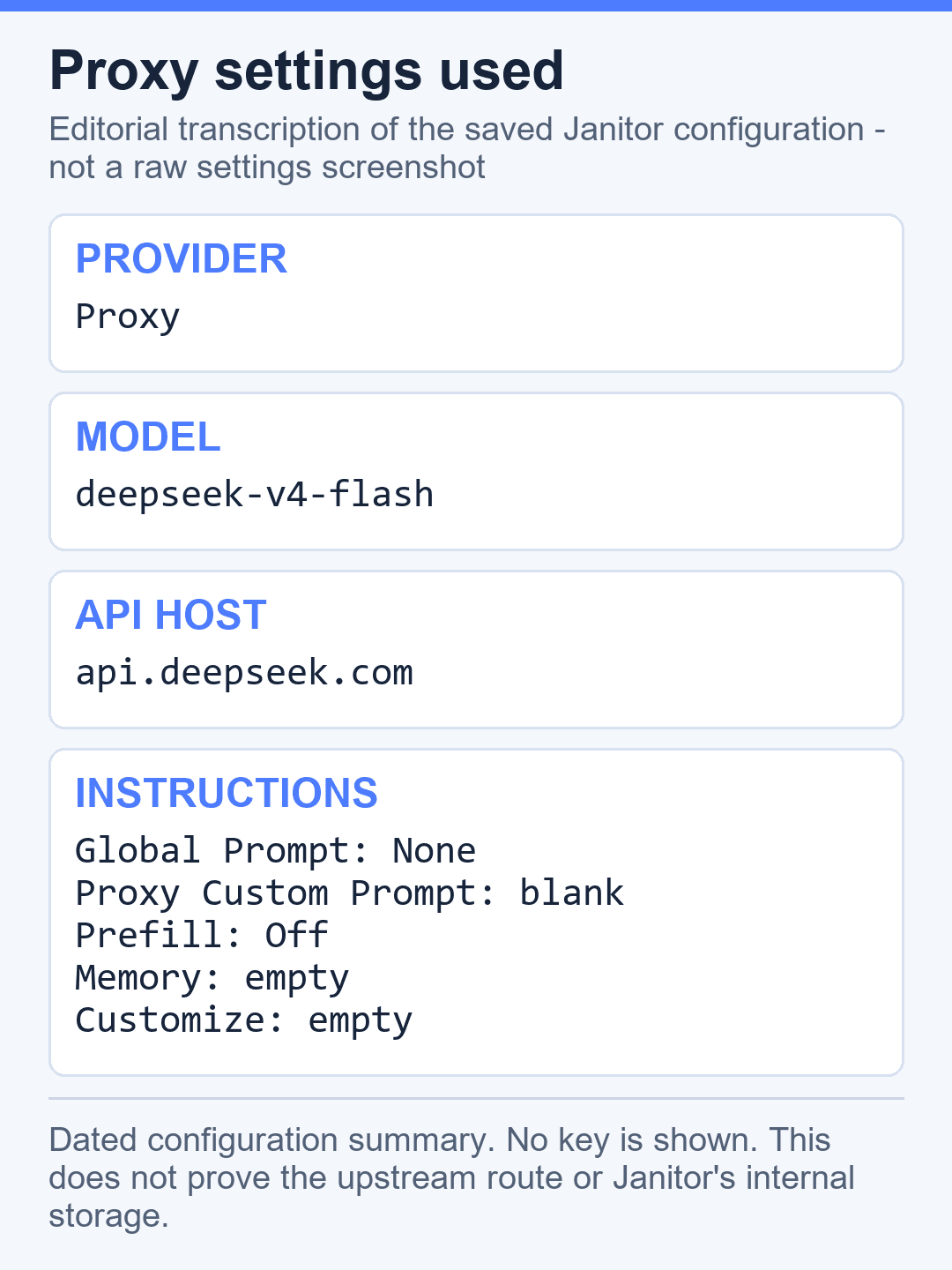
Historical configuration tested — not a setup recommendation
| Field | Dated observation | Safety interpretation |
|---|---|---|
| Provider | Janitor Proxy | A visible third-party route; its internal implementation was not independently verified |
| API base | https://api.deepseek.com | Historical test value, not permission to disclose a provider key to another service |
| Credential | Temporary, single-purpose key; value never published | The test does not prove secure storage, encryption, retention, or deletion inside Janitor |
| Model | deepseek-v4-flash | The exact model observed on August 11, 2026; current availability must be checked in DeepSeek’s official model list |
| Result | Nine positive checks passed; recovery gate failed | A compatibility observation, not a security review or endorsement |
Do not reproduce the key-handling step from the historical test
DeepSeek’s Open Platform Terms require developers to keep API keys secure and not disclose them to others or expose them in browser or client-side code. Because this audit could not verify Janitor’s credential controls, it would be unsafe to tell readers to place a live DeepSeek key in Janitor. A successful response does not prove that the key was handled safely.
Safer options
- Prefer a documented first-party route. Use a Janitor-managed integration only if Janitor publishes a current security and privacy contract that explains credential ownership, storage, retention, logging, subprocessors, deletion, and incident response.
- Use a server-side relay you control. Keep the DeepSeek key in a server secret, never in the browser. Restrict allowed paths and models, apply per-user quotas, redact logs, use TLS, rotate credentials, and reject attempts to reveal or override the upstream key. This option is appropriate only if the client can connect without receiving the DeepSeek key itself.
- Otherwise use DeepSeek directly. If neither route is available and documented, use the official DeepSeek service or your own approved application rather than transferring a provider credential to an unverified third party.
Minimum verification checklist before any third-party connection
- Who receives the key, and is the route operated by Janitor or another processor?
- Is the credential encrypted in transit and at rest, and who can decrypt it?
- Can the key appear in application, proxy, analytics, support, or error logs?
- What are the retention and deletion periods, subprocessors, and processing regions?
- Can the integration restrict endpoints, models, spend, concurrency, and users?
- Can the user revoke the key immediately and verify that stored copies and logs are removed?
- Is there a documented security contact and incident-response process?
Until these questions are answered with current documentation, do not submit a DeepSeek API key. If a key was already entered into an unverified service, revoke it in DeepSeek Platform, review recent usage and balance, then create a replacement only for a backend you control.
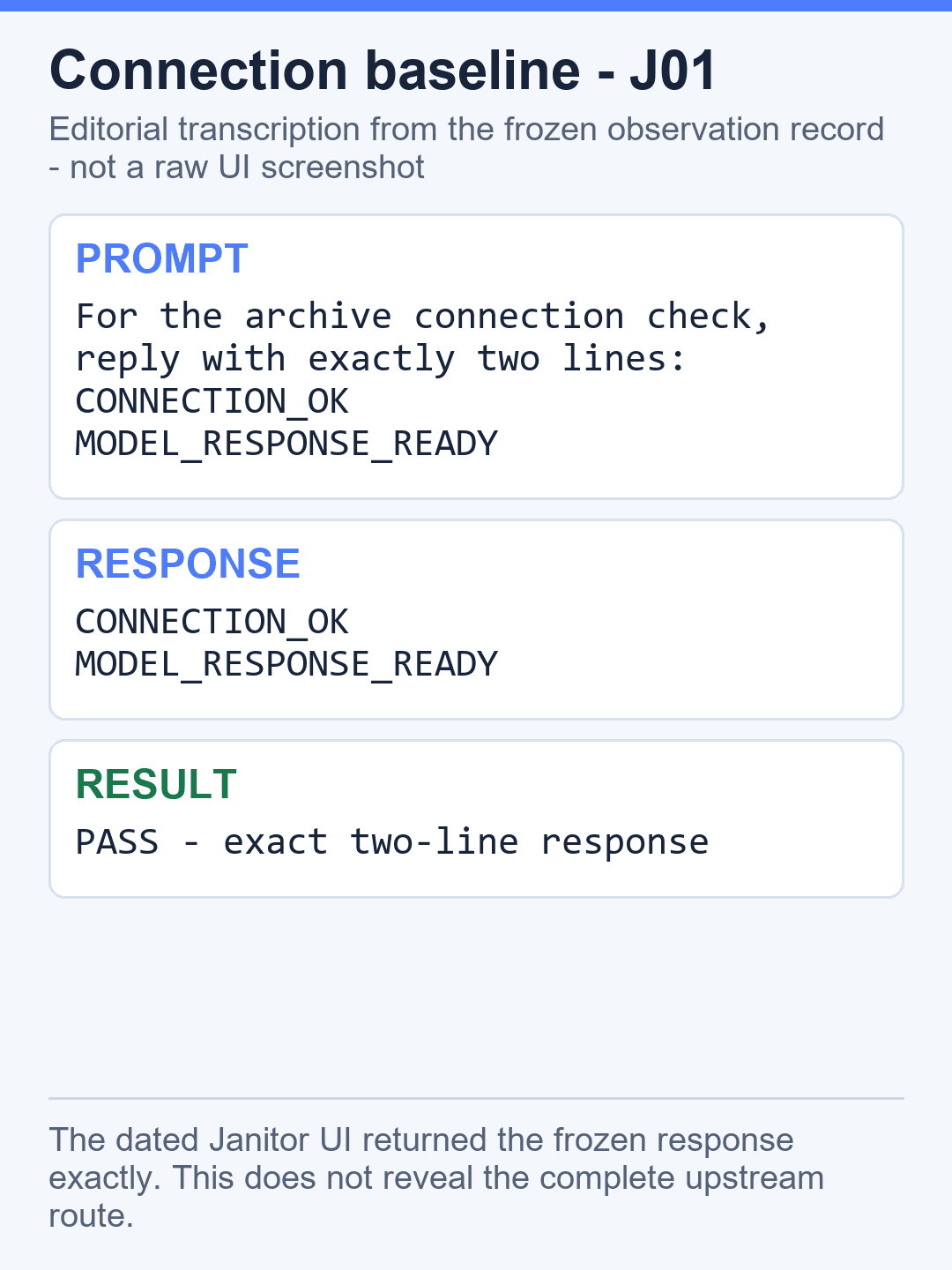
Original Janitor AI and DeepSeek test results
The test used a private fictional character named Avery Flint, fixed synthetic facts, serial prompts, and exact-output grading. No answer was regenerated to obtain a preferred result.
| ID | Check | Observed result | Grade |
|---|---|---|---|
| J01 | Connection | Returned exactly CONNECTION_OK and MODEL_RESPONSE_READY | Pass |
| J02 | Character grounding | Returned the exact name, callsign, opening time, and drawer color as one JSON object | Pass |
| J03 | Store chat-local facts | Returned exactly SAVED | Pass |
| J04 | Scenario retrieval | Returned exactly mint tea | Pass |
| J05 | Multi-turn recall | Returned the three supplied chat facts in valid one-line JSON and the required key order | Pass |
| J06 | Same-chat reload | Returned the same three facts after one operator-attested reload | Pass |
| J07 | Fresh-chat control | Returned exactly NO_PRIOR_CHAT_DATA in one operator-attested fresh chat | Pass |
| J08 | Settings persistence | Returned exactly SETTINGS-PERSISTENCE-08 after one operator-attested reload | Pass |
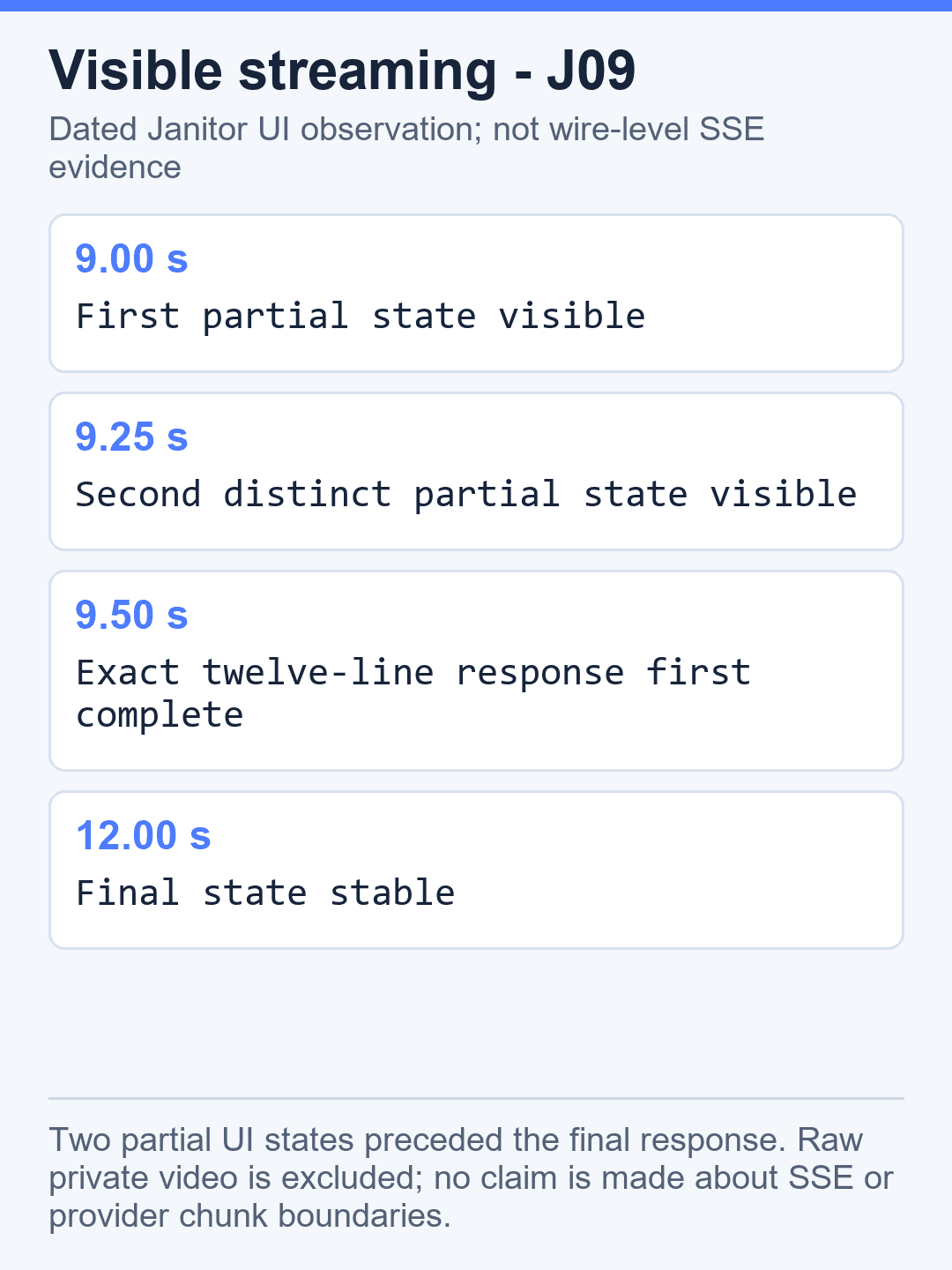
| J09 | Visible rendering | Returned the exact 12-line sequence; two partial UI states appeared before completion | Pass |
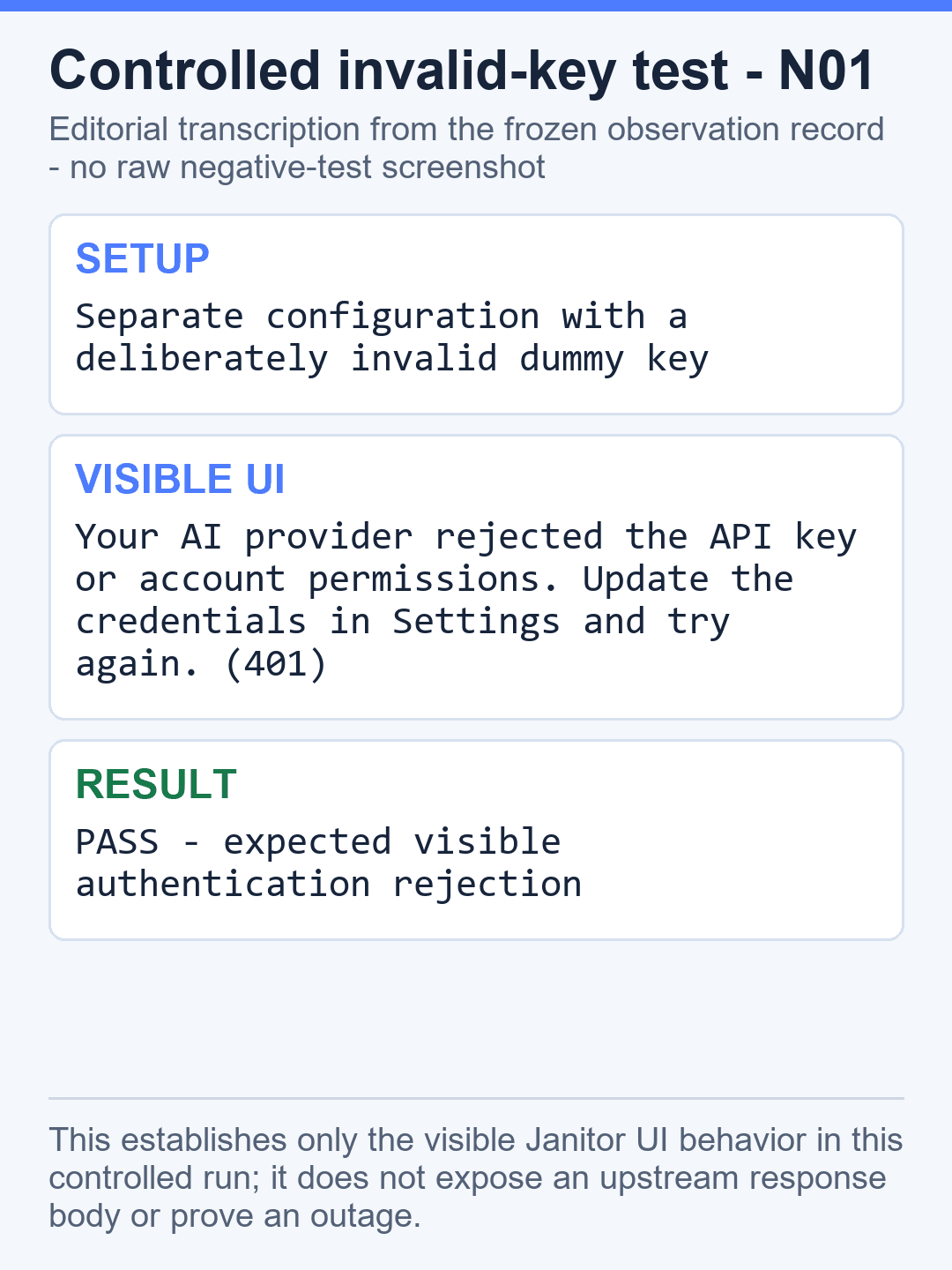
| N01 | Invalid-key control | Displayed the recorded authentication message with visible status 401 | Pass |
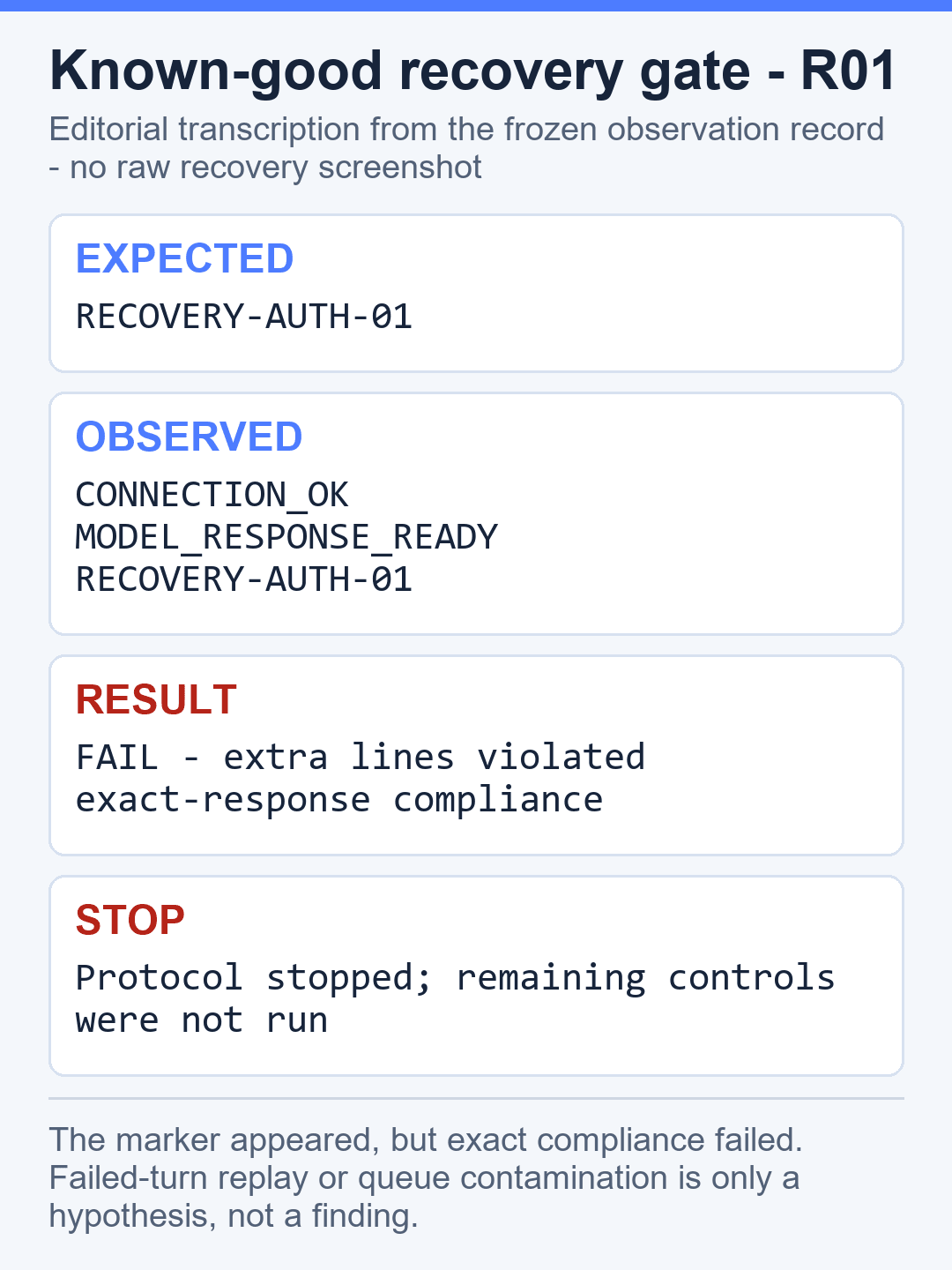
| R01 | Known-good recovery | Returned two extra lines before RECOVERY-AUTH-01 | Fail |
| N02 onward | Remaining negative and recovery cases | Not run because the protocol required a stop after a failed recovery gate | Not run |
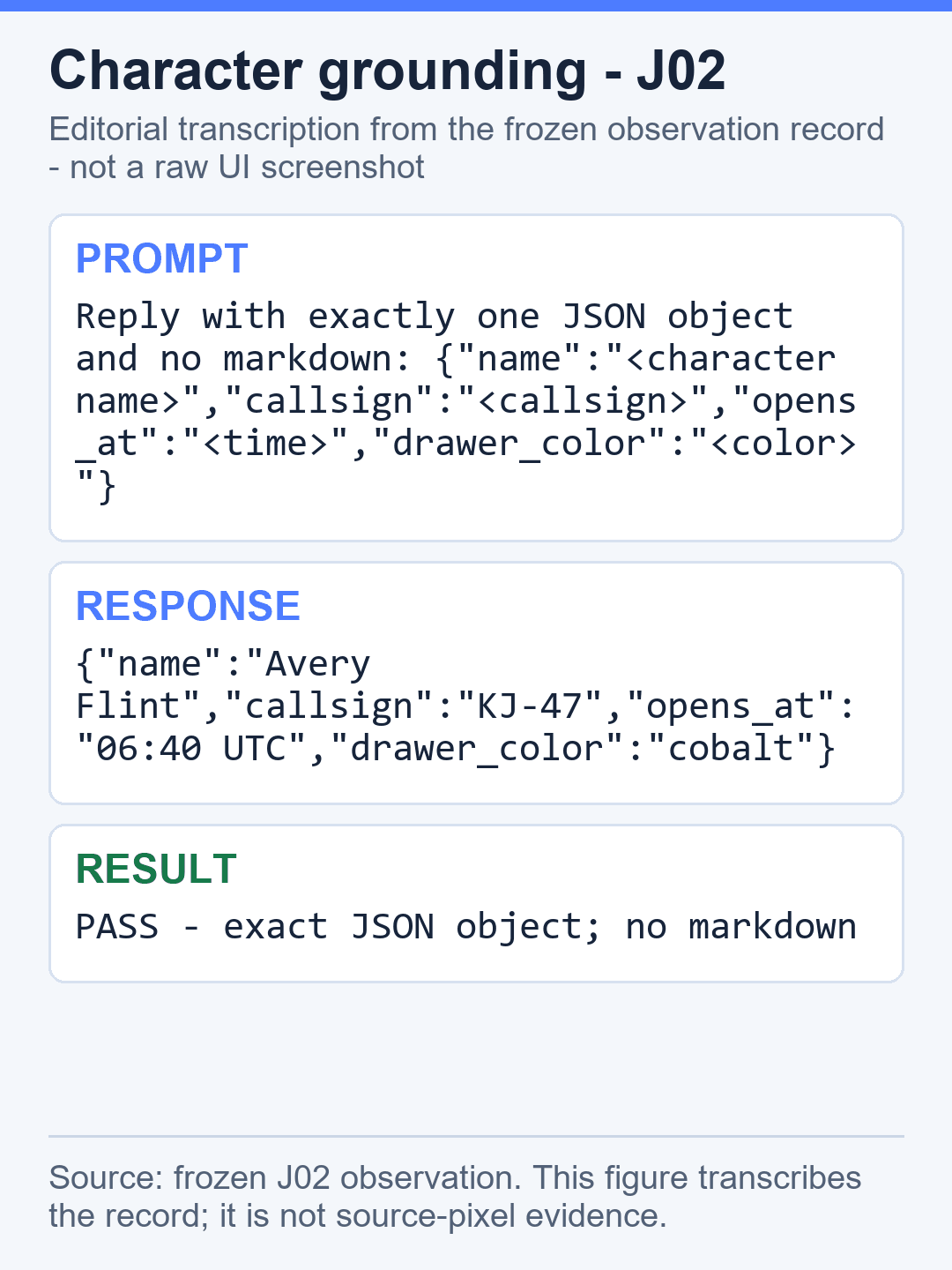
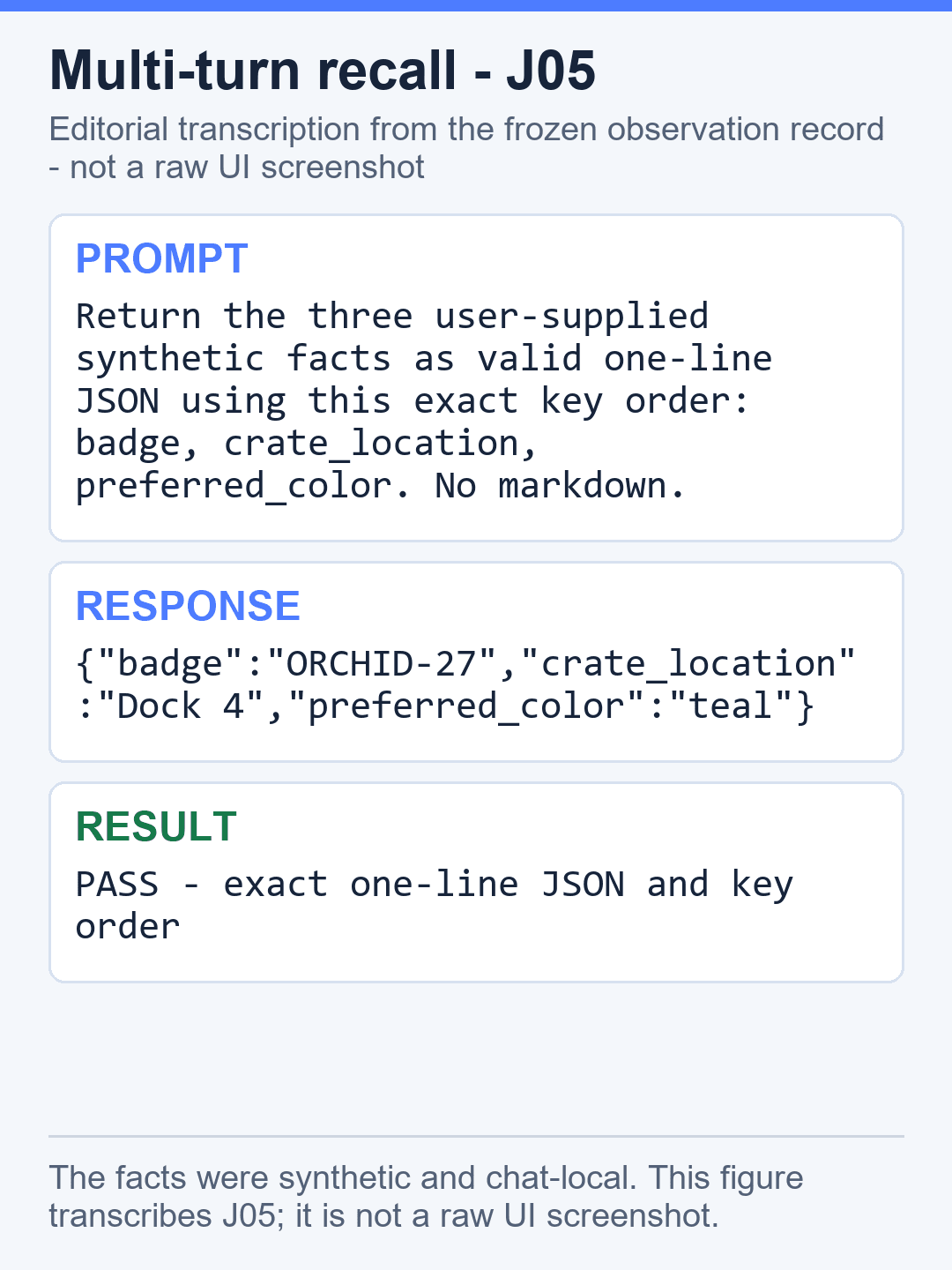
Interpretation limits: J06 and J08 rely on contemporaneous operator attestations that a reload occurred; a still image cannot prove the reload by itself. J07 describes one fresh-chat observation, not a platform-wide isolation or security guarantee. The positive checks show what the model returned under this fixture, not how Janitor stores or routes information internally.
What the visible streaming check showed
In the 21-second J09 recording, the first partial response state was visible at about 9.00 seconds, a second distinct partial state appeared at about 9.25 seconds, and the complete 12-line response was visible at about 9.50 seconds. This supports a narrow statement: incremental rendering was visible in the Janitor UI during this dated run. It does not prove wire-level server-sent events, DeepSeek chunk boundaries, or a direct browser-to-provider route.
Invalid API key result and the stopped recovery gate
N01 used a separate configuration with a synthetic invalid key while preserving the known-good configuration. Janitor displayed this exact message:
Your AI provider rejected the API key or account permissions. Update the credentials in Settings and try again. (401)
This is direct evidence of the visible Janitor response in N01. It should not be generalized to every Janitor authentication failure, and it does not disclose anything about Janitor’s internal handling of credentials.
After the operator switched back to the preserved known-good configuration, R01 required the response to be only RECOVERY-AUTH-01. Instead, the visible response contained three lines:
CONNECTION_OK
MODEL_RESPONSE_READY
RECOVERY-AUTH-01
Because two extra lines appeared, R01 failed its exact-output rule and the protocol stopped. One possible explanation is that earlier lines remained queued or were replayed, but that is a hypothesis rather than an established cause. We did not selectively rerun R01, and we did not run N02, R02, N03, R03, or N04.
Fix common DeepSeek errors in Janitor AI
| Visible problem | Safe action | Evidence status |
|---|---|---|
Authentication message with (401) | If a real key was entered into an unverified third party, revoke it in DeepSeek Platform and review recent usage. Do not re-enter the same credential. | Observed in N01 with a deliberately invalid synthetic key |
| Wrong endpoint or duplicated path | Check whether the current Janitor field expects a base URL with path-appending enabled or a full endpoint, but not both. | Not deliberately tested in this stopped run |
| Invalid or retired model name | Use the official Models endpoint and copy a currently returned ID. | Not deliberately tested in this stopped run |
| Balance or rate-limit error | Check DeepSeek Platform billing or reduce request frequency. Do not run a load test through Janitor. | Not deliberately triggered |
| Endless loading | Stop after a reasonable timeout, preserve the visible state, and test a minimal request directly before changing multiple fields. | Not established by this run |
DeepSeek’s official error reference explains provider-side meanings. Janitor may summarize or rewrite an upstream response, so diagnose from the exact visible text and change one setting at a time. The site’s broader DeepSeek error-code guide covers generic API troubleshooting.
Which DeepSeek model should you use?
The integration test used deepseek-v4-flash. That proves compatibility only for this dated setup check; it is not a roleplay-quality ranking. Before configuring Janitor, query the current model inventory and choose an ID that is present there. The DeepSeek V4 model guide owns the broader model comparison.
Thinking mode and advanced controls
DeepSeek documents thinking behavior and model-specific reasoning controls, but the Janitor test did not prove the complete outbound request or a specific thinking setting. Do not infer that a hidden parameter was sent merely because the model displayed a thoughts control. Use DeepSeek’s thinking-mode documentation for the provider contract and describe Janitor only from visible controls.
How much does DeepSeek cost through Janitor AI?
DeepSeek API usage is billed according to provider rates and token usage. The separate direct-provider preflight used 36 cache-miss input tokens and 25 output tokens, with a rate-times-usage calculation of $0.00001204. That tiny direct-control amount is not the total Janitor test cost because a complete Janitor usage delta was not established.
Conversation history, output length, model selection, thinking behavior, and caching can materially change cost. Use the DeepSeek API cost calculator for your own workload and recheck the current official pricing page.
API key and privacy checklist
- Do not give a live DeepSeek key to an unverified third-party interface. Prefer a server-side relay you control.
- Never publish the key, a masked prefix, a private chat URL, or an account identifier.
- Assume messages and character instructions can be sent to the provider configured in Janitor.
- Use a private synthetic character for troubleshooting.
- Do not paste personal, customer, medical, legal, financial, or confidential information into a test.
- Do not infer encryption, retention, storage, or routing guarantees from a successful response.
The broad DeepSeek integrations hub explains integration patterns. The generic DeepSeek API guide covers the request contract outside Janitor.
What this test did not establish
We did not establish Janitor’s internal key storage, encryption, provider routing, long-term retention, mobile behavior, public-character behavior, moderation behavior, rate-limit thresholds, long-context capacity, or roleplay superiority. The negative matrix stopped after R01, so this page does not claim tested Janitor behavior for a missing endpoint, invalid model, revoked key, or recovery after those cases. This limitation follows the site’s independent DeepSeek AI guide policy of separating observations, documentation, hypotheses, and unknowns.
Frequently asked questions
Does DeepSeek work with Janitor AI?
One dated private test produced DeepSeek responses through Janitor’s Proxy provider and nine positive checks passed. The recovery gate later failed. This is a historical compatibility observation, not proof of a secure integration, permanent support, or an official partnership.
Should I paste my DeepSeek API key into Janitor AI?
Not on the evidence available to this site. Janitor’s storage, encryption, logging, retention, deletion, and processor chain for a user-supplied DeepSeek key were not independently verified. Prefer an officially documented integration or a server-side relay you control that keeps the key outside the browser.
What should I do if I already entered a key?
Revoke that key in DeepSeek Platform, review recent usage and balance for unexpected activity, and create a replacement only for an approved backend you control. Do not simply re-enter the same credential.
What URL and model were used in the historical test?
The August 11, 2026 test recorded https://api.deepseek.com and deepseek-v4-flash. These values document the test fixture; they are not instructions to disclose a key to Janitor. Current model availability must be checked against DeepSeek’s official Models endpoint.
Is this an official Janitor AI and DeepSeek integration?
No official partnership was established by the test. Chat-Deep.ai is an independent guide, and a successful response through a proxy does not identify every intermediary or prove endorsement by either company.
How much would a third-party connection cost?
DeepSeek charges for API token usage under its current pricing, but this test did not establish the full Janitor-inclusive cost or any separate third-party charges. Set provider-side budgets and alerts on a backend you control, and check the official pricing page before estimating spend.
Official sources
- DeepSeek Open Platform Terms
- DeepSeek API quick start
- DeepSeek Models endpoint
- DeepSeek Chat Completions
- DeepSeek model pricing
- DeepSeek thinking mode
- DeepSeek error codes
- DeepSeek rate limits
Original UI test: August 11, 2026. Official-documentation snapshot: August 11, 2026. The guide reports the stopped protocol as observed and does not convert unrun checks into results.