
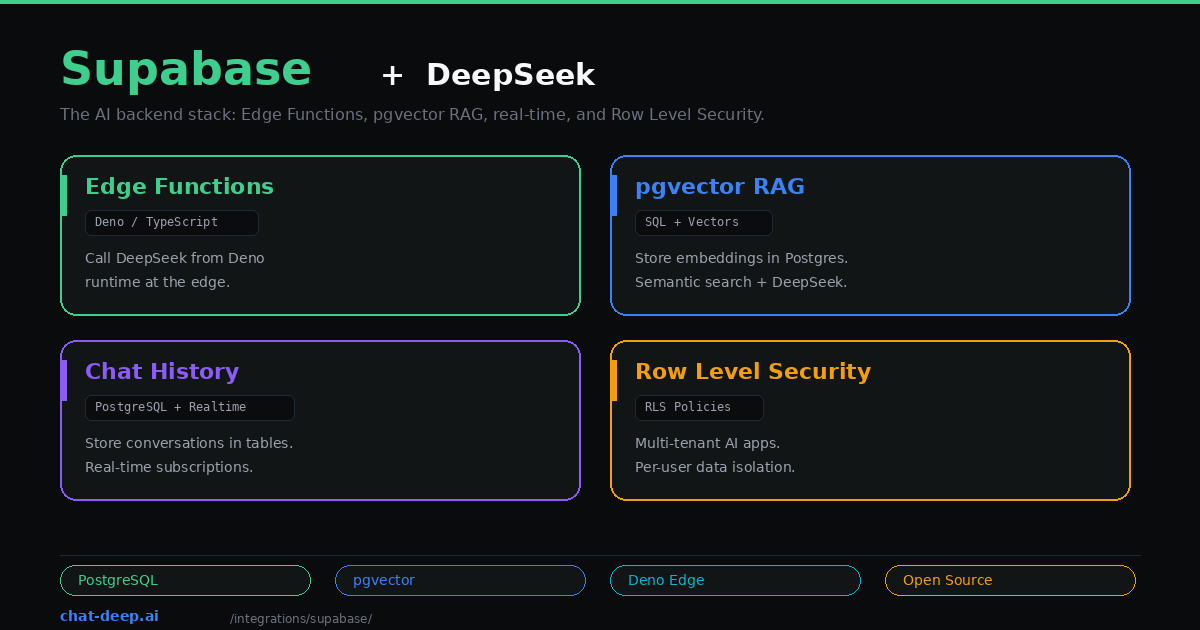
Supabase is the open-source Firebase alternative built on PostgreSQL. For AI applications, it offers something that standalone vector databases and serverless platforms do not: a unified backend where your database, vector store, authentication, file storage, edge functions, and real-time subscriptions all live together. You do not need to stitch together five different services to build a production AI app.
DeepSeek fits into this stack through Supabase Edge Functions — Deno-based serverless functions that run at the edge and can call DeepSeek’s API directly. Combined with Supabase Vector (pgvector) for storing embeddings, you get a complete RAG pipeline where the database, the vector search, and the LLM integration all run on one platform.
This guide builds a practical AI backend using Supabase and DeepSeek: an Edge Function that calls DeepSeek, a pgvector table for RAG, conversation history with real-time updates, and Row Level Security for multi-tenant isolation. If you are new to the DeepSeek API, our API documentation covers the basics.
Setup
You need a Supabase project (free tier works) and a DeepSeek API key. Install the Supabase CLI:
npm install -g supabase
supabase init
supabase start
Store your DeepSeek API key as an Edge Function secret:
supabase secrets set DEEPSEEK_API_KEY=your-api-key-hereGet your key from the DeepSeek platform — our login guide covers account creation.
Edge Function: Call DeepSeek from the Edge
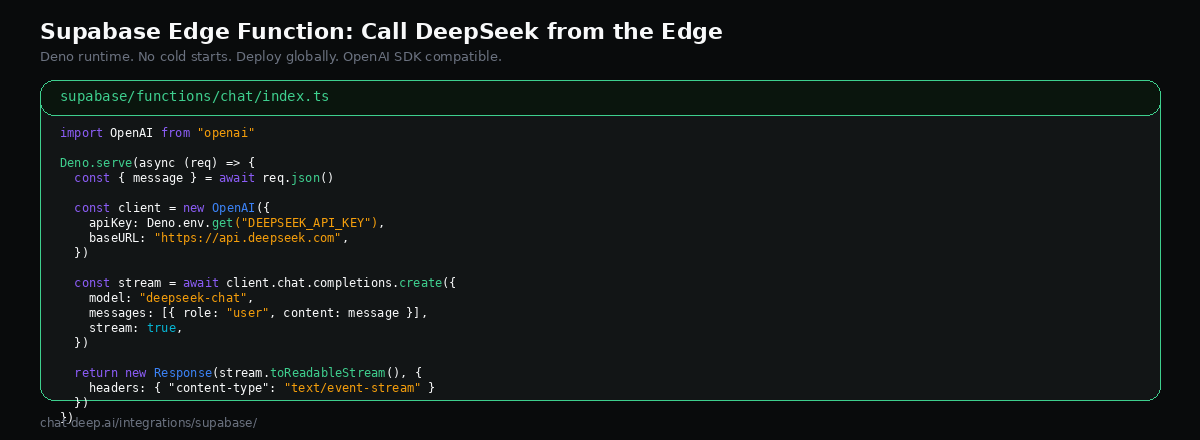
Supabase Edge Functions run on Deno, not Node.js. They deploy globally and handle HTTPS automatically. Create a new function:
supabase functions new chatWrite the function that calls DeepSeek with streaming:
// supabase/functions/chat/index.ts
import OpenAI from "npm:openai@4";

const client = new OpenAI({
  apiKey: Deno.env.get("DEEPSEEK_API_KEY"),
  baseURL: "https://api.deepseek.com",
});

Deno.serve(async (req) => {
  const { messages } = await req.json();

  const stream = await client.chat.completions.create({
    model: "deepseek-chat",
    messages,
    stream: true,
  });

  const encoder = new TextEncoder();
  const readable = new ReadableStream({
    async start(controller) {
      for await (const chunk of stream) {
        const text = chunk.choices[0]?.delta?.content || "";
        if (text) {
          controller.enqueue(encoder.encode(`data: ${JSON.stringify({ text })}\n\n`));
        }
      }
      controller.enqueue(encoder.encode("data: [DONE]\n\n"));
      controller.close();
    },
  });

  return new Response(readable, {
    headers: {
      "Content-Type": "text/event-stream",
      "Access-Control-Allow-Origin": "*",
    },
  });
});
Note the npm: prefix — this is how Deno imports npm packages. The OpenAI SDK works with DeepSeek by pointing baseURL to api.deepseek.com, the same OpenAI SDK approach used elsewhere. Deploy with supabase functions deploy chat.
Call it from your frontend:
const { data, error } = await supabase.functions.invoke("chat", {
  body: {
    messages: [{ role: "user", content: "What is pgvector?" }],
  },
});
The Supabase client handles authentication automatically — the user’s session token is forwarded to the Edge Function, so you can verify who is making the request.
Building a RAG Pipeline with pgvector
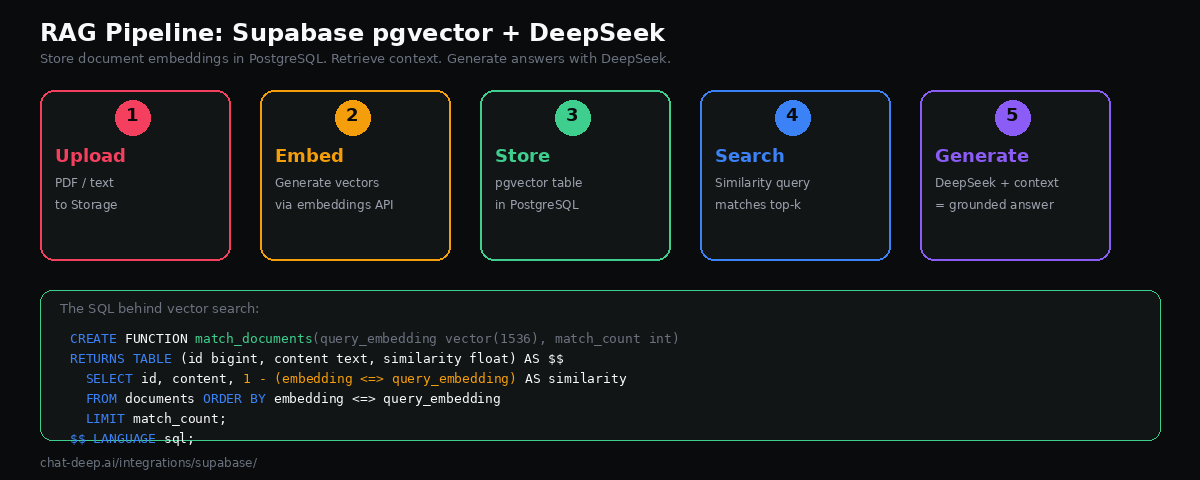
Supabase includes pgvector — a PostgreSQL extension for storing and querying vector embeddings. This means your relational data and your vector data live in the same database. No external vector store to manage, no data synchronization to worry about.
Enable the extension and create a documents table:
-- Enable pgvector
create extension if not exists vector;

-- Documents table with embedding column
create table documents (
  id bigserial primary key,
  content text not null,
  embedding vector(1536),
  metadata jsonb default '{}',
  created_at timestamptz default now()
);

-- Create an index for fast similarity search
create index on documents using hnsw (embedding vector_cosine_ops);
Create a function that performs similarity search:
create or replace function match_documents(
  query_embedding vector(1536),
  match_count int default 5
)
returns table (
  id bigint,
  content text,
  similarity float
)
language sql stable
as $$
  select
    id,
    content,
    1 - (embedding <=> query_embedding) as similarity
  from documents
  order by embedding <=> query_embedding
  limit match_count;
$$;
Now create an Edge Function that ties it all together — embed the question, search for relevant documents, and pass the context to DeepSeek:
// supabase/functions/ask/index.ts
import OpenAI from "npm:openai@4";
import { createClient } from "npm:@supabase/supabase-js@2";

const deepseek = new OpenAI({
  apiKey: Deno.env.get("DEEPSEEK_API_KEY"),
  baseURL: "https://api.deepseek.com",
});

const supabase = createClient(
  Deno.env.get("SUPABASE_URL")!,
  Deno.env.get("SUPABASE_SERVICE_ROLE_KEY")!
);

Deno.serve(async (req) => {
  const { question, embedding } = await req.json();

  // Step 1: Find relevant documents
  const { data: docs } = await supabase.rpc("match_documents", {
    query_embedding: embedding,
    match_count: 5,
  });

  const context = docs?.map((d: any) => d.content).join("\n\n") || "";

  // Step 2: Generate answer with DeepSeek
  const response = await deepseek.chat.completions.create({
    model: "deepseek-chat",
    messages: [
      {
        role: "system",
        content: `Answer based only on this context:\n\n${context}\n\nIf the context doesn't contain the answer, say so.`,
      },
      { role: "user", content: question },
    ],
  });

  return Response.json({
    answer: response.choices[0].message.content,
    sources: docs?.map((d: any) => d.id),
  });
});
This is a complete RAG endpoint: receive a question with its embedding, find the most similar documents in pgvector, inject them as context into the DeepSeek prompt, and return a grounded answer with source references. DeepSeek’s 128K context window means you can include substantial amounts of retrieved content. For more on DeepSeek’s model capabilities, see our models hub.
Storing Conversation History
Most AI apps need to persist conversations. Supabase makes this straightforward with a simple table schema:
create table conversations (
  id uuid primary key default gen_random_uuid(),
  user_id uuid references auth.users(id) not null,
  title text,
  created_at timestamptz default now()
);

create table messages (
  id uuid primary key default gen_random_uuid(),
  conversation_id uuid references conversations(id) on delete cascade,
  role text not null check (role in ('user', 'assistant', 'system')),
  content text not null,
  created_at timestamptz default now()
);
Your Edge Function saves messages after each DeepSeek call. Here is how to persist both the user’s message and DeepSeek’s response inside the Edge Function:
// Inside the Edge Function, after getting DeepSeek's response:
await supabase.from("messages").insert([
  { conversation_id: convId, role: "user", content: userMessage },
  { conversation_id: convId, role: "assistant", content: assistantResponse },
]);
On the frontend, Supabase’s real-time subscriptions let you listen for new messages and update the UI instantly — useful for collaborative features where multiple users might see the same conversation. You can also query the full conversation history when loading a chat by selecting all messages for a given conversation_id, ordered by created_at. This pattern keeps the conversation state in PostgreSQL where it benefits from transactions, foreign keys, and the full power of SQL queries for analytics.
Row Level Security for Multi-Tenant AI
If your AI app serves multiple users or tenants, you need data isolation. Supabase’s Row Level Security (RLS) enforces this at the database level — not in your application code:
-- Users can only read their own conversations
alter table conversations enable row level security;

create policy "Users read own conversations"
  on conversations for select
  using (auth.uid() = user_id);

-- Users can only read messages from their own conversations
alter table messages enable row level security;

create policy "Users read own messages"
  on messages for select
  using (
    conversation_id in (
      select id from conversations where user_id = auth.uid()
    )
  );
With RLS enabled, even if your Edge Function has a bug or your API is misconfigured, one user cannot access another user’s AI conversations or RAG documents. The database enforces the boundary regardless of what the application layer does. This is the kind of security guarantee that standalone vector databases typically cannot provide.
Frontend Integration
The Supabase JavaScript client makes it easy to call your Edge Functions and subscribe to real-time updates from a React, Vue, or vanilla JS frontend:
import { createClient } from "@supabase/supabase-js";

const supabase = createClient(
  "https://your-project.supabase.co",
  "your-anon-key"
);

// Call the DeepSeek chat function
async function sendMessage(conversationId, message) {
  const { data } = await supabase.functions.invoke("chat", {
    body: { messages: [{ role: "user", content: message }] },
  });
  return data;
}

// Subscribe to new messages in real time
supabase
  .channel("messages")
  .on(
    "postgres_changes",
    { event: "INSERT", schema: "public", table: "messages" },
    (payload) => {
      console.log("New message:", payload.new);
    }
  )
  .subscribe();
The real-time subscription updates your UI the moment a new message is inserted into the database — whether it came from the current user’s session or from a background process. This pattern is essential for collaborative AI features where multiple users interact with the same conversation or document. For building complete chat interfaces, our Next.js guide covers the frontend patterns in detail, and our web apps guide covers full-stack architecture decisions.
Hybrid Search: Combine Keywords and Vectors
One of Supabase’s advantages over standalone vector databases is that you can combine traditional full-text search with vector similarity search in a single SQL query. This hybrid approach often produces better retrieval results than either method alone:
create or replace function hybrid_search(
  query_text text,
  query_embedding vector(1536),
  match_count int default 5
)
returns table (id bigint, content text, score float)
language sql stable
as $$
  select
    id,
    content,
    (ts_rank(to_tsvector('english', content), plainto_tsquery(query_text)) * 0.3
     + (1 - (embedding <=> query_embedding)) * 0.7) as score
  from documents
  where to_tsvector('english', content) @@ plainto_tsquery(query_text)
     or (embedding <=> query_embedding) < 0.5
  order by score desc
  limit match_count;
$$;
This function weights vector similarity at 70% and keyword relevance at 30%. The exact ratio depends on your data — experiment with different weights to find what works best. Hybrid search catches cases where pure vector similarity misses exact terminology (like product names or error codes) and where pure keyword search misses semantic meaning.
Choosing an Embedding Provider
The RAG pipeline above expects embeddings to be generated before the request reaches the Edge Function. You have several options for generating embeddings. OpenAI’s text-embedding-3-small is the most widely used and works well with pgvector’s 1536-dimension default. You can also use open-source embedding models through providers like Hugging Face or run them locally. DeepSeek itself does not provide an embeddings API at this time, so you will need a separate provider for this step.
An alternative is to generate embeddings inside a Supabase Edge Function, calling the embedding API before inserting into pgvector. This keeps your entire ingestion pipeline on Supabase.
Production Considerations
Edge Function limits. Supabase Edge Functions have a default execution timeout and memory limit. Long DeepSeek generations — especially with the reasoning model — can exceed the default timeout. Use streaming to avoid this: the function stays alive as long as it is writing to the response stream. Check the Edge Functions documentation for current limits on your plan.
Index your vectors. The HNSW index type provides fast approximate nearest-neighbor search. Without an index, pgvector performs exact search which gets slow past 100K rows. For large document sets, tune the m and ef_construction parameters. Supabase’s vector index documentation covers the trade-offs.
Use the service role key carefully. The RAG Edge Function above uses SUPABASE_SERVICE_ROLE_KEY to bypass RLS for document retrieval. This is appropriate for a server-side function but should never be exposed to the client. For client-facing functions, use the anon key with RLS policies that control what each user can access.
Monitor costs on both sides. Supabase charges based on compute credits (database, edge functions, storage). DeepSeek charges per token ($0.28/M input, $0.42/M output). Track both to avoid surprises. See our DeepSeek pricing page for current rates and check Supabase pricing for their current plans. Verify DeepSeek API health on our status page.
Conclusion
Supabase gives you a complete AI backend in one platform. Edge Functions call DeepSeek at the edge. pgvector stores and searches embeddings in PostgreSQL. Tables persist conversations with full relational integrity. RLS isolates user data at the database level. Real-time subscriptions push updates to the UI. You get all of this without managing separate services for each capability — and it runs on an open-source stack you can self-host if needed.
The combination is especially powerful for SaaS products and multi-tenant applications where you need authentication, data isolation, and AI features in a single coherent backend. DeepSeek’s low token pricing ($0.28/M input, $0.42/M output) makes it economical to serve AI features to every user, not just premium tiers. The 128K context window means your RAG pipeline can include substantial context without hitting limits.
Start with an Edge Function that calls DeepSeek for a simple chat feature. Add pgvector when you need RAG. Add conversation history and RLS when you are ready for production users. For complementary patterns, see our Next.js guide for building the frontend, our LangChain guide for Python-based RAG, and our DeepSeek ecosystem overview for the broader picture. Browse the full integrations section for more ways to use DeepSeek.