

DeepSeek is a Chinese artificial intelligence company that develops AI models and a conversational assistant. You can use its assistant to write, explain unfamiliar subjects, work through problems, summarize documents and get help with code. Its official chat service is available through a website and mobile app.
The name can be confusing because it refers to both the company and its products. The DeepSeek app is where you have a conversation; the model is the AI producing the answer. Developers can also connect to DeepSeek through an API or run a downloadable model themselves. Those options have different features, costs and setup requirements.
In this guide: The company · Chatbot, models and API · What you can do · Models and open weights · How it works · Getting started · Costs · Limitations and privacy · Common questions
Who created DeepSeek?
DeepSeek is based in Hangzhou, China. The city’s official information site dates its founding to 2023. It was founded by Liang Wenfeng, who studied at Zhejiang University. DeepSeek’s own terms of use name Hangzhou DeepSeek Artificial Intelligence Co., Ltd. as the company that owns and operates the official products and services.
This distinction matters when choosing where to sign in or send information. A website that offers access to a DeepSeek model is not necessarily operated by DeepSeek. Check the service’s operator, account system and terms rather than relying on the name or logo alone.
The chatbot, the models and the API
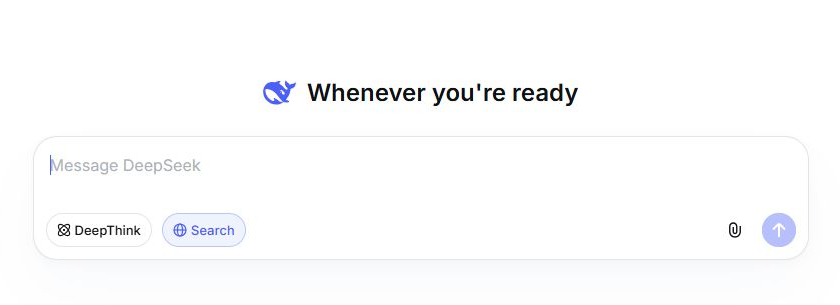
The chatbot is the service you talk to. On DeepSeek Chat or the official phone app, you enter a message, read the answer and ask follow-up questions. The service supplies the interface, conversation history and tools such as search or file uploads. You do not have to install an AI model to use it.
A model is the trained AI that generates the answer. DeepSeek-R1 and DeepSeek-V3 are names of particular releases, rather than separate companies or phone apps. An application may change the model it uses while keeping the same product name. It can also add tools that are not part of the underlying model.
The API is a connection for software. A developer sends a request from an application and receives a response to use in that application. For example, a business could build a support assistant around DeepSeek. The developer supplies the interface and decides how to handle user data. API usage is billed separately from the consumer app; our DeepSeek API guide explains the first request.
Downloadable model weights let you run a model yourself. Weights are the learned numerical parameters that a model needs to generate responses. Using them requires software to load the model and enough computing resources. This route gives you more control over deployment, but it does not automatically reproduce the official app’s search, uploads or other features. Downloading a chat application and downloading model weights are different things.
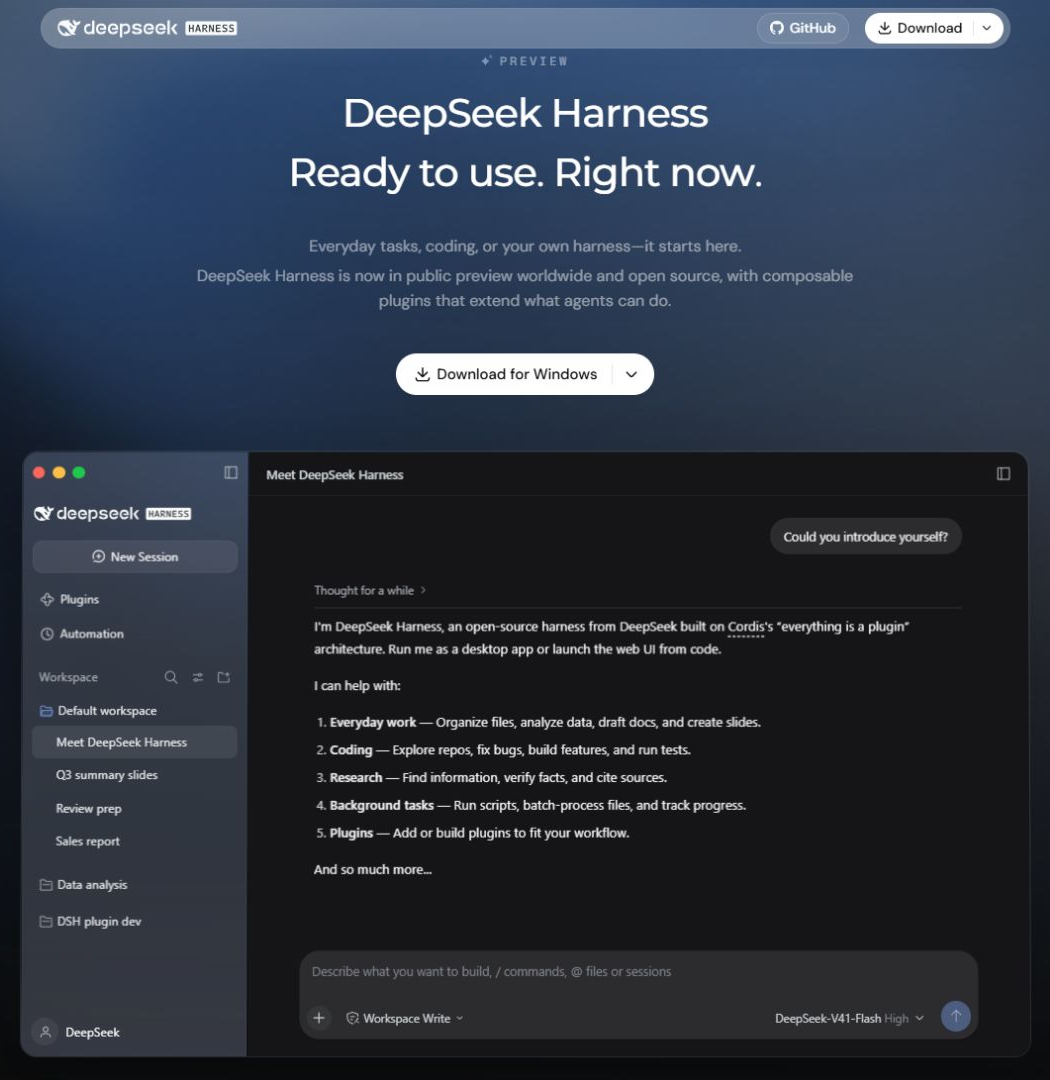
Harness is an agent application for computer tasks. It adds tools around a model so it can work with files and carry out a sequence of actions. DeepSeek’s Harness documentation describes reading and editing workspace files and running commands, subject to its permission policy. An ordinary chat answer suggesting a change is different from an agent applying that change to your project.
What can you do with DeepSeek?
A useful starting point is a task where you already have something to work with: a rough draft, meeting notes, a question from class or a piece of code. Give the assistant a clear result to aim for, then use follow-up questions to improve the answer.
Write, translate and understand a subject
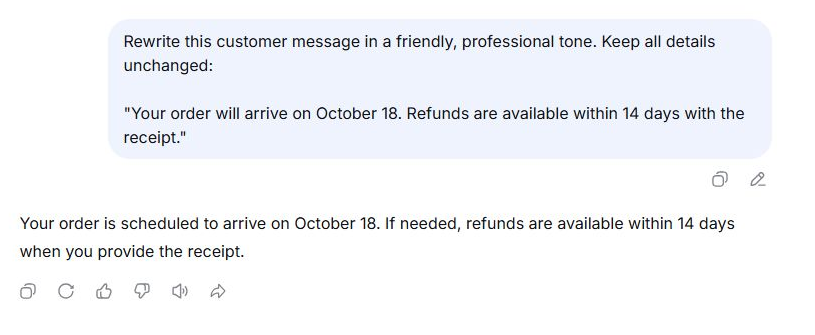
Paste an email and ask for a friendlier version, translate a passage, or ask for a plain-language explanation followed by an example. Include the audience and what must stay unchanged. For instance: “Rewrite this message for a customer. Keep the delivery date and refund conditions exactly as written.”
For learning, ask it to explain one step you do not understand, then give you a similar practice problem. This is more useful than accepting a finished answer without knowing how it was reached. Check that a rewrite keeps your meaning and that an explanation agrees with reliable material for the subject.
Summarize a document or extract useful details
The official app supports uploaded files. Instead of asking for a generic summary, name the information you need: decisions, deadlines, differences between proposals or unanswered questions. The official app release notes document file and photo uploads.
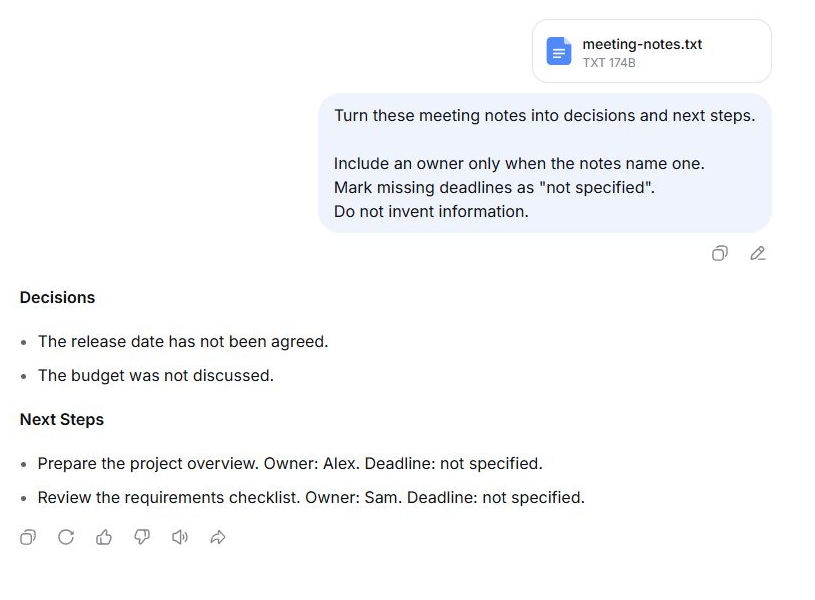
For example: “Turn these meeting notes into decisions and next steps. Include an owner only when the notes name one, and mark missing deadlines as ‘not specified.’” Ask where a statement appears in the document when you need to check it. A summary can omit a qualification or misread a table, so keep the original available.
Document support belongs to the product you are using. The consumer app’s upload feature does not mean a developer can send the same document to every API endpoint. DeepSeek’s current Files API supports images, rather than arbitrary PDF or office-document uploads. Developers building document workflows need to handle those inputs separately.
Ask about an image
DeepSeek’s current app supports image understanding, as documented in its official App Store release notes. You might upload a screenshot of an error or a chart and ask what it shows. Supply context that is not visible in the image, such as what you were trying to do when an error appeared.
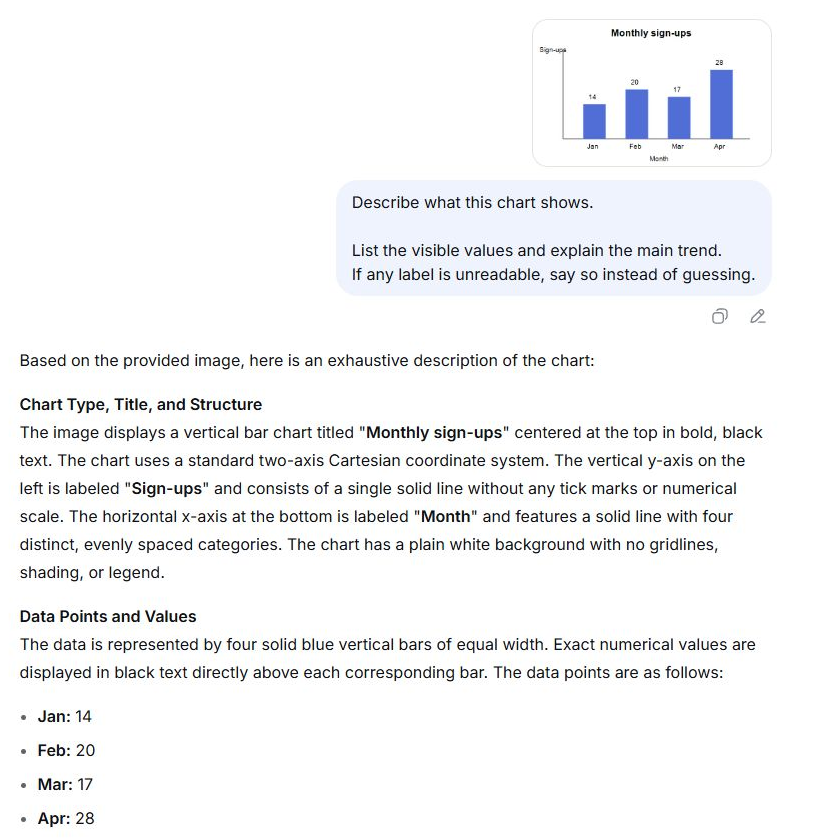
Image understanding lets you ask about visual content, rather than only extract written text from a picture. It is different from generating a new image; a model that can describe your photo does not automatically offer a text-to-image tool. Check important labels and numbers against the image, especially when it is small, blurry or crowded.
Look up information with Search
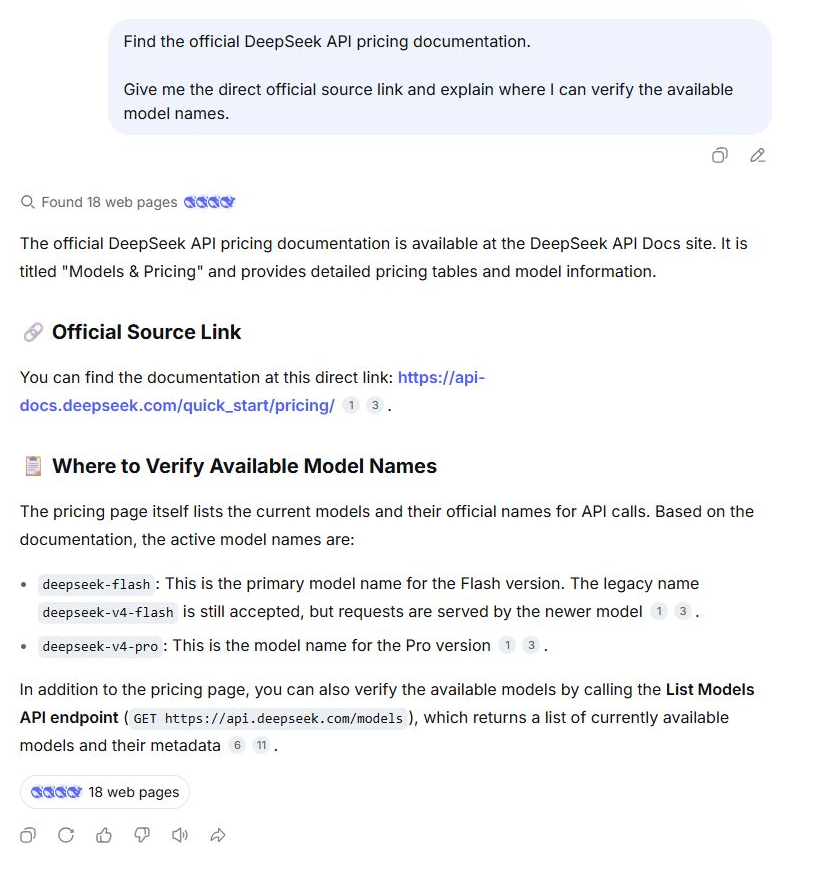
Use the official assistant’s Search function when the answer depends on current information, such as a product’s latest documentation. A normal generated response and a response informed by web search are not the same thing. Search brings external material into the answer; it does not turn the assistant into an authoritative source.
Ask for the official source, then open the cited page and check its date and scope. A useful request is: “Find the current documentation for this feature and explain what changed, with links to the relevant pages.” DeepSeek’s terms explicitly warn that search-assisted answers can still be inaccurate.
Get help with code and multi-step problems
Share a small function, its error message and the behavior you expected. Ask DeepSeek to explain the likely cause and suggest a change. For a new piece of code, specify the language, input, output and constraints. Run and check the result before using it; a plausible explanation does not prove that a program works.
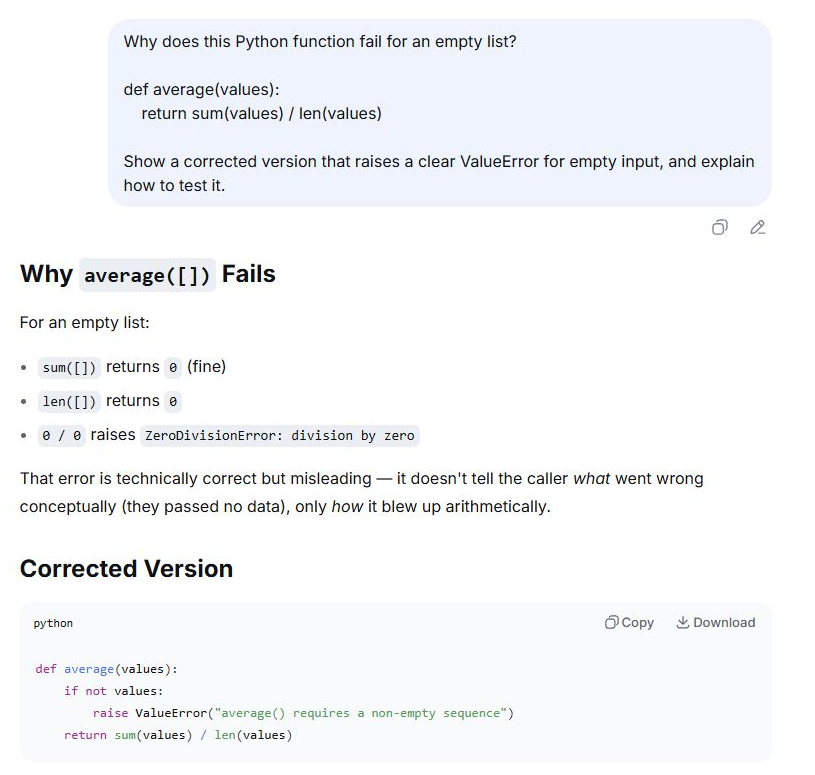
Reasoning or thinking options can be useful when a task needs several connected steps, such as tracing a bug or comparing possible solutions. They can also take more time. You do not need an extended reasoning answer to rephrase a short email. For a practical walkthrough, see using DeepSeek for coding.
DeepSeek models: R1, V3 and newer releases
DeepSeek publishes both hosted services and research releases that other people can download and build on. That matters to different readers for different reasons: a casual user can open chat, while a developer or researcher can study a model, adapt it or choose where to run it.
DeepSeek-V3 is a general-purpose language model built with a mixture-of-experts architecture. It activates a selected subset of its parameters for each token instead of using the entire model for every token. That reduces the computation needed for a response, but does not make the full model a small download suitable for any laptop.
DeepSeek-R1 is a reasoning model trained to work through multi-step problems, with reinforcement learning playing a central role. Its release also included smaller distilled models based on Qwen and Llama. A distilled model learns from a larger model’s outputs; it is not simply the full model squeezed into a smaller download.
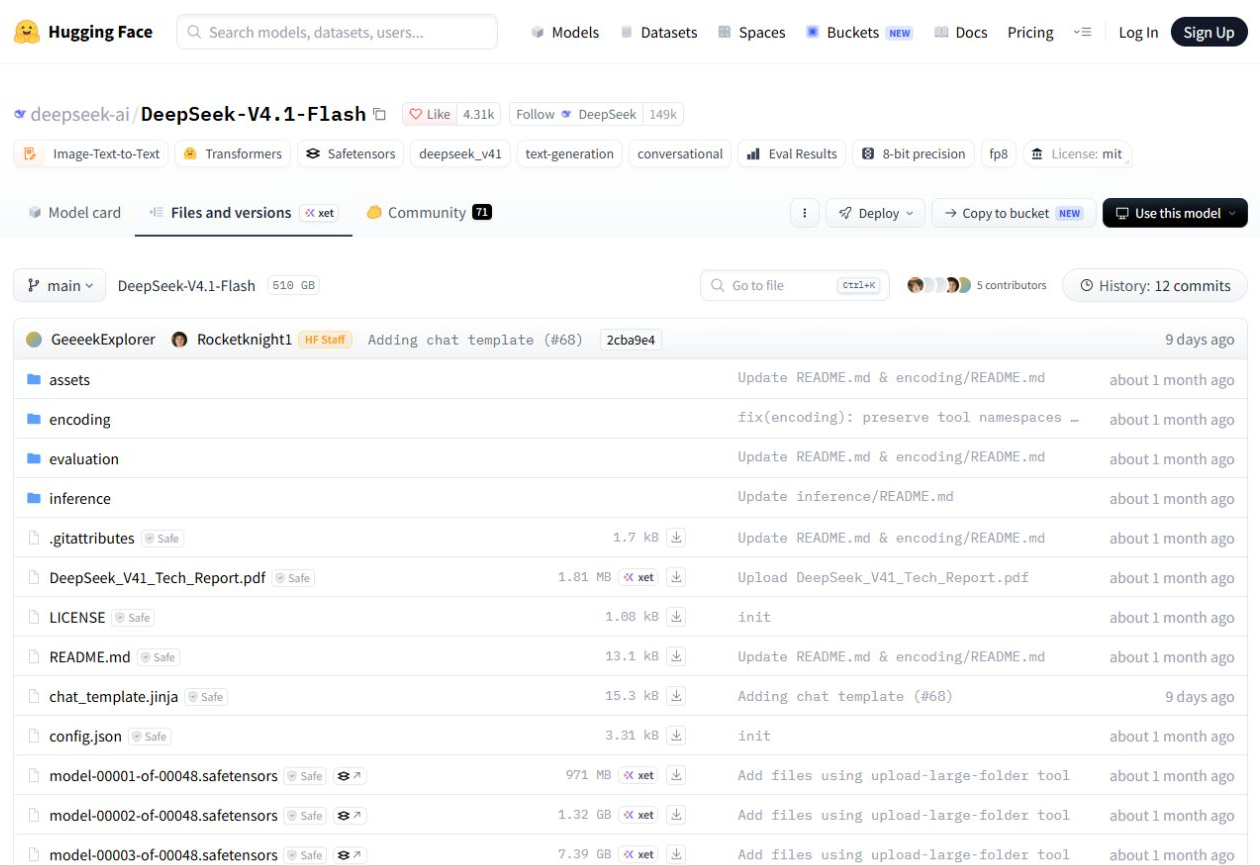
These names explain older articles and model downloads, but they are not a permanent label for today’s chatbot. DeepSeek has released newer models since R1 and V3. The current official API model list identifies DeepSeek-V4.1-Flash and V4 Pro as the hosted choices, using deepseek-flash and deepseek-v4-pro in requests. Flash supports image input; Pro does not. When using consumer chat, check the options shown in the app. An API model name does not establish which model powers every app mode. Our DeepSeek model guide explains the available routes in more detail.
“Open weights” means the model parameters are available to download. It does not, by itself, mean every training dataset or development component is public, or that every release has identical license terms. R1’s repository and model weights use the MIT license, while its distilled releases also identify their underlying Qwen and Llama licenses. Check the specific release before adapting or redistributing it.
How does DeepSeek work?
DeepSeek’s models learn patterns from large amounts of data during training. Further training helps them follow instructions and produce useful responses. When you send a message, the deployed model uses your input and the available conversation context to generate an answer a small unit of text, or token, at a time. DeepSeek describes these stages in its model documentation.
This explains why context matters. “Explain this to someone who has never written code” gives the assistant a different task from “show the implementation.” It also explains why confident wording is not proof: a response can read naturally while getting a fact or calculation wrong. Reasoning adds work on a problem; it does not remove that limitation.
The conversation context is the material available for the current answer. It can include your latest message, earlier exchanges and information supplied by the application. A context-window limit describes how much material a model can accept, not a guarantee that it will use every detail correctly. For a long document, ask focused questions, identify the relevant sections and verify important answers against the original.
How to start using DeepSeek
- Choose the official service. Open DeepSeek Chat or get the phone app through DeepSeek’s download page. Follow the service’s sign-in instructions.
- Start with one task. Provide the text, question or file it needs. Avoid uploading confidential material just to try a feature.
- Describe a useful output. Name the audience, format and constraints. For example, ask for five action items from your notes rather than simply saying “help with this.”
- Review and refine. Check the result against your source material, then ask a focused follow-up. If you change subjects entirely, start a new conversation so the previous task does not add irrelevant context.
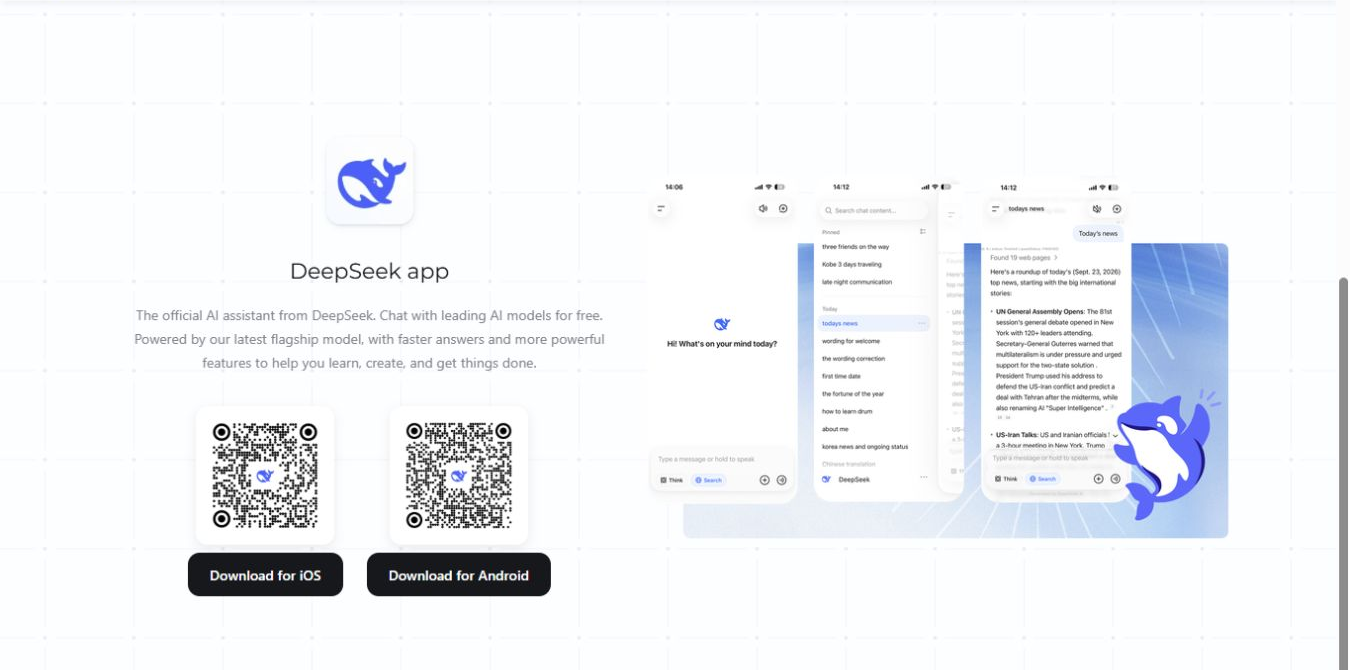
For everyday questions on a computer, browser chat is enough. If you want the assistant to work directly with project files, use our DeepSeek Harness guide to understand its setup and permissions. Installing Harness is not required for ordinary chat, and a desktop interface does not, by itself, mean the underlying AI runs offline. Our download guide explains which product each download provides.
Chat-Deep is an independent site, not the official DeepSeek service. Our DeepSeek overview brings together the main access options and related guides.
Is DeepSeek free?
DeepSeek’s official download page advertises its mobile AI Assistant as free to use. That does not make every product using a DeepSeek model free. The official API charges for usage, with input and generated output counted in tokens. A third-party app may set its own subscription or limits. Free access also does not promise unlimited capacity or that every product and feature will remain free.
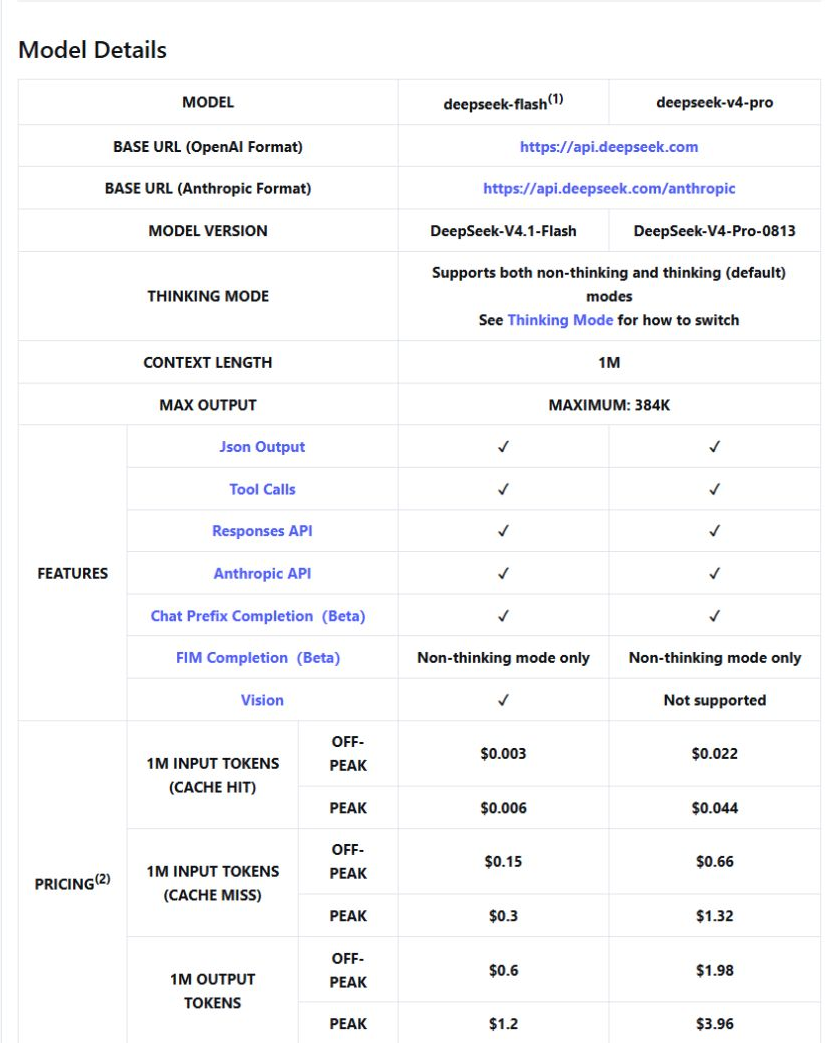
Running downloadable weights yourself is another arrangement: even when a license permits free use, you supply the hardware or pay for hosting. Choose the route you actually need before comparing costs. Someone who wants occasional chat does not need to fund an API account or set up a local model. If you are building software, compare the input, output and caching charges in our DeepSeek pricing guide; the model and the amount of work you send determine the bill.
What should you check before relying on it?
Check names, dates, calculations and references that matter to your task. For an uploaded file, compare the answer with the relevant passage. For code, check the behavior. For current information, read the cited sources. Use DeepSeek to help you understand and prepare work, while keeping responsibility for the final decision.
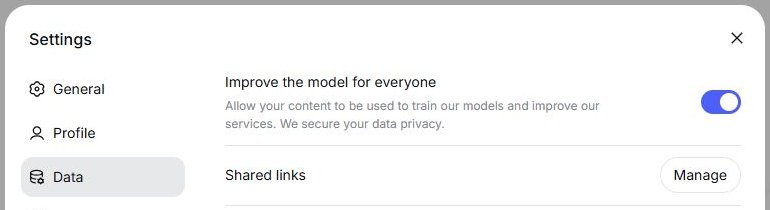
Be selective about what you share. The official service’s privacy policy covers prompts, uploaded files and photos, and says personal data is processed and stored in China. It also describes the right to opt out of using personal data for model training. DeepSeek’s terms identify the “Improve the model for everyone” control for that choice; opting out does not mean the service stops processing your request or promises zero retention. Training choices, conversation history and data retention are separate issues.
A workplace may have its own rules for using external AI services. Check those before uploading internal documents. A third-party application has its own operator and data practices, while local deployment depends on the software and connections you configure. A downloaded model can run on your machine, but an application may still send data through cloud tools, search, logging or a remote model provider. Check the whole setup before calling a workflow private or offline. Our DeepSeek privacy and safety guide explains these distinctions in more detail.
Common questions about DeepSeek
Is DeepSeek the same as ChatGPT?
No. DeepSeek’s assistant and ChatGPT are separate services. Both let you ask questions in natural language, but they have different providers, models, tools and account systems. Similar chat interfaces do not mean identical capabilities. Our DeepSeek vs ChatGPT comparison looks at choosing between them for particular tasks.
Do I need a powerful computer or GPU?
Not for the official website or phone app: the service runs the model remotely. Hardware becomes your responsibility when you run model weights yourself. Smaller distilled models and full-size releases have very different requirements, so check the local system requirements before downloading a model.
Can I use DeepSeek without an internet connection?
The ordinary web and mobile services need a connection. Offline use requires a suitable model and local software already installed on your computer, with a setup that does not depend on remote inference. Live web search still needs internet access. Installing the phone app alone does not install its AI model locally.
Why can two apps using DeepSeek give different results?
They may use different model releases, instructions, conversation context or connected tools. One application might search the web or retrieve your documents before asking the model to answer, while another sends only your message. Compare the actual product and its settings rather than assuming that the DeepSeek name guarantees the same experience everywhere.
Can DeepSeek generate images?
DeepSeek publishes models for that purpose, including Janus and Janus-Pro, which combine visual understanding with image generation. These are separate model releases with their own downloads and demos. Do not treat their existence as evidence that an image-generation feature is included in ordinary DeepSeek Chat or in every API model. If you want to create a picture, look for a product that explicitly offers that task; uploading an image for analysis is a different feature.
Can I use DeepSeek in every country or at work?
Availability and permission are separate questions. DeepSeek’s terms say service availability and features can vary by jurisdiction. An employer or institution can also set rules for its devices and data. A restriction affecting one organization or one service does not establish a worldwide ban on every DeepSeek model. Check the rule that applies to your location and intended use before signing in or uploading work.
Start with a task you can check
For a first attempt, use the official assistant to improve a short draft, explain something you are learning or organize a small set of notes. Give it enough context, compare the answer with the original and ask a focused follow-up. That will tell you more about whether it fits your work than choosing a product because of a model name alone.
Move to the API when you need to connect AI to software, to Harness when you need tools that act on project files, or to downloadable weights when you need control over deployment and can support the hardware. Each is a different way to use DeepSeek. Choose the one that solves your task, with costs and data handling you understand.