DeepSeek Serving in Production: vLLM vs TGI vs Ollama API

Deploying DeepSeek as an API server involves more than just loading a model – it means running the model behind a stable, secure, and efficient service. This guide explains how to turn DeepSeek into a production-ready API endpoint using three popular open-source runtimes (vLLM, TGI, and Ollama). We’ll define what “production serving” means in practical terms, compare the serving options, and dive into crucial concepts like batching, concurrency, timeouts, and security.

This is an independent DeepSeek-focused reference (unofficial to the projects discussed) to help you choose a runtime and configure it for reliability and observability. The advice here is evergreen and inference-centric – results will depend on your hardware and the DeepSeek model variant you use, but the principles remain the same.

What “Serving DeepSeek in Production” Means

Serving DeepSeek in production means exposing a DeepSeek model via a consistent API endpoint that clients (applications or users) can call, with the expectation of reliability and performance akin to a managed service. In a local interactive session, you might load a DeepSeek model and query it manually; in production, however, you wrap the model in a server that implements a defined API contract (e.g. a RESTful or OpenAI-compatible interface). Production serving entails:

API contract and uptime: The DeepSeek server should handle requests and responses predictably (e.g. JSON in/out), stay available 24/7 or per SLA, and return error codes when something goes wrong (instead of just crashing).

Operational oversight: Running in production means you own maintenance of the service – monitoring its health, scaling it when needed, updating models safely, and handling failures. There’s an expectation of observability (logs, metrics) and alerting if the DeepSeek service degrades.

Tuning for LLM behavior: DeepSeek models can generate long outputs, stream tokens gradually, and accept very large prompts. “Production knobs” like request batching, concurrency limits, and streaming are essential to manage these characteristics. For example, enabling token streaming can significantly improve time-to-first-token for long generations, making the service feel responsive. Likewise, being able to handle large prompt payloads (or rejecting those beyond a limit) is important to prevent outages.

Safe defaults: Production readiness also implies safe configurations by default – e.g. not logging sensitive prompt data, enforcing authentication if exposed publicly, and having sane timeouts so a single slow generation doesn’t hang indefinitely.

In short, serving DeepSeek in production turns your model into a predictable web service rather than an experiment. It involves more upfront work (containers, servers, configs) but is necessary for building reliable applications on top of DeepSeek.

DeepSeek Serving Options at a Glance

There are multiple ways to host a DeepSeek model as an API. Three common inference servers are:

  • vLLM: A high-throughput, optimized LLM engine known for advanced batching and memory efficiency.
  • TGI (Text Generation Inference): Hugging Face’s production-grade server, widely used for Transformer models.
  • Ollama: A lightweight local model runner with an easy API, great for simplicity and prototyping.

Each has different strengths. The table below compares these options for serving DeepSeek:

RuntimeBest Fit ScenarioBatching & ConcurrencyDeployment StyleModel Format SupportObservabilityMulti‑GPU Support
vLLMThroughput‑critical workloads; high concurrencyContinuous batching + efficient schedulingCLI/Docker/K8sHF Transformers weights (FP16/BF16/safetensors). Multiple quantization formats; GGUF supported but highly experimental (single‑file)./metrics Prometheus. Can export tracing via OpenTelemetry in production stacks.Yes (tensor/pipeline parallelism; multi‑node supported)
TGIProduction server (HF ecosystem), stable feature setDynamic batching + streaming; configurable concurrency limitsDocker/K8sHF models; supports multiple quantization schemes (GPTQ/AWQ/bitsandbytes/…);/metrics Prometheus; supported monitoring/tracing integrations in docs.Yes (sharding/tensor parallelism via launcher options)
OllamaSimplicity + local/internal deploymentsQueue + parallelism if memory allows; returns 503 on overload; queue configurableLocal app/CLI/DockerOptimized for GGUF ecosystem; runs local models; also offers OpenAI‑compatible /v1 (partial/experimental) besides native /api.No native Prometheus /metrics; API responses include usage timings/token counts.Single-machine focus; can utilize available GPUs on the host, but not designed for multi-node distributed serving.

Note: All three options can serve DeepSeek models, since DeepSeek uses standard LLM formats. In fact, these engines are often tested side-by-side for DeepSeek performance. The choice usually comes down to your use case and infrastructure: vLLM is commonly chosen for maximizing throughput and handling heavy concurrent loads, TGI for a well-supported production stack with Hugging Face compatibility, and Ollama for ease of setup in local or low-volume scenarios. Each tool excels in a different area, and there isn’t one “best” solution universally – it’s about picking the right fit for your needs.

Production Concepts You Must Get Right for DeepSeek

Serving an LLM like DeepSeek introduces specific production challenges. Master these key concepts to ensure your deployment runs smoothly:

DeepSeek Batching

Batching means processing multiple requests together as one to better utilize hardware. DeepSeek models are large and benefit from high GPU utilization – batching helps achieve this. Frameworks like vLLM and TGI implement continuous batching, dynamically grouping incoming DeepSeek requests into one large batch until the GPU is efficiently filled. This increases throughput dramatically because the GPU can handle more tokens per cycle instead of sitting idle on small individual requests.

For example, if three users ask DeepSeek something at the same moment, a batching engine might concatenate those prompts and run one forward pass, serving all three with nearly the cost of one – effectively amortizing the overhead. As a DeepSeek operator, you should tune batching parameters: e.g. max batch size (how many requests or tokens per batch) and batch timeout (how long to wait for more requests before executing). The goal is to maximize batch utilization without adding too much latency. In production, continuous batching is a huge win for throughput, but it needs careful limits. If batch sizes are too large, you risk high latency or OOM errors; too small, and you under-utilize the GPU.

In practice, start with the runtime defaults, but don’t assume batching limits are auto-tuned to your GPU. In TGI, key controls (e.g., total token budgets and batch token limits) often need explicit tuning based on available memory and target latency/throughput. Monitor the latency – especially p95/p99 latency – to ensure batching isn’t slowing down outlier requests. DeepSeek’s long text generation ability means some single requests might be very heavy; batching should not indefinitely delay others behind a huge job. Finding the right batch parameters is a balancing act, but it’s critical for production performance.

DeepSeek Concurrency

Concurrency is about how many requests DeepSeek can handle simultaneously. Unlike simple web services, an LLM request can be very intensive (using an entire GPU for its duration). There are two levels of concurrency to consider:

  • Within a single model server (thread-level concurrency): Some servers allow parallel generation on a single model if there’s headroom. For instance, Ollama will process requests in parallel up to a point if enough memory is free. However, parallel requests on one model effectively multiply the memory usage (each concurrent generation needs its own context memory). DeepSeek’s large context window means even two or four parallel requests can significantly increase VRAM needs (e.g. 4 parallel requests could quadruple memory use for context). If memory isn’t sufficient, the server will queue requests instead.
  • Across multiple model instances (process-level concurrency): Running multiple replicas of the DeepSeek model (or different models) allows true concurrent throughput. This might mean multiple processes on one machine (if GPU has capacity or using CPU for smaller models), or multiple containers/pods in a cluster. For example, you might run 3 replicas of a DeepSeek-7B service behind a load balancer to handle three times the traffic. Each replica independently handles requests, giving horizontal scalability.

Effective concurrency management includes having a request queue and backpressure. Backpressure means if the system is overwhelmed, it should push back on new requests – either by queueing them or rejecting them quickly. DeepSeek servers often have a max queue length: e.g., Ollama will return HTTP 503 “overloaded” if too many requests are queued. vLLM, on the other hand, tends to accept many requests and rely on its batching scheduler, which could lead to longer waits if not externally limited. As the operator, you might need to set concurrency limits (e.g. max 8 concurrent requests) or use an external gateway to rate-limit (see Rate Limits below). Aim to configure such that DeepSeek runs at high utilization but does not accept work it cannot timely complete.

Also consider threading vs async: Some engines (TGI, vLLM) use asynchronous event loops to handle streaming responses concurrently within one process, whereas others might use multiple threads. These details are usually handled by the runtime, but be aware when monitoring: high concurrency could increase response times if tasks are competing for the same resources.

DeepSeek Timeouts

Timeouts protect both the client and server. A DeepSeek request could hang or take excessively long (especially if a prompt leads to a never-ending story or the model is stuck). You need two kinds of timeouts:

  • Client-side timeout: The client calling the DeepSeek API should set a reasonable timeout (for example, 30 seconds or 60 seconds) after which it gives up on the response. This prevents your application from waiting forever. The appropriate value depends on expected response length – e.g., a short Q&A may only need 10 seconds, while a long code generation might need a minute. Streaming responses complicate this: if using streaming, the timeout might be for initial response or for each chunk. With streaming, it’s common to have a shorter time-to-first-byte expectation since the server should start streaming tokens quickly if working. For instance, you might consider a request “started” once the first token arrives within, say, 5 seconds, even if the full completion takes 30 seconds.
  • Server-side timeout: Some serving frameworks let you define a max time a request is allowed to run. If the DeepSeek generation exceeds this (perhaps due to a very large max_tokens or a slow beam search), the server can stop generation and return whatever’s produced (or an error). Not all engines have this built-in; if not, you might implement it in an API wrapper or rely on client timeouts. In production, unbounded generation is risky – it could lock up resources. It’s wise to set a maximum generation duration and a maximum tokens per request. For example, TGI allows setting a max tokens limit per query to bound runtime.

Timeouts and limits ensure one rogue request doesn’t degrade the DeepSeek service for everyone. Always test with some worst-case prompt (like extremely long input or instructions to output novel-length text) to see how your server behaves, then adjust timeouts accordingly.

DeepSeek Rate Limits

Rate limiting is essential when exposing a DeepSeek API to multiple clients or the public. Without rate limits, a single user or bug could spam the endpoint with requests and exhaust your resources (leading to high latency or crashes). You should enforce a limit such as “N requests per minute” or “M tokens per minute” per user or API key.

Typically, rate limiting is enforced at the API gateway or load balancer layer (rather than inside the LLM server). For example, if you place Nginx, Traefik, Envoy, or a managed API gateway in front of DeepSeek, you can apply per-client limits (per IP address, per API key, or per user) and return HTTP 429 (Too Many Requests) when a client exceeds its quota. This ensures the DeepSeek inference server only receives a controlled, predictable request flow, reducing overload risk, smoothing traffic spikes, and encouraging well-behaved client usage.

If you can’t easily do gateway limits, build a simple check into your service layer (if you have one) to track request counts. Some servers like vLLM allow configuring API keys natively, but they don’t inherently limit request rates – that’s on you to implement.

Plan how to respond when rate limits hit: 429 errors should include a message like “Too many requests, slow down” and maybe a Retry-After header. This way clients or users know it’s a deliberate limit, not a random failure. Good rate limiting will prevent many production incidents by smoothing out bursty traffic hitting your DeepSeek API.

DeepSeek Retries

Clients calling DeepSeek should implement retries sparingly. Not all errors are safe to retry. For example, a network timeout or a 503 Overloaded error could be retried after a short delay – the request likely never reached the model, so trying again when the load drops is fine. However, if DeepSeek returns an error after partially processing (or if you canceled it due to a client timeout), a retry might actually duplicate work.

Define an idempotency strategy: ideally, each request has a unique ID, and if a client submits the same request ID again, your server knows to not process DeepSeek twice (or at least handle it gracefully). In practice, implementing full idempotency for LLM queries is complex, but you can use simpler approaches. For instance, if using an API gateway, you might not need explicit IDs – just decide that certain status codes (429, 503, timeout) are retry-able and others (e.g. 400 validation errors or 500 internal errors) are not without human intervention.

Also beware of retry storms: if your DeepSeek service becomes slow and every client’s timeout triggers a retry, you might get compounded load. To avoid this, tune client timeouts to be just a bit longer than the typical response time, and perhaps implement exponential backoff on retry attempts. In summary: retries are a safety net for transient issues, but they should be done carefully and with limits (e.g. “no more than 2 retries for a request”). It’s often better to over-provision or rate-limit DeepSeek than to rely on retries.

DeepSeek Logging

Logging in an LLM service is tricky: you need enough information to debug issues, but you must be careful about privacy and volume. At minimum, your DeepSeek server logs should include timestamp, request ID, response time, status, and basic parameters. For example, logging that request abc123 took 2.3s and returned 200 OK with 150 tokens generated. These logs help trace slow requests or errors. Including a request ID (which could be an auto-generated UUID for each API call) is extremely helpful when correlating events (you can propagate this ID to client-side or to tracing systems).

Do NOT log full prompts or model outputs in production logs, unless absolutely necessary and scrubbed. DeepSeek may be used on sensitive data; logging it could create security and privacy risks. Instead, if you need to troubleshoot a specific query, consider temporarily enabling debug logging for that session or have a way to dump input/output safely (and delete after use). By default, keep logs to metadata only.

Also, watch out for log volume: if DeepSeek is handling many requests per second, writing huge logs can become an IO bottleneck. Use structured logging (JSON logs) if possible, which makes it easier to filter for things like “errors only” or “latency > X”. In summary, log smart: enough to diagnose problems (like which prompts crashed the model or how often timeouts happen) but not so much that you expose data or hurt performance.

DeepSeek Metrics and Monitoring

In production, metrics are your best friend for understanding DeepSeek’s behavior. Key metrics to collect include:

Latency metrics: Track distribution of response times (e.g. median, 95th percentile). LLM APIs often have heavy-tail latency – a majority might finish in 2s, but some requests might take 15s or more. Monitoring latency percentiles lets you see if tail latency is creeping up. You can break this down by prompt length or generated tokens if possible.

Throughput/QPS: How many requests per second or tokens per second DeepSeek is serving. This helps capacity planning.

GPU utilization and memory: If running on GPUs, monitor utilization % and memory used. A well-tuned DeepSeek server should have high GPU utilization. If it’s much lower, you might improve batching or concurrency. If GPU memory is maxed out, you might be overloading or need a bigger GPU/quantization.

Request queue depth: If your server or gateway provides a metric for how many requests are waiting (e.g., vLLM’s /metrics includes queue length), watch it. Increasing queue length means the service is getting more requests than it can handle immediately. This often correlates with higher latencies. Consistently long queues might mean you need to add replicas or enforce stricter rate limits.

Errors and statuses: Track the rate of HTTP 5xx errors (server errors), 4xx errors (client issues like rate limits or bad inputs), and successful responses. Spikes in 5xx errors warrant investigation (maybe the model OOM’ed or a new bug was introduced). A high rate of 429/503 indicates throttling is happening – maybe that’s expected during peak loads, but it could also signal that clients are constantly hitting limits (which might require adjusting limits or capacity).

Many serving frameworks come with some metrics out-of-the-box. For example, TGI has Prometheus metrics and can integrate with OpenTelemetry tracing. vLLM also exposes metrics and even allows priority scheduling using those metrics. If your environment doesn’t provide a metrics endpoint, you can instrument at the application layer. Tools like Prometheus + Grafana are commonly used to scrape metrics and visualize them. Set up alerts on critical metrics (e.g. “DeepSeek 99th percentile latency > 30s” or “error rate > 5% for 5 minutes”). This way, you’ll know about problems before your users complain.

In sum, treat DeepSeek like any critical service: log the basics, and monitor everything that matters (latency, throughput, resource usage, errors). This gives you the visibility to tune and troubleshoot effectively.

Choosing a Runtime for DeepSeek (Decision Tree)

Now that we’ve covered concepts, how do you choose between vLLM, TGI, and Ollama for serving DeepSeek? The decision often boils down to your priorities and environment. Consider the following guidelines:

  • If you need maximum throughput and scalability (e.g. many concurrent users, or high token-per-second requirements), vLLM is often a strong choice. Its optimizations like PagedAttention and continuous batching shine when running large DeepSeek models under heavy load. vLLM can saturate powerful GPUs with multiple requests and is designed for high concurrency. The trade-off is that you’ll need to handle scaling and orchestration yourself – vLLM gives raw performance but assumes you will integrate it into your system (e.g., behind a load balancer, or even wrapping it with something like Ray Serve for autoscaling). It implements an OpenAI-like HTTP API for easy integration, which is great if you have existing OpenAI API clients.
  • If you want a well-supported, plug-and-play server with Hugging Face ecosystem compatibility, TGI (Text Generation Inference) is a good candidate. TGI was designed as a production server for models like Llama, Falcon, etc., and DeepSeek models run fine on it. It provides convenient Docker images, configuration via environment variables, and features like OpenAI-compatible endpoints and built-in metrics. TGI might be preferable if you’re already using Hugging Face pipelines or need features like model weight quantization loading (bitsandbytes) and advanced decoding options. One thing to note: Hugging Face documentation states that TGI is in maintenance mode as of Dec 11, 2025, meaning only minor bug fixes, documentation improvements, and lightweight maintenance PRs are accepted. For Hugging Face Inference Endpoints, they recommend engines such as vLLM or SGLang as alternatives. It’s still production-ready, but long-term you may want to keep an eye on alternatives (the good news is vLLM now covers many of the same features). If you value stability and a broader community support at this moment, TGI is often a safe bet.
  • If you favor simplicity or are just starting internally, Ollama can be the right choice. Ollama’s strength is how easy it is to get a local DeepSeek API running – you can often go from zero to a working server in minutes. It’s excellent for small-scale deployments, personal use, or demos. For example, a developer might use Ollama to run DeepSeek on their workstation or a single server for an internal tool. Ollama abstracts a lot: it downloads models, handles a basic queue, and has a simple REST API. The downside is performance and scalability: Ollama is not as fast as vLLM for large loads, and scaling it beyond one machine is manual. If you expect only modest traffic or need an easy way to experiment with DeepSeek, Ollama is perfectly fine. But if that internal app grows, you might later transition to vLLM or another more scalable backend.

In some cases, you might even combine these tools. A pattern is emerging where vLLM is run behind a serving orchestrator (like Ray Serve or TorchServe), to get the best of both: vLLM for raw speed and another layer to manage scaling, authentication, routing, etc.. TGI could also be used in a multi-model setup (since it’s robust at hosting multiple models concurrently).

Always verify a few practical things when choosing: Does the runtime support the specific DeepSeek model format you have (e.g. MoE or any special architecture)? Do you have the GPU drivers or hardware it assumes (vLLM and TGI both need NVIDIA GPUs or similar, whereas Ollama can run on CPU/Mac)? Also consider your team’s familiarity – if no one has used vLLM but you have used HF tools, TGI might have a gentler learning curve initially.

In summary, match the runtime to the job: vLLM for performance at scale, TGI for a full-featured production server, Ollama for simplicity and quick start. And remember, you can change later as your needs evolve; just keep the DeepSeek API abstracted enough that the backend can be swapped if needed.

DeepSeek API Contract & Client Compatibility

A major part of serving DeepSeek is deciding on the API interface. Ideally, clients should be able to use DeepSeek as seamlessly as they would use a service like OpenAI’s API. Fortunately, both vLLM and TGI provide OpenAI-compatible endpoints out-of-the-box, and Ollama has its own simple HTTP API.

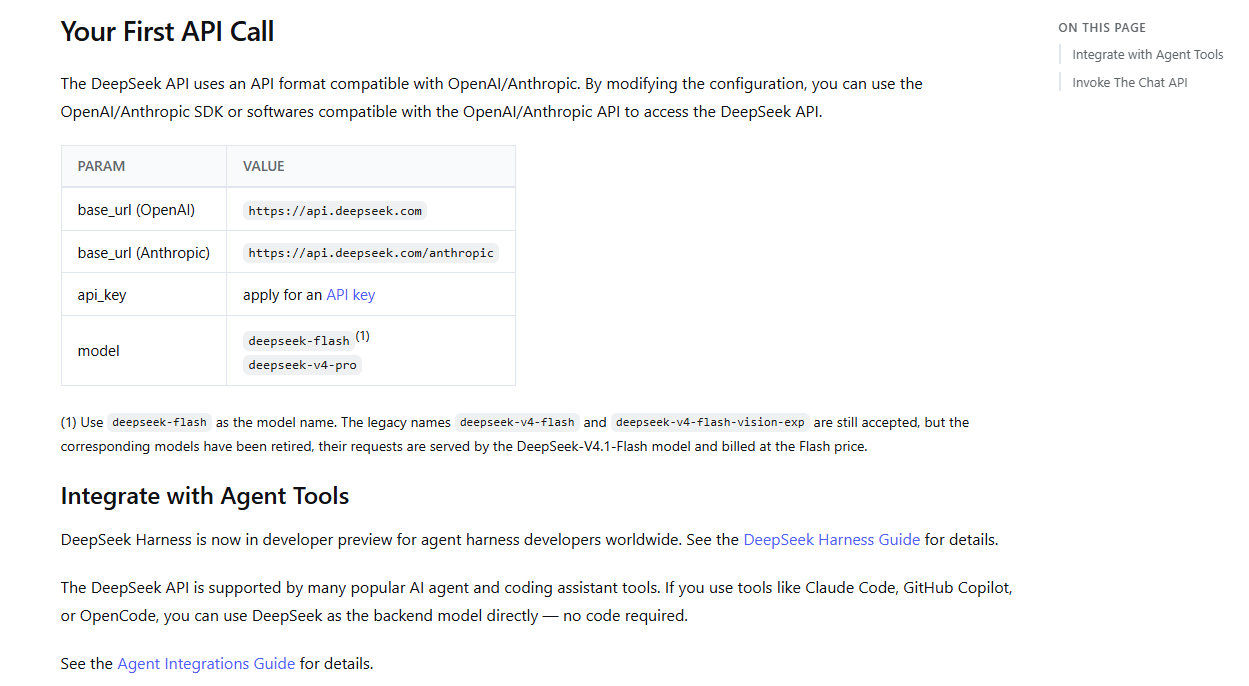
OpenAI-compatible API: vLLM provides an OpenAI-compatible HTTP server (Chat/Completions and related routes). Most OpenAI-style clients work by changing the base URL, but you should validate any edge features your app relies on (tools/function calling variants, streaming semantics, etc.) against your runtime version. You can use OpenAI’s client libraries or curl calls with minimal changes (just point to your server and use your own API key). TGI likewise supports OpenAI’s API format for both chat and completion requests. This is a huge advantage if you want to use existing SDKs (Python, JS, etc.) or tools that assume an OpenAI-like interface. Essentially, you can host a DeepSeek model and pretend it is “your own openAI-like” service.

Custom API (Ollama): Ollama provides a straightforward native REST API that’s different from OpenAI’s format. The native endpoints (typically under /api) include /api/generate for single-turn text generation and /api/chat for multi-turn chat, plus model-management endpoints (e.g., listing/pulling models). Requests and responses are Ollama-specific JSON (for example: model, prompt or messages, and options like stream: true/false), so it’s easy to call from any HTTP client.

If you need OpenAI-style client compatibility, Ollama also exposes an OpenAI-compatible interface under /v1 (coverage can be partial depending on the feature). In many setups, that means OpenAI SDKs can work by switching the base URL to your Ollama server. If you rely on features not covered by Ollama’s /v1 layer (or you want to enforce a stricter API contract), you can still place a thin adapter in front of Ollama to translate OpenAI-shaped requests into the native /api format and handle any gaps consistently.

Streaming vs Non-Streaming: All three runtimes support streaming token responses. OpenAI’s API spec uses HTTP streaming (server-sent events) for incremental tokens. TGI and vLLM implement this, and Ollama’s API also allows a stream: true parameter to get chunks as they are generated. When designing your DeepSeek API usage, decide if clients need streaming. Streaming is highly recommended for user-facing applications because it greatly reduces perceived latency – the first tokens arrive quickly and the user can start reading while the rest are generated. Non-streaming (one big response) is simpler for programmatic uses where you need the full output at once. Ensure your server’s HTTP stack and any proxies support streaming (some load balancers might buffer responses unless configured to allow streaming).

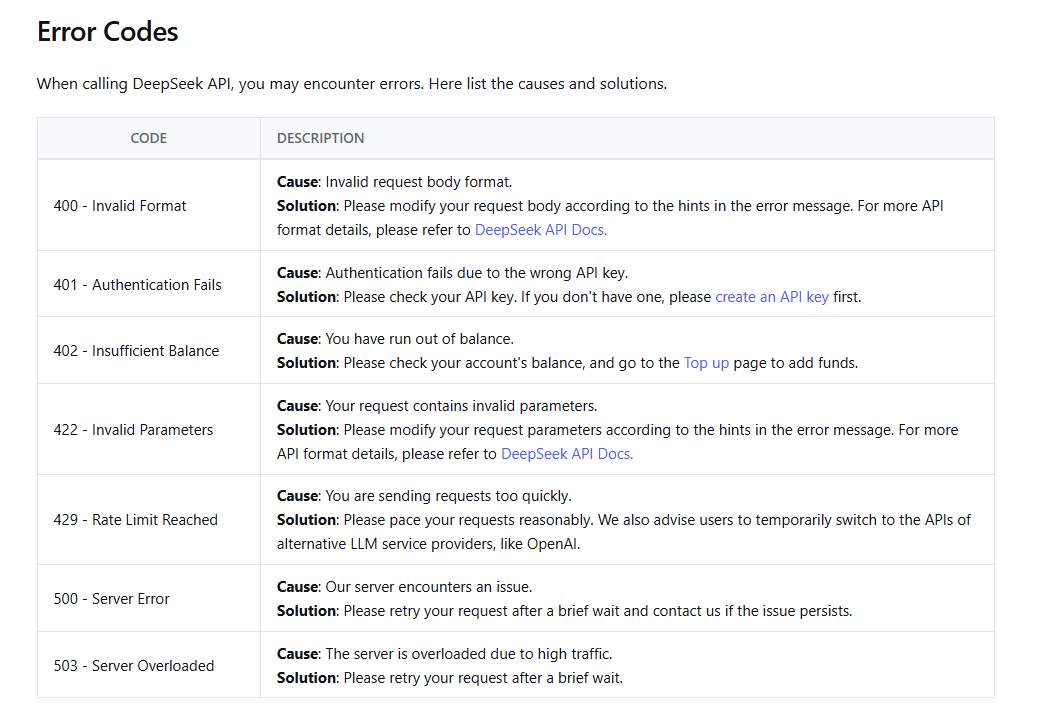
Error handling and status codes: Your DeepSeek API should follow standard HTTP semantics. Common status codes include:

  • 200 OK for success (with the completion result).
  • 400 Bad Request for invalid inputs (e.g. missing prompt or too large payload).
  • 401/403 for unauthorized if you require an API key or auth and it’s missing/invalid.
  • 429 Too Many Requests for rate limiting (as discussed).
  • 503 Service Unavailable for temporary overload or if the model is not loaded. Some servers use 503 to signal queue overflow or other transient issues.

Your clients should be coded to handle these gracefully. For instance, a 503 might trigger a retry after a brief pause, whereas a 400 means a bug in the client request that should be fixed rather than retried.

Request size limits:
It’s important to protect a DeepSeek serving endpoint from excessively large requests. This includes both input length (prompt tokens) and requested output length (max_tokens). Large prompts and long generations significantly increase memory pressure (especially KV cache usage) and inference time, which can lead to degraded latency or out-of-memory failures under load.

Define explicit limits based on your model’s configured context length and available hardware capacity. For example, enforce a maximum allowed input token count and a maximum total token budget (input + output). If a request exceeds these limits, return a clear 400 Bad Request error with a descriptive message.

Text Generation Inference (TGI) exposes explicit server-side flags to cap request size (for example: maximum input tokens and a maximum total token budget per request), which helps bound memory usage and prevent long-tail latency. With other runtimes (such as vLLM or Ollama), request-size enforcement is often applied at the gateway/reverse proxy layer or in an application wrapper (e.g., rejecting requests over a token budget and returning a clear 400).

By bounding request size, you reduce the risk of memory exhaustion, long-tail latency spikes, and unpredictable performance under concurrency.

Let’s illustrate a minimal example of calling a DeepSeek server with an OpenAI-style API (assuming vLLM or TGI):

curl -X POST https://YOUR_DEEPSEEK_SERVER/v1/completions \
-H "Authorization: Bearer YOUR_API_KEY" \
-H "Content-Type: application/json" \
-d '{
"model": "DeepSeek-7B",
"prompt": "Hello, how can I use DeepSeek as an API?",
"max_tokens": 100,
"temperature": 0.7,
"stream": false
}'

This request would produce a completion from the DeepSeek model (here we indicated a 7B variant). In practice, adjust the URL, model name, and parameters as needed. If stream were true, you’d get a streamed response event by event.

The key is that clients should not need to know that DeepSeek is behind the scenes. They just see a standard API. When replacing or upgrading the model (say from DeepSeek-v3 to DeepSeek-R1-distill), you might do that on the server side (maybe changing the model ID or loading a new model version) while keeping the API interface the same for clients.

Deployment Patterns That Work for DeepSeek

How you deploy DeepSeek will depend on scale and infrastructure, but here are common patterns:

Single-Node Deployment (Standalone): This is the simplest – run the DeepSeek server on one machine (physical or VM). Make sure the machine has the right GPU, drivers, and enough memory for your model. You might run vLLM or TGI via Docker on this machine, binding to a port, or run Ollama directly. Single-node is fine for initial usage or smaller scale. To make it robust, consider using a process manager (systemd, Docker restart policies) so that if the process crashes, it restarts. Also, use a reverse proxy like Nginx for TLS termination (so you can serve HTTPS traffic) and to potentially handle things like gzip compression or request size limits. On a single node, you can still have multiple DeepSeek replicas – e.g., two instances of vLLM each with the model loaded, if you have CPU/GPU cores to spare – and then a local proxy to load-balance between them.

Containerization: It’s advisable to containerize the DeepSeek serving process. Official Docker images exist for TGI (from Hugging Face) and possibly community images for vLLM. If using GPUs, use NVIDIA’s container runtime. Containerizing ensures you have all dependencies and can declaratively configure the server. Pin a specific version of the serving software (and model files) for stability. You might maintain a custom image that bundles the DeepSeek model weights (to avoid downloading on each start) – or use a volume/mount for model files. Containerization also simplifies moving to Kubernetes or other orchestration later.

Kubernetes (orchestration) Deployment: For high availability and scalability, running DeepSeek in Kubernetes is a common approach. Each DeepSeek server (vLLM, TGI, or Ollama) would be a Pod. You’d typically use a Deployment with a replica count for scaling, and a Service or Ingress to expose the API. Key considerations:

Resource Requests/Limits: Set appropriate CPU, GPU, and memory requests so K8s knows how to schedule pods. For example, request 1 GPU and say 16GB memory if running a 13B model, etc.

Liveness/Readiness Probes: Implement a readiness probe that only passes when the model is fully loaded and the server is ready to serve. Many LLM servers take time to start up (loading tens of gigabytes of weights). You don’t want the pod to receive traffic until DeepSeek is ready. A simple readiness check might be an HTTP endpoint (/health or /v1/models ping) that the server provides. Liveness probes can restart the container if it becomes unresponsive (e.g., if the process hung). However, be careful with aggressive liveness probes on deep learning workloads – a long inference is not a hang.

Horizontal Scaling: Use an autoscaler (HPA or custom) based on metrics. CPU utilization might not be the best metric for GPU apps. Instead, you could scale on throughput or queue length. For example, a custom metric exporter could feed “requests_in_queue” and you scale up if it stays high. Ensure new pods come up before old ones go down during scaling or rolling updates (so you always have the model available).

Persistent storage for models: If not baking models into images, you’ll need fast storage (possibly an attached SSD or PVC) so that if a pod reschedules, it can quickly load the DeepSeek weights. Or use a init container to download the model. Model loading can dominate startup time, so plan for it (some orchestrations keep a “warm spare” pod ready).

Multi-Replica + Load Balancer: When one instance isn’t enough, run multiple and distribute traffic. This could be within one machine (if CPU-bound or small models) or across many machines. A load balancer (could be an external LB in cloud, or something like Traefik/NGINX Ingress in K8s) should route requests to healthy instances. It’s important to ensure sticky requirements: If you have stateful sessions (like a multi-turn conversation that relies on context kept in memory), either route the same session to the same instance, or use a system that includes the conversation history in each request (which is stateless from the server’s perspective). Typically, chat systems include full conversation history in the prompt (which DeepSeek can handle if context length allows), meaning any instance can serve any request. But if you ever stored some session state in memory, you’d need sticky sessions.

CI/CD and Config Management: Treat your DeepSeek serving like an app – manage configurations (batch sizes, timeouts, etc.) via config files or environment variables. Use CI to build images and perhaps run a quick health test (load the model, run a test query) before deploying to production. When updating the DeepSeek model or code version, use rolling updates (one instance at a time) to avoid downtime.

Cold Starts and Warmup: If you deploy new instances on demand (say scale 0 to 1), remember that DeepSeek models have a cold start – loading weights can take tens of seconds to minutes for very large models. One strategy is to preload models. For example, Ollama allows sending an empty request to force model load into memory. vLLM loads on startup when you run vllm serve ... for a given model. You might automate a “warmup” request after startup (like a trivial prompt) to ensure everything is initialized. Keep this in mind for autoscaling – if you spin up a new replica only when traffic spikes, users might hit it while it’s still loading the model. Solutions include over-provisioning (have 1 spare always ready) or using smarter load balancing (don’t send traffic to pods whose readiness probe hasn’t passed yet).

Overall, successful DeepSeek deployment often mirrors standard web service deployment, with an extra focus on GPU management and startup behavior. Start simple, then iterate: e.g., first get a single Docker container working with DeepSeek on one machine, then expand to more replicas or a Kubernetes cluster as demand increases.

Security Basics for DeepSeek Serving

Running an LLM service internally or publicly requires attention to security, given that DeepSeek will process potentially sensitive inputs and produce outputs that clients trust. Here are security best practices:

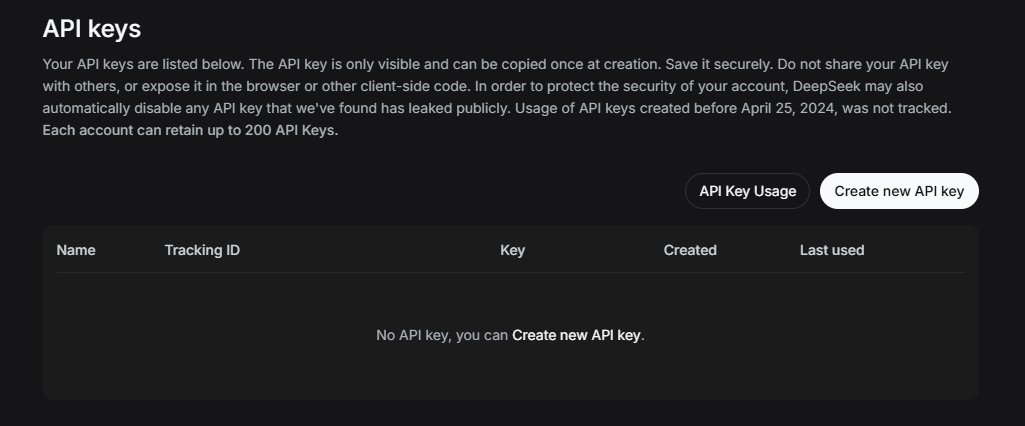
Authentication & Authorization: Never expose a DeepSeek inference endpoint without access control if it is reachable beyond localhost or a trusted private network. When running vLLM’s OpenAI-compatible server, you can require an API key (for example via --api-key or the corresponding environment variable). Clients must then include a matching Authorization: Bearer <API_KEY> header, or the request will be rejected. Important: vLLM’s built-in API key protection applies to OpenAI-compatible endpoints (typically under the /v1 path). It should not be treated as a complete security boundary for production deployments. In real-world environments, you should still place the inference server behind a reverse proxy or API gateway (e.g., Nginx, Traefik, Envoy, or a managed cloud gateway) that enforces TLS, authentication, rate limits, and request size controls at the edge.

If your serving stack does not provide native authentication, the gateway layer can validate Authorization headers, enforce API keys per client, or integrate with token-based systems (such as JWT or OAuth) depending on your infrastructure. For internal-only deployments, network-level controls (binding to a private interface, firewall rules, security groups, or IP allowlists) reduce exposure, but explicit authentication is still recommended for audit logging, key rotation, and traceability. The goal is simple: ensure only authorized clients can call the DeepSeek API, prevent abuse, and maintain clear request attribution for monitoring, debugging, and incident response.

TLS (HTTPS): Always serve the API over HTTPS when across a network. This might mean terminating TLS at a load balancer or proxy if your DeepSeek server itself doesn’t support HTTPS. Tools like Traefik, Nginx, or Caddy can handle TLS and then forward requests to the local DeepSeek server on HTTP. TLS protects the prompts and responses from eavesdropping or tampering in transit – important if content is sensitive (which it often is for LLMs).

Network exposure: Limit the network accessibility of your DeepSeek service. If it’s for internal use, bind it to an internal interface or VPN-only. For example, by default Ollama listens on localhost only (and needs config to allow external origin) – which is a sane default for local use. Similarly, when running in cloud or K8s, prefer a private networking approach (no public IP) and access it through secure channels. If you must open it to the internet (say you’re running a public demo), put it behind an API gateway that can shield it (with WAF rules, rate limiting, etc., in addition to auth and TLS).

Firewall and IP rules: Ensure the host or container has a firewall restricting inbound access to only the necessary ports and from expected sources. In cloud environments, security groups or network ACLs can enforce that only your application servers (or Cloudflare, etc.) can hit the DeepSeek backend. This reduces the risk of random internet scanners hitting your LLM endpoint.

Input validation: While LLMs will accept any string as input, you might still impose some basic validation for security/performance. For instance, reject extremely large payloads (we discussed prompt length limits), or strip out obviously malicious content if you have any known problematic patterns (like very strange control sequences). Be cautious with user-provided prompts that might attempt to exploit the system (prompt injection attacks) – these are AI-specific and not solved by traditional input validation, but you can at least sandbox the model’s abilities (for example, ensure the model running DeepSeek doesn’t have plugins or tools that could execute code).

Prompt logging and privacy: As noted in Logging, avoid storing the raw prompt/output content persistently, especially if it contains user data. If logs are needed for debugging, make sure they are stored securely and access is restricted. Consider encrypting logs at rest or scrubbing PII from them. If you are subject to privacy regulations, treat the prompt and completion as sensitive data.

Isolation: Run the DeepSeek service with the principle of least privilege. For example, it probably doesn’t need access to the entire file system or network. When using containers, drop unnecessary capabilities. Ensure the OS user running the process has limited permissions. This way, if someone somehow exploits the LLM (imagine a prompt causing it to output some exploit – unlikely but best to plan), the damage is contained. Keep the server software updated for security patches (especially for web frameworks or libraries in use).

Abuse prevention: Beyond rate limiting, consider what users might do with your DeepSeek API. Could someone use it to generate illegal or disallowed content? If this is a concern, you might need a content filtering layer (for example, running outputs through a moderation model or heuristic to filter hate speech, etc.). At minimum, clearly communicate usage policies to users if external. Also be wary of denial-of-service via crafty prompts (like extremely long inputs that are just at the limit, or prompts that cause maximal token output). We’ve set limits to mitigate these.

Secure model supply: Only use DeepSeek model files from trusted sources. Verify checksums of model downloads and follow any for obtaining models securely. This ensures you’re not loading a tampered model. Likewise, use the official frameworks (which we are, like vLLM/TGI) rather than some unknown runtime, to avoid potential malware.

In essence, treat your DeepSeek server like a production database or an internal API holding sensitive info: lock it down, monitor access, and don’t expose it more than necessary. With proper security in place, you can confidently allow users to leverage DeepSeek’s power without opening doors to attackers or data leaks.

Do not expose the inference server directly to the internet; put it behind a gateway/proxy with auth, TLS termination, and rate limiting.

Common Production Failure Modes (DeepSeek)

Even with all best practices, things can go wrong. Here are common failure scenarios when serving DeepSeek and how to mitigate them:

Out-of-Memory (OOM) Errors or Memory Leaks

Symptom: The DeepSeek server crashes or the process is killed (OOM killed), typically during a request or model load. You might see CUDA OOM errors in logs or the container simply restarts. This is often caused by loading a model larger than GPU memory or by too many concurrent requests exhausting memory. DeepSeek models can be huge (up to 100+ GB for full precision), so this is a real risk.
Mitigations: First, ensure your hardware is sufficient – you may need a GPU with more VRAM or enable CPU offloading/quantization to reduce usage. Use quantized models if memory is a problem. If OOMs happen during peak load, reduce concurrency or batch size (fewer parallel requests means lower memory use). Some servers let you set a max GPU memory usage or max batch tokens – tune those so it never tries to over-allocate. It’s also wise to periodically restart the server (e.g. daily) to clear any memory fragmentation or leaks, especially if you notice memory steadily growing.

Long-Tail Latency & Queue Buildup

Symptom: Most DeepSeek requests return fast, but occasionally some take an extremely long time. Users might report “the service hangs sometimes” or you see some requests waiting a long time in the queue. Latency p99 might be very high. This often happens when a few requests are very large (huge prompt or max tokens) or if the server is slightly overloaded, causing a backlog. If one user requests a 5,000-token story, it could tie up the GPU while others wait behind it.
Mitigations: Implement time-slicing or prioritization. Some advanced setups use multiple priority queues (so a quick Q&A isn’t stuck behind a long story generation). In vLLM, new features allow prioritizing shorter requests to reduce tail latency. If using TGI, consider running separate instances for different use cases (e.g. a high-priority instance for interactive chat with short responses, and a batch instance for longer jobs). On a simpler level, you can set a per-request max time or tokens as discussed, so no single job monopolizes resources for too long. If queue buildup is due to general overload, scaling out with more replicas is the ultimate fix. Also monitor – if p95 latency is climbing over time, that’s a red flag to add capacity or tighten limits.

Stuck or Slow Generation (No Tokens Coming)

Symptom: A request is accepted, but DeepSeek stops producing output partway or takes excessively long per token. To the user, it appears stuck. This can happen if the model encounters a particularly difficult query or a pathological case (e.g. generating extremely repetitive text) or if there is a bug (like deadlock in the server). It can also occur if the model is waiting for more input in streaming (though for completions that’s not typical).
Mitigations: First, ensure it’s not actually stuck but just slow – check GPU utilization and temperature; if they’re high, the model is likely still working. If GPU is idle yet no result, the process might be hung – a watchdog thread or liveness probe can catch that and restart the container. Use timeouts: a server-side generation timeout (say 60 seconds) can abort and return an error instead of hanging forever. You should also enable streaming for long outputs so that even if it takes a minute to fully generate, the user sees progress token by token. In testing, identify prompts that cause pathological slowdowns – sometimes very large context or certain patterns trigger worst-case behavior in attention mechanisms. If found, you might handle those specifically (e.g., rejecting an extremely long conversation history input or splitting it). In summary, have a safety cutoff for generation time, and consider an automated restart if the process becomes unresponsive. Fortunately, hard “stuck” situations are rarer with mature inference engines, but you should still guard against them.

Overload Spikes (Thundering Herd)

Symptom: Your DeepSeek service works fine most of the time, but occasionally a sudden spike of traffic (e.g. an event or a bunch of users all logging in at 9am) overwhelms it. During those spikes, responses are extremely slow or the server starts erroring out (503s). After the spike, it recovers. Essentially, the load temporarily exceeded capacity.
Mitigations: This is where rate limiting and autoscaling come into play. If you had a rate limit, during the spike the extra requests would be shed (returned as 429/503 quickly) instead of queuing endlessly. That’s better than thrashing the model. So ensure your rate limits are configured to handle burst scenarios. Additionally, if you can anticipate such spikes, scale up ahead of time (schedule more replicas or bigger machines at peak). If it’s unpredictable, an autoscaler that monitors queue length or latency can add replicas when needed – however, remember the cold start time for new DeepSeek instances (so autoscaling isn’t instant). Another strategy is to implement a simple queue timeout: if requests sit in queue > X seconds, start rejecting new ones to prevent infinite buildup. This is a form of backpressure signaling to clients “try again later”. In the long run, if spikes become regular, you need to increase overall capacity (or optimize the model or responses to handle more throughput). Overloads are best addressed by proactive limits and having some headroom in capacity.

Misconfigured Timeouts or Retries

Symptom: This is a meta-failure mode – the infrastructure around DeepSeek misbehaves. For example, you set a client timeout to 5 seconds, but the model usually needs 6 seconds for typical answers, so every request times out even though the model eventually would respond. Or, a load balancer times out a connection too early, causing broken pipe errors. Another case: aggressive retry logic causes a second request to be sent while the first one was just slow, doubling the work unnecessarily. These config issues can lead to partial failures, increased load, or weird client experiences.
Mitigations: Revisit all the timeout settings across the stack (client SDK, server, proxies). They should be tuned to DeepSeek’s performance profile. As a rule, client timeouts should be slightly above the worst-case expected latency under normal load. If you introduce streaming, make sure proxies don’t timeout the connection due to no data – send periodic keep-alive pings if needed. For retries, ensure they have backoff and a limit. One helpful practice is to have unique identifiers in logs – if you see the same request ID appearing twice, that signals a retry happened; you can then investigate if it was necessary or avoidable. Also, test under simulated slow conditions (e.g., add an artificial 10s delay in one request) to see how your system reacts – does it break or recover gracefully? Adjust configs accordingly. Proper timeouts and minimal retries ensure that a slow DeepSeek response doesn’t cascade into bigger failures or duplicative load.

These are just a few common issues. When things do go wrong, consult the Troubleshooting for detailed scenarios and solutions. Often the fix might involve a combination of the concepts we discussed: e.g., enabling batching to avoid OOM, or adjusting rate limits to handle spikes, etc. With careful planning, you can prevent most of these failures or at least handle them gracefully without user-visible impact.

When Production Serving Is Overkill (DeepSeek)

It’s worth noting that not everyone needs a complex production setup. In some cases, trying to deploy DeepSeek with all the bells and whistles might be overkill:

Personal or Research Use: If you’re a single user or a small research team using DeepSeek, you might not need a constantly running API service. It could be easier to load the model in a Jupyter notebook or a simple script when you need it. The overhead of maintaining an API (with auth, scaling, etc.) might not pay off if queries are infrequent. For on-and-off usage, a simpler workflow (like using Ollama on the command line, or running an interactive session) could suffice. You can still follow good practices (like not logging data), but you don’t need to containerize and orchestrate everything for one-off queries.

Small-Scale Applications: Suppose you have an internal tool that uses DeepSeek and at most one or two requests happen simultaneously. In this case, a full-blown distributed setup isn’t necessary. You could run a single-instance TGI or vLLM on a spare server, or even use a lighter backend like llama.cpp if the model is small enough. Sometimes simplifying the model can eliminate the need for complex serving: e.g., a quantized 7B DeepSeek model might run on CPU. That avoids GPU scheduling issues entirely. If you can get away with CPU inference (maybe using int4 quantization), the app might be slow but still acceptable for low usage. This is much simpler to deploy (just run on any machine, no special drivers). So before architecting a huge solution, evaluate if a basic approach would meet requirements.

Memory and Compute Constraints: If your main challenge is that DeepSeek’s model is too large for your hardware, consider tackling that via model optimization rather than multi-node serving. Techniques like quantization or distillation can shrink model size so it fits a single GPU or even CPU – running a quantized DeepSeek model might let you serve it on a smaller instance reliably, avoiding the need to orchestrate multiple GPUs or expensive servers. There’s a trade-off in output quality, but for many use cases the speed and cost benefits win. Essentially, “scale down the model, not up the cluster” if your use case can handle a slightly less powerful model. This is especially relevant if you were considering a complex multi-GPU setup just to host one huge model – a quantized medium model could achieve similar results with far less infrastructure.

When Latency Isn’t Critical: Production serving is often about being always-on and fast. But what if your use of DeepSeek is offline or asynchronous? For example, generating a report or analysis that doesn’t need immediate response. In those cases, you might not need a live API at all – you could run a batch job using DeepSeek, where you load the model, process a batch of inputs, output to a file, and shut down. This might be easier and cheaper than running a server 24/7. Recognize if your scenario really needs an interactive service or if a job-oriented approach is enough.

In summary, don’t over-engineer. If a simple approach meets your needs, start there. You can always scale up to a proper production serving stack as demand grows. The knowledge in this guide will be here when you need it. And if you do go the lightweight route initially, keep notes of what might need to change for production (e.g. “if more users -> add auth; if latency becomes important -> run as server with GPU”). That way you can smoothly transition when the time comes.

(For those keeping it simple now, but looking to optimize model size or speed, see the DeepSeek Quantization Guide for tips on shrinking models instead of scaling infrastructure.)

Wrap-Up

Turning DeepSeek into a production service involves choosing the right serving runtime and configuring a lot of “boring” but crucial settings around it. By now, you should understand how vLLM, TGI, and Ollama differ in serving DeepSeek, and how to apply production-minded concepts like batching, concurrency control, timeouts, and secure deployment. As a quick recap:

  • Pick a serving backend that fits your scenario (throughput vs. simplicity, etc.), and don’t be afraid to start simple and iterate.
  • Tune the production knobs – enable streaming, set sensible limits, gather metrics – to keep DeepSeek responsive and stable under load.
  • Enforce safe defaults – protect the system and user data with auth, TLS, logging discipline, and robust monitoring.

DeepSeek is a powerful AI model, and with the right serving setup, it can reliably power applications at scale. As you deploy, keep an eye on the system behavior and continuously refine your configuration. Production MLOps is an ongoing process of improvement.

Embedded FAQ:

How do I serve DeepSeek as an API server?

To serve DeepSeek as an API, you need to run it with a dedicated inference server that exposes HTTP endpoints. You can use frameworks like vLLM, TGI, or Ollama to load a DeepSeek model and serve requests. For example, vLLM provides an OpenAI-style REST API out of the box – you would start vllm serve with your DeepSeek model and then clients can hit endpoints like /v1/completions. The key steps are: choose a serving backend, load the DeepSeek model into it, and configure networking (port, etc.). After that, your DeepSeek instance will respond to API calls with model-generated text, just like an OpenAI API would.

Should I use vLLM or TGI to serve DeepSeek in production?

It depends on your needs – both vLLM and TGI are capable. vLLM is often chosen for maximum performance; it’s highly optimized for throughput and concurrency (thanks to techniques like continuous batching and PagedAttention). If you expect heavy usage or need to serve many requests in parallel, vLLM can be ideal. TGI, on the other hand, integrates closely with Hugging Face’s ecosystem and has a lot of production-ready features (OpenAI-compatible endpoints, metrics, tracing). If you want a more “batteries-included” server and are already using HF tools, TGI is convenient. As of 2025, note that TGI is in maintenance mode, so vLLM might get more new features going forward. In summary: use vLLM when raw performance is the priority; use TGI if you want a proven, easy-to-deploy solution with full features. Both will serve DeepSeek well.

Is Ollama enough for DeepSeek production serving?

Ollama can be used in production for small-scale or internal applications, but it has limitations. It’s very good for quick setups – you can have a DeepSeek model running behind an API on your laptop or a single server in minutes using Ollama. It handles model downloads and has a simple API. However, Ollama is not designed for high-throughput scenarios; it doesn’t batch requests as effectively as vLLM or TGI. If you only have a handful of users or requests, Ollama might be perfectly sufficient (and its simplicity is a big plus). But if you anticipate a lot of traffic or need to scale out to multiple servers, you’ll likely find Ollama lacking. In that case, migrating to vLLM or TGI or another more scalable serving stack would be better. Think of Ollama as great for prototyping and lightweight use – for heavy production workloads, consider a more robust solution.

How do I set timeouts for DeepSeek streaming responses?

When using streaming responses with DeepSeek, you typically set timeouts at two levels: on the client and optionally on the server. On the client side (whoever is calling the DeepSeek API), you might set a timeout for how long you’ll wait for the first byte or for the entire stream. For example, you may decide that if no data is received in 10 seconds, you cancel the request. On the server side, some engines allow a generation timeout – e.g., TGI can have a max generation duration or token limit. If streaming is enabled, you usually rely on the fact that tokens should start flowing quickly. So a practical approach: set a relatively short timeout for initial response (to catch cases where the server might be overloaded or not responding), and a longer overall timeout if needed for completion. In code, if using something like requests or an SDK, you’d use their timeout mechanisms. Also ensure any proxies in between (like a load balancer) have their timeouts configured to not cut off the stream too early – some proxies have idle timeouts that you might need to extend, since streaming can keep connections open for a while. In summary, decide a reasonable maximum time you’re willing to wait for DeepSeek output and configure your client and server accordingly, bearing in mind that streaming should start delivering partial results quickly.

How do I rate-limit a DeepSeek API?

Rate limiting for a DeepSeek API is usually implemented outside the model server. The idea is to restrict how many requests a given user or IP can send in a time window to prevent abuse or overload. If you have an API gateway or reverse proxy (like Nginx, Traefik, Cloudflare, etc.). That gateway will then track usage and respond with HTTP 429 Too Many Requests if the limit is exceeded. If you don’t have such infrastructure, you might enforce limits in the application code that wraps around DeepSeek. For instance, if you have a small Flask app calling vLLM, add middleware to count requests per API key and reject ones over the limit. The exact numbers (requests per second or per minute) depend on your capacity. You might also limit concurrent requests globally to protect the model (e.g. allow only, say, 10 active requests at once – beyond that, return a busy error). Remember to communicate the limits to your users (so they know why they got a 429). Proper rate limiting will keep your DeepSeek service healthy even under spike traffic or misuse.

Can I use OpenAI API calls with a self-hosted DeepSeek model?

Yes – if you run DeepSeek with a server that supports OpenAI-compatible APIs (such as vLLM or TGI). Both vLLM and TGI allow your DeepSeek model to impersonate the OpenAI API. This means the endpoints and request format are the same as OpenAI’s. You can take an existing application that uses OpenAI’s SDK (for completions or chat) and simply change the base URL to your server and supply your own API key. The rest of the code can remain unchanged, and it will now get responses from DeepSeek. For example, vLLM’s server mode implements endpoints like /v1/chat/completions, so an OpenAI client posting to that will work. Ensure you provide an API key if the server expects one (vLLM can be started with --api-key to require a key). Ollama provides an OpenAI-compatible endpoint (http://localhost:11434/v1) that supports parts of the OpenAI API (e.g., /v1/chat/completions). In many cases, you can use OpenAI client libraries by changing the base URL (API key is typically required but may be ignored by Ollama). Compatibility is partial/experimental, so validate any advanced features you rely on. But with the right serving stack, using OpenAI calls with DeepSeek is not only possible, it’s a common practice to leverage existing tools and skills.

What hardware do I need to serve DeepSeek models?

The hardware needed depends on the size of the DeepSeek model and your performance needs. Generally, for GPU serving (which is recommended for faster inference): you want a GPU with enough VRAM to hold the model and its runtime memory. As a rule of thumb, an FP16 model requires about 2× its parameter size in VRAM to run efficiently (for example, a 13B parameter model might need ~26GB VRAM, so a 24GB GPU is borderline, 32GB is safer). DeepSeek models range from smaller (a few billion params) to very large (tens or hundreds of billions if MoE). For 7B to 14B models, GPUs like NVIDIA 3090 (24GB) or A6000 (48GB) work well. Larger models (30B, 70B) often need 2+ GPUs or one of the ultra-high memory GPUs like A100 80GB or H100. If you plan to support multiple concurrent requests or want faster generation, having more GPUs or multiple machines helps – you could either split the model (model parallelism) or run replicas. CPU-only serving is possible with smaller models or quantized models, but it will be much slower (and you need a lot of RAM). For experimentation, a strong PC with an RTX 4090 (24GB) can handle many DeepSeek variants up to 14B pretty well. In production, data center GPUs (A100/H100) give more headroom and stability. Also remember to have sufficient system RAM and disk – loading a model can use a lot of system memory temporarily, and disk speed matters for startup if the model isn’t already cached. In summary: pick a GPU that comfortably fits your model’s size, and scale out with more GPUs if you need more throughput or larger models.

Can I run DeepSeek on multiple GPUs or across servers?

Yes, large DeepSeek models can be run on multiple GPUs, and you can also distribute load across servers with multiple instances. There are two aspects:
Within one server, multi-GPU for one model: If a model is too big for one GPU, frameworks like vLLM and TGI support splitting it across GPUs (tensor parallelism). For example, a 70B parameter model might be sharded over 2× 40GB GPUs. This is configured either automatically or via parameters (e.g., TGI might auto-shard if it detects multiple GPUs). Some setups use libraries like FasterTransformer or DeepSpeed Zero to partition models. The serving frameworks mentioned often simplify this (e.g., vLLM can load on multiple GPUs with a flag or by specifying tensor_parallel_size). Multi-GPU inference has some overhead (synchronization between GPUs), but it enables use of very large models.
Multiple servers or instances: You can also run multiple instances of the DeepSeek service (each on one GPU or one machine) and distribute requests among them. This doesn’t parallelize a single request, but it allows scaling throughput. Typically, a load balancer or an orchestrator (like Ray Serve or Kubernetes) would manage these replicas. Clients just hit a single API endpoint and behind the scenes it chooses a free instance. This is horizontal scaling and is how you handle growing user demand.
So, for a really heavy-duty deployment, you might do both: each DeepSeek model is loaded on, say, 4 GPUs in a server (to handle the model size), and you have 3 such servers running behind a load balancer to handle lots of requests. The good news is the tools support these scenarios. Just be mindful of complexity – multi-GPU setups require careful sync and identical hardware typically, and multi-node setups need networking considerations. But DeepSeek itself (being based on transformer architectures) can absolutely leverage multi-GPU techniques. Make sure to test thoroughly if you go multi-GPU, as issues like different generation speeds or minor desynchronization can happen if not configured right.

How can I monitor and log DeepSeek’s performance in production?

To monitor DeepSeek in production, you should collect both system metrics and application-level metrics:
System metrics: GPU utilization, GPU memory usage, CPU usage, and memory are fundamental. These tell you if the hardware is being strained. You can use tools like nvidia-smi (for snapshots) or exporters that feed into Prometheus. Also monitor IO if you stream a lot of data (network throughput).
Application metrics: As discussed, track latency (how long each request takes), throughput (requests per second or tokens per second), and any queue lengths. If your serving framework has a Prometheus endpoint (vLLM and TGI do), hook that up to a monitoring system. That will give you metrics like inference time per token, number of current requests, etc.
Logging: Ensure your logs capture errors with details. For example, if DeepSeek generation fails for some input, log that an error happened along with a request ID and error message (maybe the exception). You might also log warnings if a request took unusually long. These logs, aggregated, let you spot patterns (e.g., “Out of memory error occurred when prompt length > 3000 tokens”). Use a log management system like ELK or a cloud logging service so you can search and analyze logs centrally.
Health checks: Implement a lightweight endpoint (like /healthz) that your monitoring system can ping periodically to ensure the DeepSeek server is responsive. This can simply return 200 OK if the process is up. More advanced: have it do a quick test generation (like 1 token) internally, but that might be too heavy to do very frequently.
Dashboard and alerts: Set up a dashboard to visualize key metrics over time. For instance, a Grafana dashboard showing p95 latency, throughput, and GPU usage can quickly show if a new model version made things slower. Set alerts for conditions like high error rate or no response (could indicate a crash).
In practice, a combination of Prometheus (for metrics) and Grafana (for visualization) plus something like PagerDuty or email alerts for critical conditions works well. Logging solutions complement this by letting you dig into specifics when something goes wrong. By actively monitoring, you’ll catch issues early – maybe you’ll notice latency creeping up as input sizes increase, or memory usage growing which could indicate a leak. Then you can act (scale up, optimize, etc.) before it becomes an outage. Essentially, treat the DeepSeek service like any critical microservice: robust monitoring and logging are a must for production-grade operation.

Do I need an API key or authentication to secure my DeepSeek server?

If your DeepSeek deployment is accessible beyond your local machine or a trusted private network, you should secure it with authentication. Exposing an unprotected inference endpoint means anyone who discovers the URL could use or abuse it, potentially consuming significant compute resources or generating unintended content. A common baseline approach is to require an API key on every request (for example, clients include an Authorization: Bearer <API_KEY> header). Some inference servers allow enabling basic API key checks at startup. However, this should not be treated as a complete production-grade security layer. In most real deployments, authentication and authorization are better enforced at the gateway or reverse proxy level (e.g., Nginx, Traefik, Envoy, or a managed cloud API gateway), where you can manage multiple client keys, rotate them safely, and apply per-key rate limits and quotas. For multi-user environments, issue distinct API keys per client and associate them with usage policies (rate limits, token budgets, or quotas). In strictly internal deployments, IP allowlists or private network binding may reduce exposure, but explicit authentication is still recommended for auditability and key rotation. More advanced environments may integrate with OAuth, JWT-based identity, or an internal identity provider. The goal is straightforward: ensure that only authorized clients can access the DeepSeek API, reduce abuse risk, and maintain clear request attribution for monitoring, debugging, and incident response. In production, never run an inference server unsecured.