In the era of large language models and Retrieval-Augmented Generation (RAG) systems, knowledge bases play a crucial role in enabling AI systems to retrieve factual information.
A knowledge base in this context is typically a collection of documents or data that has been processed into a form that an AI can easily search – often by converting text into numerical embeddings for semantic search.
Unlike keyword search, embeddings capture the meaning of text in high-dimensional vectors, allowing the system to find relevant information even when exact keywords don’t match. This semantic approach is vital for applications like question-answering, document analysis, and chatbots that need accurate context.
Why do embeddings matter? Embeddings enable semantic similarity comparisons: pieces of text with similar meaning map to nearby points in vector space. This makes it possible to implement semantic search engines, recommendation systems, and clustering algorithms on your knowledge base.
In practical terms, if you embed all your documents and store those vectors in a database (often called a vector database or vector index), you can take a new query or prompt, embed it, and quickly find which document vectors are closest – meaning those documents are likely relevant answers or context for the query.
DeepSeek has emerged as a strong choice for building such systems. DeepSeek is an advanced open-source AI platform known for its high-performance language models developed by the DeepSeek AI team. It has produced several state-of-the-art models (such as DeepSeek-V2, V3, etc.), and importantly for our purposes, offers powerful embedding models as well.
DeepSeek’s models rival proprietary offerings in capability, and the platform’s openness and flexible deployment (cloud API or local) make it attractive to developers building custom semantic search and AI assistant solutions.
In this article, we will focus on DeepSeek embeddings and how to leverage them to build a custom knowledge base – effectively creating your own semantic search system or AI copilot with vector search.
We’ll cover everything from what DeepSeek embedding models are and how to access them, to a step-by-step guide for constructing a knowledge base pipeline (document ingestion, chunking, embedding, vector storage, and querying).
Along the way, we will provide code examples, highlight use cases, and share tips for performance and deployment.
By the end, you should understand how DeepSeek’s embedding capabilities can serve as a viable alternative to OpenAI’s embeddings when building scalable and efficient knowledge-driven applications.
DeepSeek Embeddings Overview
What are DeepSeek embeddings? DeepSeek provides high-quality embedding models that transform text into dense vector representations capturing semantic meaning. These embeddings encode textual data (sentences, paragraphs, or entire documents) into a fixed-length vector of numbers.
For example, DeepSeek’s default embedding model (often referenced as deepseek-embedding-v2) converts any input text into a 768-dimensional vector representation (768 floats) by default. Each dimension in this vector is a feature representing some latent aspect of the text’s meaning.
Texts that are semantically similar will produce vectors that are close together (by cosine or inner product similarity), even if they don’t share keywords. This property makes DeepSeek embeddings useful for:
- Semantic search – retrieving documents relevant in meaning to a user’s query.
- Document clustering and classification – grouping similar documents or detecting topics via vector similarity.
- Recommendation systems – matching users with similar content, FAQs with related questions, etc., using vector proximity.
- AI assistants and chatbots – providing long-term memory by embedding past conversations or knowledge snippets and finding relevant ones later.
Which DeepSeek models can generate embeddings? DeepSeek offers specialized embedding models accessible through its API. The primary model is deepseek-embedding-v2, which is an updated embedding model (v2) that produces 768-dimensional embeddings.
This model is designed specifically for embedding tasks – analogous to how OpenAI’s text-embedding-ada-002 is used for embeddings. Earlier versions (like a v1) also exist, but v2 is the recommended model for most use cases due to improvements in accuracy and efficiency.
In addition, DeepSeek’s LLMs (like DeepSeek-V3 or R1 series) can technically be used to generate embeddings (for example, by extracting hidden states), but they are not optimized for this purpose.
In fact, community best-practices indicate it’s better to use dedicated embedding models for retrieval, as fine-tuned chat models may not produce embeddings as consistently. Thus, we will focus on DeepSeek’s dedicated embedding model.
Output format and dimensionality: The output of DeepSeek’s embedding API is a list of floating-point numbers representing the embedding vector. For deepseek-embedding-v2, the vector length is 768 by default (meaning each text is mapped to a 768-dimensional point).
The API typically returns a JSON with an array of vectors. For example, embedding two sentences might return a JSON structure like:
{
  "data": [
    {"embedding": [0.123, 0.456, ..., -0.078], "index": 0},
    {"embedding": [0.234, -0.157, ..., 0.489], "index": 1}
  ]
}
Each "embedding" is the dense vector for the input text at that index. The values are often normalized or in a range typical for embeddings (they might not be unit-length unless the model or user normalizes them).
DeepSeek’s embeddings capture rich semantic features of text, and with 768 dimensions they strike a balance between compactness and expressiveness (for reference, OpenAI’s ada-002 uses 1536 dimensions).
Accessing DeepSeek embedding models: There are two primary ways to use DeepSeek embeddings:
- Via the DeepSeek API (cloud) – DeepSeek provides an OpenAI-compatible API endpoint for embeddings. You can request embeddings by specifying the model (e.g.
"deepseek-embedding-v2") in an API call. This is convenient if you have a DeepSeek API key and want to leverage their hosted service for potentially large context windows and always up-to-date models. - Locally (self-hosted) – Since DeepSeek’s models are open or have open-source releases, you can run some models on your own hardware. For example, the smaller DeepSeek-R1 model (and especially R1-Lite) can be run on local GPUs, and you could generate embeddings from it. There is also community tooling like Ollama that supports running DeepSeek models and obtaining embeddings from them locally. Running locally eliminates API costs and latency, though it requires sufficient hardware (and typically, the embedding quality might depend on the model size and fine-tuning). We will explore both options in the next section.
Setup and Access
Setting up your environment for DeepSeek embeddings involves configuring API access or local inference, installing necessary libraries, and considering hardware requirements. In this section, we’ll walk through both the API setup and a local setup, and outline the tools you’ll need.
Using the DeepSeek API for Embeddings
The easiest way to get started is by using DeepSeek’s cloud API, which is designed to be compatible with the OpenAI API format. You will need to obtain a DeepSeek API key (you can sign up on their platform and generate an API key in your account dashboard). Once you have the key:
- Endpoint: Use the base URL
https://api.deepseek.com/v1(the same base is used for their chat and embed endpoints). The embeddings endpoint isPOST https://api.deepseek.com/v1/embeddings. The API expects a JSON payload with your input text and specified model. - Model name: For embeddings, specify
"model": "deepseek-embedding-v2"(or"deepseek-embedding"for the default/latest embedding model). You can embed a single text or a batch of texts in one call by providing an array to the"input"field. - Authentication: Use your API key in the Authorization header as a Bearer token.
A simple example in Python using the requests library would be:
import requests

API_URL = "https://api.deepseek.com/v1/embeddings"
API_KEY = "YOUR_API_KEY"

texts = ["Artificial intelligence is transforming industries.",
         "Vector databases enable efficient semantic search."]

payload = {
    "model": "deepseek-embedding-v2",  # specify the embedding model
    "input": texts
}
headers = {"Authorization": f"Bearer {API_KEY}", "Content-Type": "application/json"}

response = requests.post(API_URL, json=payload, headers=headers)
data = response.json()

embeddings = [item["embedding"] for item in data["data"]]
print(f"Got {len(embeddings)} embeddings of length {len(embeddings[0])}.")
This will call DeepSeek’s embedding API to vectorize the two example sentences. The result embeddings would be a Python list of two vectors, each 768 floats long (for v2). Under the hood, DeepSeek’s service is taking each text and processing it through their model to generate the dense representation.
API considerations: The DeepSeek API’s format is almost identical to OpenAI’s, so you can even use OpenAI’s SDK by pointing it to DeepSeek’s base URL and API key. This compatibility means integrating DeepSeek into existing code that uses OpenAI embeddings is straightforward.
As of now, DeepSeek’s documentation emphasizes chat/completion models, but the embedding endpoint works (even if not heavily advertised) – it follows the same pattern as OpenAI’s embedding endpoint.
Be mindful of rate limits and token limits: DeepSeek models typically support very large context windows (their V2/V3 models allow up to 128K tokens in theory), but for embedding requests, extremely large texts will still have performance costs.
It’s often better to chunk documents rather than embed a whole book in one go (we’ll discuss chunking shortly).
Running DeepSeek Models Locally (Ollama & Hugging Face)
For developers who prefer to avoid external API calls or need to keep data on-premises, running DeepSeek models locally is an option. DeepSeek has released certain model weights openly (for example, DeepSeek-V2 236B model and a scaled-down DeepSeek-R1 model).
While the largest models require significant hardware (multiple GPUs or TPU pods due to their size), the smaller variants (like R1 or R1-Lite) can potentially run on a single high-end GPU or a modest server.
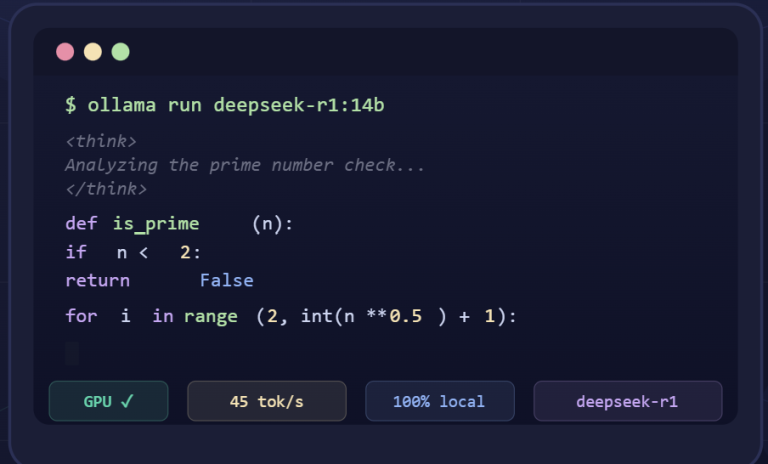
One convenient way to run DeepSeek locally is via Ollama, a tool that allows you to serve LLMs on your machine with an API. ChromaDB, for instance, provides built-in support for using Ollama-served models as embedding functions. The general steps are:
Install and start Ollama (which runs a local server on localhost:11434 by default).
Pull a DeepSeek model through Ollama. For example, you might run ollama pull deepseek-r1 to download the DeepSeek-R1 model. (DeepSeek-R1 is a reasonably sized model that was released for reasoning tasks; while not specifically an embedding model, we can use it for vector generation in this context.)
Use an Ollama integration to get embeddings. If you use ChromaDB, you can instantiate an OllamaEmbeddingFunction pointing to the local model:
import chromadb from chromadb.utils.embedding_functions import OllamaEmbeddingFunction client = chromadb.Client() ollama_ef = OllamaEmbeddingFunction( url="http://localhost:11434", # Ollama server URL model_name="deepseek-r1" # the local model to use for embeddings ) collection = client.create_collection(name="deepseek_documents", embedding_function=ollama_ef)Now, when you add documents to this Chroma collection, it will call your local DeepSeek model to embed them behind the scenes. You could then query the collection and it would use the same model for embedding the query and performing similarity search.
Using a general LLM like deepseek-r1 for embeddings might not be as semantically sharp as DeepSeek’s dedicated embedding model, but it offers a fully offline solution.
There are also other open-source embedding models you could use locally (for example, many developers use smaller models like all-MiniLM or Alibaba’s Qwen embeddings for local work).
It’s worth noting you can mix-and-match: some pipelines use an open-source local embedding model for retrieval and then DeepSeek’s larger model for generation. However, if you want to keep everything in the DeepSeek ecosystem, using DeepSeek’s models for both embedding and answering is feasible.
Hardware notes: DeepSeek’s smaller models (DeepSeek-R1 20B parameters, or R1-Lite which might be <10B) require at least one GPU with sufficient VRAM (e.g. 20GB+) to run efficiently, especially for embedding lots of text.
Larger models like DeepSeek-V2 (236B MoE, effectively 21B active) or V3 are not practical to run on a single machine without TPU or multi-GPU setup – those are better accessed via the API or specialized inference frameworks.
If you only have CPU, consider using a smaller sentence-transformer model for embeddings to start, or use DeepSeek’s cloud service. Always ensure you have the appropriate environment (Nvidia CUDA drivers if using GPU, etc.) when running these models locally.
Required Libraries and Tools
To build our knowledge base pipeline, we will rely on several libraries and tools commonly used in the AI developer community:
DeepSeek SDK or API client: If using Python, DeepSeek doesn’t have an official separate SDK (it reuses the OpenAI API format). You can use the openai Python library by pointing it to DeepSeek’s API base URL, or just use requests as shown above. For Java developers, DeepSeek offers deepseek4j, a Java SDK that supports embeddings and chat through an OpenAI-compatible interface.
Hugging Face Transformers: If doing local inference, the Hugging Face transformers library is invaluable. It allows you to load models like deepseek-ai/deepseek-coder-6.7b-base (a smaller DeepSeek model) or others with a one-liner, and do inference.
For example, one could use AutoModel to load a DeepSeek model for generation. (Note: for pure embedding generation, you might use Hugging Face’s SentenceTransformer interface if you choose a smaller model tuned for embeddings.)
LangChain: LangChain provides a framework to orchestrate the pieces of a RAG system. There is a langchain-deepseek integration for using DeepSeek as the LLM in Chains.
While LangChain doesn’t yet have a built-in DeepSeek Embedding class (you would use a generic embedding class or custom function), it’s very useful for splitting documents, managing prompts, and building query-answer pipelines. We’ll see an example of using LangChain’s text splitters and retrievers later.
Vector database library: You need a place to store and query embeddings. Popular options include:
FAISS (Facebook AI Similarity Search): a highly efficient C++/Python library for vector similarity search. It runs in-memory (or with memory-mapped indexes) and supports billions of vectors with various indexing algorithms. FAISS is great for local, high-performance use and is often used under the hood by other tools.
ChromaDB: an open-source vector database focused on simplicity and integration. It offers a Python API to persist embeddings and metadata, plus features like automatic indexing and filtering. Chroma can run in-memory or use disk storage (SQLite) for persistence. It’s very convenient for quick prototypes.
Qdrant: a standalone vector database written in Rust, known for its performance and advanced features like payload filtering (allowing structured metadata filtering alongside vector search). Qdrant can be run as a service (via Docker, for instance) and you interact via a client or HTTP API. It’s suitable for production scenarios where you have millions of vectors and need reliability and filtering.
(Others: While not requested, it’s worth mentioning there are many alternatives like Pinecone, Weaviate, Milvus, etc., each with their own strengths.)
Other utilities: Depending on data format, you might need libraries to read PDFs (e.g. PyMuPDF or pdfplumber), parse HTML, or clean text. If dealing with web pages or markup, Python’s BeautifulSoup can help extract text. For splitting text, LangChain’s text_splitter module or basic Python code will be used. If building a web UI, frameworks like Streamlit or Flask/FastAPI for an API might be in scope.
When setting up your Python environment, you can install many of these at once. For example, to prepare an environment for our project you might run:
pip install transformers langchain langchain-deepseek chromadb faiss-cpu sentence-transformers numpy
This would install Hugging Face Transformers, LangChain and its DeepSeek plugin, ChromaDB, FAISS (CPU version), SentenceTransformers (which includes useful embedding models/utilities), NumPy (for vector operations), etc.. Ensure your versions are relatively up-to-date (LangChain, for instance, updates often).
If you plan to use Qdrant, you’d install its client (qdrant-client) and have a Qdrant server running. For FAISS, faiss-cpu suffices if you don’t have GPUs; if you do have a GPU and want to use it for searching, you could use faiss-gpu.
Hardware and Deployment Notes
Building a knowledge base with embeddings can be resource-intensive depending on the size of your data:
- Memory and Storage: Embeddings are high-dimensional vectors (hundreds of floats). Storing 1 million 768-dim vectors in float32 consumes roughly 768 * 4 bytes * 1e6 ≈ 3 GB of memory. Consider using float16 or int8 quantization if memory is a concern, or use a disk-based store. Chroma and Qdrant handle persistence automatically, whereas with FAISS you might explicitly save the index to disk.
- GPU for embeddings: If using the DeepSeek API, the heavy lifting is done on DeepSeek’s servers. But if you run models locally, a GPU will dramatically speed up embedding generation. A modern GPU can process thousands of tokens per second. For example, an embedding model with 768-dimensional output might process a chunk of text in tens of milliseconds on GPU vs seconds on CPU. If you only generate embeddings once (offline indexing), CPU might be okay; but for real-time query embedding, GPUs help reduce latency.
- Scaling up: For very large knowledge bases (millions of documents), consider using an external vector database service or sharding your data. Also, monitor the indexing time – you may need to batch and possibly multi-thread embedding creation (DeepSeek’s API allows batching multiple texts per call, and locally you can use Python threads as shown in the Ollama example for parallelizing embedding generation).
Finally, think about deployment: if you expose your system via an API or web app, containerizing the solution (Docker) might be useful, especially if you need to deploy a reproducible environment with all these dependencies and possibly a local model. Ensure environment variables (like DEEPSEEK_API_KEY) are set securely in production.
With setup in place, let’s move on to building the knowledge base step by step.
Step-by-Step: Building a Custom KB
Now we’ll construct our custom knowledge base (KB) using DeepSeek embeddings, step by step. The pipeline involves:
- Loading documents from various sources.
- Splitting those documents into manageable chunks.
- Generating embeddings for each chunk using DeepSeek.
- Storing embeddings in a vector database (FAISS, Chroma, or Qdrant).
- Performing semantic search to retrieve relevant chunks and (optionally) using them in an AI assistant or Q&A system.
Let’s go through each of these steps in detail:
1. Loading Documents: The first step is to gather the content you want in your knowledge base. Documents can be in different formats – PDF files, Markdown or text files, HTML web pages, etc. Depending on the format, you’ll use appropriate tools to extract the raw text:
- For PDFs, you can use libraries like
PyMuPDF(fitz),pdfminer.six, orpypdfto extract text. - For HTML or web content, use
BeautifulSoupto scrape visible text. - For plain .txt or .md files, you can read them directly in Python.
- You might also load data from a database or an API depending on your use case.
Make sure to clean the text by removing any irrelevant content (boilerplate, navigation menus from HTML, etc.) and normalize whitespace. The goal is to have a list (or other iterable) of raw text strings, each representing a document or section of a document. For example:
import os
from bs4 import BeautifulSoup

docs = []
# Example: load all .txt files in a folder
for filename in os.listdir("knowledge_base_docs"):
    if filename.endswith(".txt"):
        text = open(os.path.join("knowledge_base_docs", filename)).read()
        docs.append(text)

# Example: load an HTML file
html = open("page.html").read()
soup = BeautifulSoup(html, "lxml")
text = soup.get_text(separator=" ")  # extract visible text
docs.append(text)
This is just illustrative. In practice, you might use LangChain’s DocumentLoader classes which provide convenient loaders for PDFs, Notion docs, Notebooks, etc. The output from this step is a collection of raw texts.
2. Splitting and Chunking Text: Once you have the raw texts, it’s usually necessary to break them into smaller chunks before embedding. Why? Because long documents might exceed model input limits or might dilute the focus of the embedding.
By splitting documents into chunks (say, paragraphs or sections of a few hundred words), you ensure each embedding represents a coherent piece of information that can be retrieved independently. It also allows handling documents of arbitrary length by indexing them in parts.
Common strategies for chunking:
- Split by paragraphs or headings if structure is present (for example, each section of a manual).
- Split by character or token count: e.g., every ~500 tokens of text, possibly at sentence boundaries.
- Use a sliding window approach with overlap: e.g., chunks of 300 words with an overlap of 50 words between consecutive chunks, to preserve context continuity.
Using LangChain’s RecursiveCharacterTextSplitter is a convenient way to chunk while trying to respect sentence or paragraph boundaries. For example:
from langchain.text_splitter import RecursiveCharacterTextSplitter

splitter = RecursiveCharacterTextSplitter(chunk_size=500, chunk_overlap=50)
all_chunks = []
for doc in docs:
    chunks = splitter.split_text(doc)
    all_chunks.extend(chunks)
print(f"Created {len(all_chunks)} chunks from {len(docs)} documents.")
In this example, each chunk will be at most 500 characters (roughly 100-120 words) with a 50-character overlap between chunks from the same source. You can adjust chunk_size and chunk_overlap based on the content and the embedding model’s input limits.
DeepSeek’s embedding model can handle fairly large inputs (several thousand tokens), but making chunks too large can be counterproductive – smaller, focused chunks often yield more relevant search results.
3. Generating Embeddings: With your text chunks ready, the next step is to convert each chunk into an embedding vector using DeepSeek. If using the API approach, you can batch chunks to speed up the process (DeepSeek’s API can handle an array of texts in one request). Batching might also be necessary to stay under rate limits or to optimize throughput. For example:
import math

batch_size = 20  # number of chunks per API call
embeddings = []
for i in range(0, len(all_chunks), batch_size):
    batch = all_chunks[i: i+batch_size]
    payload = {"model": "deepseek-embedding-v2", "input": batch}
    res = requests.post(API_URL, json=payload, headers=headers)
    data = res.json()
    batch_embeddings = [item["embedding"] for item in data["data"]]
    embeddings.extend(batch_embeddings)
    print(f"Processed batch {i//batch_size + 1}")
This will iterate through all chunks and collect their embeddings. After this loop, the list embeddings will be parallel to all_chunks (i.e., embeddings[j] is the vector for all_chunks[j]). Always check for API errors (HTTP errors or response.status_code != 200 cases) and handle retries if needed.
If using a local model approach, the logic is similar but using the local model’s interface. For instance, if you have a Hugging Face SentenceTransformer or similar loaded, you might call model.encode(batch) to get a batch of vectors.
Or if using the Ollama method with Chroma, adding documents to the Chroma collection will internally generate embeddings. In a manual local loop, you could do:
from sentence_transformers import SentenceTransformer
model = SentenceTransformer('sentence-transformers/all-MiniLM-L6-v2')
# (Using a MiniLM model as an example local embedder)
embeddings = model.encode(all_chunks, batch_size=32)  # returns a list of vectors
(Note: Here we used a non-DeepSeek model for demonstration. If DeepSeek released an embedding model checkpoint, you would load it similarly via AutoModel or SentenceTransformer interface.)
DeepSeek’s embedding-v2 model outputs 768-dimensional vectors. It’s often a good idea to convert these to a NumPy array for efficient storage and to verify their shape:
import numpy as np
embedding_matrix = np.array(embeddings, dtype='float32')
print(embedding_matrix.shape)  # (number_of_chunks, 768)
At this point, you have a numeric matrix representing your entire knowledge base in vector form!
4. Storing Embeddings in a Vector Database: With the embeddings computed, we need to store them in a way that we can query by similarity. There are a few approaches:
In-memory index with FAISS: You can create a FAISS index and add vectors to it. FAISS supports various indexes (flat L2, IVF for large scale, HNSW for approximate search, etc.). For a simple approach, a flat index (exact search) can be used if the data size is not huge:
import faiss d = embedding_matrix.shape[1] # dimensionality (768) index = faiss.IndexFlatIP(d) # Inner Product similarity (use IndexFlatL2 for Euclidean) index.add(embedding_matrix) # add all embeddings print(f"Indexed {index.ntotal} vectors.")Here we chose inner product (IP) similarity, which is equivalent to cosine similarity if the vectors are normalized. It can be beneficial to normalize the embeddings before adding to the index so that nearest neighbors by dot-product = nearest by cosine.
(In the OpenSearch example, they normalized vectors for inner product space.) You can do embedding_matrix[i] /= np.linalg.norm(embedding_matrix[i]) for each vector if cosine similarity is desired. FAISS indices are not persistent by default, but you can write them to disk with faiss.write_index(index, "index.faiss") and later load with faiss.read_index.
ChromaDB: If you prefer a higher-level approach, Chroma lets you store documents and embeddings with IDs and metadata:
import chromadb client = chromadb.Client() collection = client.create_collection("my_knowledge_base") collection.add(documents=all_chunks, embeddings=embeddings, ids=[str(i) for i in range(len(all_chunks))])This will store the vectors (likely in-memory or in a local database file).
Chroma also allows adding metadata (like source file name, section titles, etc.) which can be useful for filtering results later. Once added, you can query:
results = collection.query(query_texts=["What is artificial intelligence?"], n_results=3) for doc, score in zip(results["documents"][0], results["distances"][0]): print(f"Score {score:.2f}: {doc[:100]}")Under the hood, Chroma will embed the query using the same embedding function you provided (so ensure if you gave a function or model, it remains available) and find the top 3 similar chunks.
Qdrant or other vector DBs: With Qdrant, you would typically run a Qdrant service and use its client to create a collection with a given dimension and then upsert points (vectors) with IDs and payloads (metadata).
For brevity, we won’t show full Qdrant code here, but it involves initializing qdrant_client = QdrantClient(...) and calling qdrant_client.upsert with your vectors. The advantage of Qdrant is you get persistence and advanced filtering (metadata-based conditions) out-of-the-box.
Storage strategy: Each vector should be associated with its source. Typically, you store an ID for each chunk that ties back to the original document and perhaps the chunk index or section.
Also consider storing some text metadata: for example, you might keep a shortened snippet or title to quickly identify the result, or even the full chunk text if using a DB.
This metadata can be returned with search results, so your system knows what text snippet was retrieved (to either display to a user or to feed into a generative model as context).
5. Semantic Search (Querying): Once your knowledge base is indexed, using it involves taking a user’s query or a new piece of text, embedding it, and performing a similarity search in the vector store:
If using FAISS, you’d call index.search(query_vector, k) where k is how many nearest neighbors you want. You must embed the query with the same model first. For example:
# Embed the user query (using API or local model) query = "How is AI changing businesses?" q_payload = {"model": "deepseek-embedding-v2", "input": [query]} q_res = requests.post(API_URL, json=q_payload, headers=headers) query_vec = np.array(q_res.json()["data"][0]["embedding"], dtype='float32') # (normalize if needed) D, I = index.search(np.array([query_vec]), k=5) # get 5 nearest vectors for idx in I[0]: print("Result ID:", idx, " Document snippet:", all_chunks[idx][:100])This will print the IDs (or indices) of the top 5 similar chunks along with a snippet of text. The D array would contain similarity scores (higher means more similar for IP index).
If using Chroma, as shown, you can simply call collection.query(query_texts=[query], n_results=5). Chroma will handle embedding the query via the same function and return the documents and distances.
If using Qdrant, you would call the search method with the query vector (or use their query with filter conditions). Qdrant can also do hybrid search (filter by metadata then vector similarity, etc.).
At this stage, you effectively have a semantic search engine: given any new query, you can retrieve the most relevant pieces of knowledge from your base.
This can directly power a search application (where you just display these results to a user), or feed into a larger pipeline like a chatbot which uses these results to formulate an answer (we’ll cover that in the next section).
To summarize this section, we’ve loaded data, chunked it, embedded it with DeepSeek, and stored those embeddings in a vector index that we can query.
All these steps can be automated into scripts or notebooks, and once the index is built, queries can be answered in milliseconds by vector similarity search – a foundation for intelligent knowledge retrieval systems.
Use Case Examples
How can we apply this custom DeepSeek-powered knowledge base in real scenarios? Here are a few compelling use cases, each highlighting the value of semantic search and embeddings:
Internal Documentation Search
Imagine a company with a large repository of internal documents – engineering wikis, policy documents, project reports, and FAQs. Employees often struggle to find specific information using keyword-based search because the wording in queries might differ from document text.
By building a knowledge base of internal docs with DeepSeek embeddings, employees can perform semantic searches.
For example, an engineer could ask, “How do I request a new server for my project?” and the system might retrieve a wiki page that contains the steps for provisioning resources, even if it’s phrased differently.
This improves productivity by quickly surfacing relevant knowledge. The documents can be kept private and, if needed, the entire pipeline can run on-premises (using DeepSeek’s local deployment capabilities) to satisfy security requirements.
Unlike a generic search engine, the results here are tailored to your company’s data, and thanks to embeddings, it tolerates phrasing differences and finds conceptually related content.
If this knowledge base will serve employees, internal documentation, or regulated content, the embedding pipeline is only part of the decision. Our DeepSeek enterprise guide covers the broader questions around self-hosting, data control, support expectations, and production governance.
Personalized AI Chatbot Memory
Personal AI assistants and chatbots are far more useful when they have a long-term memory or knowledge specific to the user. For instance, consider a personal GPT-based assistant that can remember your notes, to-do lists, or past conversations.
By embedding all your notes and past interactions into a vector store, the chatbot can retrieve context relevant to the current conversation. DeepSeek embeddings could encode the semantic essence of each note.
If you ask your chatbot, “Remind me what my travel plans are for next month,” it can find the note or email in which you outlined your itinerary. In this use case, the knowledge base is constantly being updated with personal data, so you would periodically update the index with new embeddings (e.g., whenever you add a note).
DeepSeek’s advantage here is that you could self-host the model to maintain privacy of your data, and still benefit from a powerful embedding representation. The end result is a chatbot that feels personalized and context-aware, rather than a generic model with no memory.
Enterprise Knowledge Assistant
Many enterprises are deploying AI assistants that can answer questions using the company’s proprietary knowledge – think of it like an internal ChatGPT that knows your product documentation, customer support tickets, and so on. DeepSeek embeddings are perfect for powering the retrieval in such a system.
For example, a customer support agent could query an assistant, “What is the workaround for error code 502 in our application?” The system would use the embeddings to find the most relevant internal support ticket or knowledge base article addressing that error, and either present it directly or feed it to a DeepSeek generative model to compose a helpful answer.
This enterprise knowledge assistant can help in onboarding new employees (they can ask natural language questions about company processes), supporting sales teams (quickly retrieve product info or case studies by asking a question), or improving customer support (faster access to troubleshooting guides).
DeepSeek’s multilingual training is an added boon in a global enterprise – you could have documents in multiple languages and still get meaningful cross-language retrieval (e.g., a query in English finding a document in Chinese if it’s relevant, and vice versa, because the embeddings reside in a shared semantic space).
Each of these use cases benefits from the core pipeline we built. The difference is mainly in the content and how the results are used (displayed to a user vs. fed into a generative model for a final answer). DeepSeek embeddings provide the semantic muscle behind the scenes to make the search intelligent.
Performance Tips and Best Practices
Building a knowledge base with embeddings is as much an art as it is science. Here are some performance tips and best practices to keep your system accurate and efficient:
Optimal Chunk Size & Overlap
Choosing the right chunk size is important. If chunks are too large, the embedding might dilute important details; too small, and you lose context. A good starting point is chunks of ~200-500 words. Use overlap if a concept might span between chunks to avoid losing that context – for example, overlapping by 1-2 sentences can help.
You might experiment with different sizes and test search results (does the retrieval bring back useful chunks?). Domain matters too: technical documentation might be fine in smaller sections, whereas a story or legal document might require larger chunks to retain meaning.
Always ensure the chunk size stays within the model’s input token limit (DeepSeek’s limits are high, but other embedding models may cap at 512 or 1024 tokens).
Embedding Caching: If you have a pipeline where embeddings are generated on-the-fly (for example, embedding each user query at query time, or periodically re-embedding updated documents), consider caching these embeddings.
Query embeddings can be cached by query string (or better, by some normalized form of the query) so that repeat questions don’t recompute the vector unnecessarily. For document indexing, once you’ve computed embeddings for your knowledge base, save them.
This could be as simple as serializing the embedding_matrix to disk (using NumPy’s save() or pickle) or, if using a vector DB, relying on its persistence. By caching, you also enable faster startups – you don’t need to re-embed everything if the service restarts.
Some vector databases (like Chroma or Qdrant) persist by default, which effectively acts as a cache for your computed embeddings on disk.
Similarity Search Tuning: Finding the right information might require some tuning of the retrieval parameters:
K (number of results): You might start with, say, k=5 nearest neighbors. If you find the assistant is missing relevant info, increase k to 10 or more, and then have your application consider those (perhaps by filtering by a minimum similarity score or by using a re-ranking step).
Distance metrics: Cosine similarity (which is essentially inner product on normalized vectors) is most common for text embeddings. Ensure you use the right metric in your vector store. If using FAISS, for cosine either normalize vectors or use IndexFlatIP. For Euclidean distance (IndexFlatL2), note it’s closely related to cosine for normalized vectors.
Metadata filters: In an enterprise KB, you might have metadata like document type or date. Using filters (e.g., only search within technical docs vs. marketing docs based on a tag) can improve relevance when the user’s context is known. Vector DBs like Qdrant and Chroma support adding filters to queries.
Hybrid search: Sometimes combining keyword search with embedding search (hybrid) yields the best results – for instance, ensure exact matches on crucial terms while still using semantic similarity. This can be done by either a two-step approach (first filter by keyword, then vector search) or by using a tool that supports hybrid scoring.
Re-ranking: For critical applications, you can use a second stage re-ranker model (like a small cross-encoder) to rerank the retrieved chunks based on the query. This can significantly improve precision, though at the cost of extra computation. You might not need this unless you observe a lot of slightly off results from pure vector search.
Monitoring and Iteration: Treat your KB system as a living project. Monitor the questions asked and whether the retrieved results were useful. If users frequently ask things that get poor answers, that’s an indicator to either add more content to the KB or fine-tune your chunking/embedding approach.
Sometimes adding domain-specific data to the embedding model (via fine-tuning) can boost performance – DeepSeek does allow fine-tuning on custom data, which could be an advanced avenue to explore if needed.
System Scaling: As your data grows, pay attention to performance. FAISS flat search is exact but will get slower linearly with more vectors (though it can still handle millions quickly if using BLAS libraries). For >1M embeddings, consider approximate search indexes (FAISS IVF or HNSW, or Qdrant’s default HNSW index) which give big speed-ups with minimal loss in recall.
Also, ensure you have enough memory for the index or use disk-based indexes if needed. If using a server-based DB like Qdrant, you might need to allocate more resources or use their distributed mode.
By applying these tips, you can maintain a high-performing semantic search system: quick to return results and accurate in fetching relevant knowledge. Performance tuning is often about finding the right balance for your specific application’s needs.
Frontend and API Integration
After building the knowledge base backend, the next step is making it accessible – either through an API endpoint or a user interface, and possibly integrating it into a larger application. Let’s discuss how to expose and utilize our DeepSeek-augmented KB:
Exposing the Knowledge Base via an API
One common approach is to wrap the retrieval (and optionally the generation of answers) in a web service. For instance, you could create a REST API with endpoints like /query where a user provides a question and the service returns the top relevant document chunks or a formulated answer. Using a Python framework like FastAPI or Flask makes this straightforward:
from fastapi import FastAPI
from pydantic import BaseModel

app = FastAPI()

# Assume `index` is our FAISS index and `all_chunks` our list of chunk texts (as in previous code)
# and we have a function embed_text(query) that returns the DeepSeek embedding of the query.

class QueryRequest(BaseModel):
    query: str
    top_k: int = 5

@app.post("/query")
def query_kb(request: QueryRequest):
    query_vec = embed_text(request.query)  # embed the query using DeepSeek
    D, I = index.search(np.array([query_vec], dtype='float32'), request.top_k)
    results = []
    for idx, dist in zip(I[0], D[0]):
        results.append({"text": all_chunks[idx], "score": float(dist)})
    return {"query": request.query, "results": results}
This example uses FastAPI to define an API where you send a JSON {"query": "...", "top_k": 5} and get back a list of top-k results with their text and similarity scores. You could also include metadata in the results if you have it (like document title or source).
Such an API can be used by a front-end application, or even directly by users if you build a simple UI. It decouples the retrieval logic from any specific interface.
Moreover, you can extend it to have another endpoint /ask that not only retrieves but also uses DeepSeek’s generative model to answer using the retrieved context (essentially implementing a full RAG workflow on the server side).
For example, /ask could accept {"question": "...", "top_k": 5}: it would perform the same retrieval, then feed the question + retrieved chunks into a DeepSeek chat model (like deepseek-chat or deepseek-reasoner) prompt to get an answer, and return that answer.
This way, the heavy lifting of both retrieval and generation happens server-side, and the client (could be a web app or chat UI) just displays the result.
Integration with LangChain and LlamaIndex
If you are using frameworks like LangChain or LlamaIndex (GPT Index), they provide abstractions to tie the embedding-based retrieval with LLMs easily:
In LangChain, you can use a RetrievalQA chain that combines a retriever (vector store) with a language model. We saw earlier how LangChain’s ChatDeepSeek can be initialized as the LLM, and a FAISS (or Chroma) can serve as the retriever. For instance:
from langchain.chains import RetrievalQA from langchain_deepseek import ChatDeepSeek from langchain.vectorstores import FAISS from langchain.embeddings import OpenAIEmbeddings # or a custom one for DeepSeek # Suppose we use FAISS; we need an embeddings class for queries - # we could use the same DeepSeek API via a lambda or use OpenAIEmbeddings as a placeholder db = FAISS(embedding_function=my_deepseek_embed_function, index=index, docstore=dict(enumerate(all_chunks))) llm = ChatDeepSeek(model="deepseek-chat", temperature=0, api_key=DEEPSEEK_API_KEY) qa_chain = RetrievalQA(llm=llm, retriever=db.as_retriever()) answer = qa_chain.run("Explain the relationship between LangChain and DeepSeek.") print(answer)In this pseudo-code, my_deepseek_embed_function would be a function or object that calls the DeepSeek embedding API (since LangChain might not have a built-in class, we provide a custom embedding function that uses DeepSeek’s API or local model).
The chain will handle querying the vector store and injecting the retrieved text into the prompt for the ChatDeepSeek model. The final answer is then generated by the DeepSeek model, grounded in the retrieved knowledge. This approach is powerful – you get a ready-made QA system with minimal glue code.
With LlamaIndex (GPT Index), the concept is similar: you can construct a index from documents using a custom embedding. For example:
from llama_index import VectorStoreIndex, ServiceContext, LLMPredictor from llama_index.embeddings import BaseEmbedding # Define a custom embedding class that calls DeepSeek class DeepSeekEmbedding(BaseEmbedding): def __init__(self, api_key): self.api_key = api_key def _get_query_embedding(self, text): # call DeepSeek embedding API for text return embed_text(text) def _get_text_embedding(self, text): return embed_text(text) ds_embed = DeepSeekEmbedding(api_key=DEEPSEEK_API_KEY) service_context = ServiceContext.from_defaults(embed_model=ds_embed, llm_predictor=LLMPredictor(llm=ChatDeepSeek(model="deepseek-chat"))) index = VectorStoreIndex.from_documents(documents, service_context=service_context) response = index.query("Your question here?") print(response)This sketches out how you might integrate DeepSeek into LlamaIndex – by providing a custom embedding model and using DeepSeek’s LLM for responses. The LlamaIndex library would manage splitting and indexing under the hood if you feed it documents (which are LlamaIndex Document objects containing text and metadata).
Both LangChain and LlamaIndex basically reduce the boilerplate for RAG implementations. If you’re already comfortable with our manual pipeline, you may not need them, but they are useful for quickly adding features like caching, verbose logging, or switching out components.
Building a Frontend or Chatbot UI
Finally, presenting the knowledge base to end-users might involve a web UI or integration into an application:
- Web Application UI: You can create a simple web interface where users type questions and see answers with sources. Tools like Streamlit can create such an app in a few lines of Python, or you can build a more custom interface with React/Vue and call your backend API. Ensure to display the source excerpts (users often appreciate seeing which document the answer came from). This transparency builds trust in the AI assistant’s answers.
- Chatbot Integration: If you want this KB to be available in a chat interface (say on your company’s Slack or on a website chat widget), you can integrate it with those platforms. For Slack, you might write a bot that listens for messages and on a trigger uses your QA pipeline to respond. For a website, you might use a service or custom code to embed a chat that calls your backend.
- API for developers: If this knowledge base is part of a larger system (for example, a customer support automation tool), exposing it as an API (like the FastAPI example above) allows other services to leverage it. This is essentially creating your own mini version of a service like OpenAI’s retrieval plugin, but custom to your data and running on DeepSeek.
When building a frontend, also consider user experience features: autocomplete suggestions, showing a list of top relevant documents (in addition to or instead of a direct answer), or allowing the user to provide feedback on the results (which you can log and use to improve the system over time).
One more thing: Keep an eye on costs and rates when deploying. If you are using the API heavily, monitor your token usage. DeepSeek’s pricing for embeddings (if similar to their chat models) is quite affordable per million tokens, but it can add up if you embed a vast number of documents. If cost is a concern, using local models for embedding (or caching results aggressively) will help.
Conclusion
Building a custom knowledge base with DeepSeek embeddings empowers you to create intelligent search and assistant solutions tailored to your data.
We’ve seen how knowledge bases benefit from the semantic power of embeddings – enabling searches and Q&A that go beyond keyword matching to truly understand intent and context.
DeepSeek’s embedding model (e.g., deepseek-embedding-v2) offers a viable alternative to proprietary embeddings like OpenAI’s, with competitive quality and the flexibility of deployment on your terms. In fact, DeepSeek’s platform combines high performance (comparable to top models) with open accessibility, meaning you can avoid vendor lock-in and even run models locally for full control.
Let’s recap some key points and advantages of using DeepSeek for your knowledge base:
- Quality and Multilingual capability: DeepSeek models are trained on massive datasets (including diverse languages), so the embeddings capture a wide range of concepts. This means your KB can likely handle multilingual documents or queries out-of-the-box, a plus over some single-language models.
- Scalability: Using vector databases like FAISS/Chroma/Qdrant, your solution can scale to millions of pieces of information. DeepSeek’s embeddings being 768-dimensional are relatively compact, which helps with storage and speed. And if you need to re-embed after an update to the model, the process can be automated.
- Cost efficiency: When comparing DeepSeek vs. OpenAI, cost can be a deciding factor. OpenAI’s embedding model (Ada-002) currently costs on the order of $0.0001 per 1K tokens. DeepSeek’s pricing for API usage is in a similar ballpark or lower (their chat model is around $0.28 per 1M input tokens, which translates to $0.00028 per 1K). Moreover, DeepSeek allows self-hosting – meaning if you have the hardware, you can generate unlimited embeddings without API costs. This can be huge for large-scale or long-term projects.
- Open ecosystem: Because DeepSeek aligns with OpenAI’s API, integration is smooth. And the open-source community is building tools around it (as evidenced by integrations with LangChain, Ollama, etc.). You are tapping into an evolving ecosystem, which will likely bring even more improvements (like new DeepSeek model versions, possibly a future
deepseek-embedding-v3with higher dimension or accuracy).
To keep your knowledge base scalable and efficient: continue iterating on the content (add new documents, archive outdated ones), monitor performance (both system latency and answer quality), and consider fine-tuning if necessary.
For example, if you deploy an assistant and gather user questions that are poorly answered, use that data to improve either the retrieval (maybe add a particular data source) or the prompt given to the LLM.
In closing, DeepSeek embeddings enable powerful semantic understanding in knowledge bases that can rival the capabilities of big tech APIs while giving you more control.
Whether you are building an internal search tool, an AI helper for customers, or a personal AI memory, the combination of a well-designed vector database and DeepSeek’s AI models sets you on the path to a state-of-the-art solution.
With a solid foundation as we’ve built in this guide, you can confidently deploy a knowledge base that is intelligent, responsive, and robust – a true AI copilot fueled by your custom data. Good luck, and happy building!