Modern SaaS applications are increasingly embedding AI capabilities to enhance user experience and automation. Integrating a large language model (LLM) like DeepSeek can make a web app more intuitive, conversational, and powerful.
Instead of rigid interfaces and static forms, users get natural language interactions – they can ask questions or describe tasks in plain English and get intelligent responses. This reduces friction and boosts engagement, setting your product apart in a crowded SaaS market.
DeepSeek in particular is a cutting-edge open-source LLM designed for software development, NLP, and business automation tasks. It uses a Mixture-of-Experts (MoE) architecture to effectively tap into 671 billion parameters while only activating ~37B per query, yielding top-tier performance with lower computational cost.
For example, DeepSeek achieves a 73.78% pass@1 on the HumanEval coding benchmark and handles context windows up to 128K tokens – that’s significantly larger than most models, enabling it to process long documents or chat history in one go.
Importantly, DeepSeek is open-source and allows commercial use, so businesses can integrate advanced AI without prohibitively high API fees.
In fact, DeepSeek’s cost per token is over 95% lower than GPT-4 according to benchmarks. All these factors make integrating DeepSeek a compelling way to add AI-driven features like chatbots, automated document analysis, or code assistants to your web platform.
In the rest of this guide, we’ll explore how to integrate DeepSeek into a web app – from choosing an access method (cloud API vs. self-hosting) to practical frontend/backend integration examples.
We’ll cover deployment options, use-case ideas, UI/UX tips for streaming responses, and best practices for security and cost optimization. By the end, you’ll have a roadmap for bringing DeepSeek’s AI power into your SaaS product in a scalable and developer-friendly way.
Choosing an Access Method: API-Based vs. Local Inference

When integrating DeepSeek (or any LLM) into your app, one of the first decisions is how to access the model – via a cloud API or by running it on your own infrastructure.
Each approach has its pros and cons:
- API-Based Access (Managed Service): In this model, a third-party (e.g. DeepSeek’s cloud service or Hugging Face) hosts the model and provides an HTTPS API. Developers simply make requests over the internet to get results, without managing any servers or hardware. This approach is very convenient – the provider handles all the heavy lifting like model updates, scaling, and maintenance. If DeepSeek’s team or another provider offers an API endpoint, you can integrate it with just a few HTTP calls or SDK function calls. This is great for quick prototypes or low-volume products because you avoid upfront infrastructure setup. However, you are dependent on the third-party. There may be usage fees per request, rate limits, or data privacy considerations (your prompts and outputs flow through an external server). Some providers offer on-premise options, but standard API usage means your data leaves your environment. API-based use is essentially “serverless” from your perspective – easy to start, but costs can add up at scale and you have less control over the model’s behavior and uptime.
- Self-Hosted Inference (Local or Private Cloud): Here, you run DeepSeek on your own servers – whether on-premises hardware or cloud instances in your account. Self-hosting an open-source LLM gives you full control over the model environment, configuration, and updates. All data stays within your infrastructure, which is crucial for sensitive or regulated data (no third-party sees your prompts). You can also fine-tune the model or customize it if needed. Another benefit is avoiding per-request fees – if your application will serve a high volume of queries, hosting your own instance can be more cost-effective in the long run. On the downside, self-hosting requires engineering effort and resources: you’ll need machines with powerful GPUs and sufficient VRAM, plus MLOps setup to deploy and monitor the model. High-volume usage might require scaling multiple servers and load balancing. Essentially, self-hosting trades higher upfront complexity for long-term flexibility and potentially lower marginal costs at scale.
When to choose which?
For low or irregular traffic and fast iteration, using an API service is often best. You get instant access to a high-performance model without worrying about DevOps.
On the other hand, if AI is core to your product and you expect high-volume usage or strict data privacy needs, investing in self-hosting can pay off. Enterprises often prefer self-hosting to meet compliance (keeping data in-house) and to avoid vendor lock-in.
In fact, a hybrid approach can work too – e.g. start with the API to prototype, then migrate to a self-hosted DeepSeek deployment as you scale up.
To summarize, API-based integration offers ease of use and zero maintenance, whereas self-hosting offers control, customization, and potential cost savings at scale. Next, we’ll dive into how to integrate DeepSeek via both of these routes.
API Integration (Managed Inference)
If you opt for a cloud-based approach, you have two main choices: using DeepSeek’s official API (if available) or leveraging a Hugging Face Inference API for the DeepSeek model. Both approaches let you call the model via HTTP requests from your web app’s frontend or backend.
Using the DeepSeek API Service
The DeepSeek team provides an official API platform that exposes the model through a RESTful interface. Conveniently, they made it OpenAI API–compatible, meaning the endpoints and request format mirror OpenAI’s chat/completions API. This makes integration extremely straightforward if you’ve used models like GPT-3/4 before. You just need to:
- Obtain an API Key: Sign up on the DeepSeek platform and get an API key (a secret token). This key authenticates your requests.
- Use the DeepSeek Base URL: Instead of OpenAI’s URL, use
https://api.deepseek.com(orhttps://api.deepseek.com/v1) as the base for requests. - Call the Chat Completion Endpoint: Construct requests to the
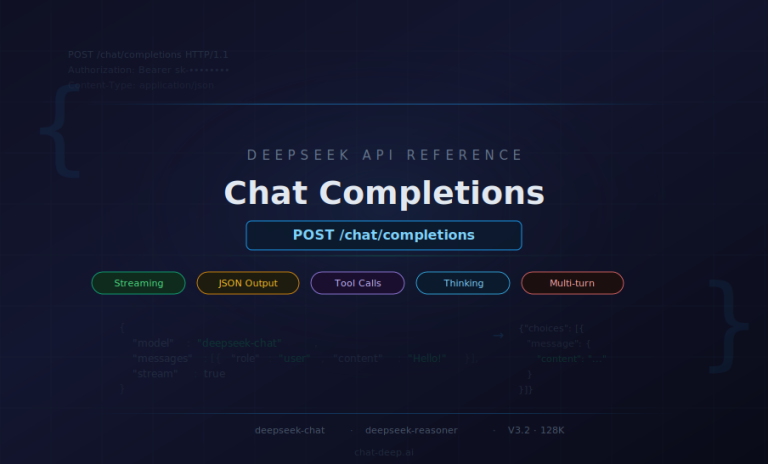
/chat/completionsendpoint with a JSON payload including the model name and messages, just like you would for OpenAI. DeepSeek supports models named"deepseek-chat"(standard mode) and"deepseek-reasoner"(a more “thinking” mode with longer reasoning steps).
For example, a simple cURL request might look like:
curl https://api.deepseek.com/chat/completions \
  -H "Content-Type: application/json" \
  -H "Authorization: Bearer $DEEPSEEK_API_KEY" \
  -d '{
        "model": "deepseek-chat",
        "messages": [
          {"role": "system", "content": "You are a helpful assistant."},
          {"role": "user", "content": "Hello, DeepSeek!"}
        ],
        "stream": false
      }'
This POST request sends a system prompt and a user message, asking the DeepSeek chat model to respond.
The format is identical to OpenAI’s ChatGPT API – you supply a list of messages with roles (system, user, assistant), and the API returns a JSON with a choices array containing the model’s reply. DeepSeek’s API supports streaming (by setting "stream": true) just like OpenAI’s, which we’ll discuss shortly.
You can also use official OpenAI SDKs by pointing them to DeepSeek’s base URL. For instance, in Python you could do:
import openai
openai.api_base = "https://api.deepseek.com/v1"
openai.api_key = "YOUR_DEEPSEEK_API_KEY"

response = openai.ChatCompletion.create(
    model="deepseek-chat",
    messages=[{"role": "user", "content": "Hello, DeepSeek!"}]
)
print(response['choices'][0]['message']['content'])
And in Node.js (using the openai npm package):
const OpenAI = require("openai");
const openai = new OpenAI({
  baseURL: "https://api.deepseek.com",
  apiKey: process.env.DEEPSEEK_API_KEY
});

const completion = await openai.chat.completions.create({
  model: "deepseek-chat",
  messages: [{ role: "user", content: "Hello, DeepSeek!" }]
});
console.log(completion.choices[0].message.content);
As shown, we simply configure the client with DeepSeek’s URL and our API key, then use it as usual. This compatibility significantly lowers the integration effort.
DeepSeek API features: The official API offers a 128K context window, which is much larger than typical models (e.g. GPT-4’s 8K/32K). This is great for summarizing long documents or maintaining extensive conversation history.
It also supports advanced features like function calling and JSON output formatting. These can be useful for structured tasks (e.g. instructing DeepSeek to output a JSON object). The DeepSeek documentation indicates support for those via parameters in the API request.
In terms of pricing, the DeepSeek API is quite competitive. As of writing, DeepSeek-V3.2 (their latest model version) is priced around $0.28 per 1M input tokens (for cache misses) and $0.42 per 1M output tokens.
If the model has a cache hit (reusing context from prior calls), input token cost drops to $0.028 per 1M. By comparison, GPT-4 can cost $60+ per 1M tokens, so DeepSeek is substantially cheaper.
The platform also has rate limits and an account dashboard to monitor your usage and latency. Always check the latest pricing and limits on their site.
Before you choose between the official API, a hosted third-party route, or self-hosting, review our DeepSeek pricing page. It clarifies the current API rate card, the cache-hit discount, and the difference between free web/app usage and paid product integration.
Using Hugging Face Inference API
If you prefer not to use the official API (or want to quickly experiment with DeepSeek without signing up), you can use the Hugging Face Inference API. Hugging Face hosts the open-source DeepSeek models on their Hub, which means you can leverage their serverless inference capability.
The idea is similar: you make an HTTP request to Hugging Face’s endpoint for the model, and they return the prediction.
How to call: Hugging Face provides a free-tier Inference API for any public model. It’s essentially a REST API where you POST a payload and get a result. For text generation models like DeepSeek, you would call:
POST https://api-inference.huggingface.co/models/deepseek-ai/deepseek-llm-7b-chat
Authorization: Bearer YOUR_HF_API_TOKEN
Content-Type: application/json

{ "inputs": "Your prompt here", "parameters": { ... } }
The URL path includes the model ID on the Hub (deepseek-ai/deepseek-llm-7b-chat or 67b-chat depending on which variant you use). You need to include an API token in the header – you can get one by creating a Hugging Face account (the free tier token works with some rate limits).
If you’re using their Python SDK, you can call the model with the huggingface_hub.InferenceApi client, which wraps these HTTP calls for you. For example:
from huggingface_hub import InferenceApi
inference = InferenceApi(repo_id="deepseek-ai/deepseek-llm-7b-chat", token=HF_API_TOKEN)
result = inference(inputs="Hello, DeepSeek!")
print(result)  # should print the model's completion
Under the hood this contacts the HF service and returns a Python dict or string with the generated text. Hugging Face’s inference API is serverless and on-demand, meaning you don’t manage any server – it will load the model on first request and cache it for a short time. This is great for testing or low-volume usage, but be aware of a few caveats:
- Rate Limits: The free tier allows ~50 requests per hour, and the paid tiers (Pro/Enterprise) increase this to ~500/hour or more. If your app will make many calls, you might hit these limits quickly on a free account.
- Cold Starts: Since models are loaded on demand, the first request can be slow or even return a 503 “model loading” error if the model wasn’t already loaded. You can instruct the API to wait for loading by adding a header
x-wait-for-model: trueto your request, which will make it hang until the model is ready (instead of immediate 503). After that, responses will be faster (until the model is unloaded due to inactivity). - No Streaming on Free API: The HF Inference API (the free serverless version) typically returns the full completion in one go – it doesn’t support token streaming in real-time. For streaming, you’d likely need to deploy a dedicated Inference Endpoint on Hugging Face or use another approach.
If you require more reliability and throughput, Hugging Face offers a paid Inference Endpoint service where you can deploy DeepSeek on a dedicated container with autoscaling. That would remove the strict rate limits and cold starts, but it incurs a monthly cost.
In many cases, if you’re going that route, using DeepSeek’s own API or self-hosting might be equally viable. Still, it’s nice to know you have this option for a fully managed solution.
Frontend Integration Example (Next.js/React)
To illustrate how this comes together, let’s look at a simple frontend flow. In a modern web app (built with React or Next.js), you might want to call DeepSeek in response to a user action – for example, when the user submits a question in a chat widget or presses a “Summarize” button for a document.
Avoid calling the LLM directly from the client (browser) if it requires a secret API key. Instead, you’ll usually create a backend endpoint that the frontend can fetch, which in turn calls the LLM API. This way, your secret keys (DeepSeek API key or HF token) are kept on the server.
For example, in Next.js you could create an API route /api/ask that handles requests from the UI. When the user submits a prompt via a form, your React component can do something like:
// Inside a React component
async function handleSubmitQuestion(question) {
  setLoading(true);
  const res = await fetch("/api/ask", {
    method: "POST",
    headers: { "Content-Type": "application/json" },
    body: JSON.stringify({ query: question })
  });
  const data = await res.json();
  setLoading(false);
  setAnswer(data.answer);
}
Here, we send the user’s question to our /api/ask endpoint. On the server side (Next.js API route or a separate Node/Flask server), we receive the question, then call the DeepSeek API. For example, a Node.js Express handler might do:
app.post("/api/ask", async (req, res) => {
  const userQuery = req.body.query;
  // Call DeepSeek API
  const response = await fetch("https://api.deepseek.com/chat/completions", {
    method: "POST",
    headers: {
      "Authorization": `Bearer ${process.env.DEEPSEEK_API_KEY}`,
      "Content-Type": "application/json"
    },
    body: JSON.stringify({
      model: "deepseek-chat",
      messages: [{ role: "user", content: userQuery }]
    })
  });
  const result = await response.json();
  const answerText = result.choices[0].message.content;
  res.json({ answer: answerText });
});
This backend route takes the user’s query and makes a fetch to DeepSeek’s chat completion API, then returns the generated answer as JSON.
The React frontend receives data.answer and can display it in the UI. If using the Hugging Face API instead, the logic is similar – just the URL and payload format would change (and you’d include your HF token in the header).
Authentication and security: Notice we used process.env.DEEPSEEK_API_KEY. Never expose your raw API keys in the client-side code. With Next.js, any code under pages/api/ runs on the server, so it’s safe to use secrets there.
If you’re using a pure frontend (e.g. plain React without a server), you might need to set up a minimal proxy server or serverless function to keep the key hidden.
Also consider using Rate limiting on this endpoint (e.g. limit each user to a certain number of requests per minute) to prevent abuse, which we’ll discuss later.
Latency considerations: Calling an LLM API will introduce some latency (typically a few seconds for a complex prompt). To keep the app responsive, trigger the request asynchronously (as shown) and provide feedback (like a spinner or “Thinking…” message) while waiting.
We’ll cover more UX tips in a later section, including streaming partial responses to further improve perceived latency.
Backend Integration (Node, Flask, FastAPI)
On the backend side, integrating DeepSeek can be done in whatever language your web services use. Many developers use Node.js or Python for server-side logic in SaaS apps, so let’s touch on both:
Node.js (TypeScript/JavaScript): You can call DeepSeek from an Express.js or Next.js API route as shown above using fetch or Axios. Alternatively, use the official OpenAI SDK (which now supports specifying a base URL). For instance, with the OpenAI Node SDK:
const openai = new OpenAI({ baseURL: "https://api.deepseek.com", apiKey: process.env.DEEPSEEK_API_KEY }); const completion = await openai.chat.completions.create({ model: "deepseek-chat", messages: [{ role: "user", content: userQuery }] }); // ... use completion.choices[0].message.contentThis approach abstracts the HTTP call. Under the hood it will hit DeepSeek’s API as configured. You get nice features like built-in retries and error handling from the SDK. Just be sure to pin the SDK version, since DeepSeek’s compatibility relies on matching the OpenAI API version they emulate.
Python (Flask/FastAPI): In Python, you could use the requests library to call the DeepSeek API or again use the OpenAI SDK (openai Python package). For example, in a Flask route:
import os, requests @app.route('/api/ask', methods=['POST']) def ask(): user_query = request.json['query'] headers = { "Authorization": f"Bearer {os.environ['DEEPSEEK_API_KEY']}", "Content-Type": "application/json" } payload = { "model": "deepseek-chat", "messages": [{"role": "user", "content": user_query}] } rsp = requests.post("https://api.deepseek.com/chat/completions", json=payload, headers=headers) answer = rsp.json()['choices'][0]['message']['content'] return {"answer": answer}Using FastAPI, the logic would be similar but structured with async endpoints. In FastAPI you might also take advantage of background tasks or websockets for streaming (more on that later). If calling the Hugging Face endpoint, you’d adjust the URL and maybe handle the streaming of tokens differently (since HF’s serverless API doesn’t stream by default).
Handling auth and errors: Ensure your backend reads the API key from a secure location (environment variable or secrets manager). Also, implement error handling – e.g. if the DeepSeek API is down or returns an error, catch that and return a graceful error message or fallback from your endpoint.
DeepSeek’s API might return specific error codes or rate limit statuses (429 Too Many Requests). You might retry once or log the event for later analysis.
Best practices for API usage: Keep track of latency for calls (DeepSeek might have slightly higher latency for very large prompts, though it’s optimized for speed).
If you use DeepSeek’s API, you can set the stream flag to get incremental responses – you would then need to handle a streaming response (which in Node could be via an event stream, and in Python via iterating over the response content).
We’ll discuss streaming in the next section. Also consider using content filtering on user inputs before sending to the API – the DeepSeek service might have some safety features, but if not, you don’t want to inadvertently process disallowed content (more in Security section).
In summary, API integration involves setting up a thin layer in your app (frontend or backend) that relays user queries to the DeepSeek model and returns the results.
With the official API’s OpenAI-compatible design, this is quite straightforward. Next, we’ll explore the self-hosted route, which is a bit more involved but gives you a lot of control.
Self-Hosting DeepSeek (Deployment & Serving)
For teams that require more control or want to avoid ongoing API costs, self-hosting DeepSeek is an attractive option. DeepSeek provides model weights for 7B and 67B parameter versions, which you can download from Hugging Face or S3 and run on your own machines.
Here we’ll cover how to deploy these models on cloud or on-prem hardware, and serve them via an API for your app to consume.
Infrastructure and Hardware Requirements
Cloud GPUs or Bare Metal: You can run DeepSeek on any environment with sufficient GPU resources. Common choices are AWS, GCP, or Azure GPU instances – for example, AWS EC2 p3 or p4 series with NVIDIA Tesla/V100/A100 GPUs.
Alternatively, on-premise servers or even high-end PCs with modern GPUs (NVIDIA RTX 3090/4090, etc.) can work for the 7B model. The 67B model, however, is quite large and ideally needs A100-class GPUs or better.
As a rule of thumb, model size directly impacts VRAM needs. DeepSeek-7B (7 billion params) requires roughly 14–16 GB of GPU memory to load at FP16 precision. DeepSeek-67B is much heavier – in FP16 it could need ~130–140 GB VRAM (which typically means splitting across multiple GPUs).
Fortunately, you can use quantization to reduce memory usage. Many open-source LLM enthusiasts run 65B models with 4-bit quantization to fit on a single 48 GB GPU. DeepSeek 67B with 4-bit weights comes in around ~38 GB, which a 48 GB GPU (like an RTX 6000 Ada) can handle.
If you don’t have a single GPU that large, you can enable model sharding across 2–4 smaller GPUs (for example, 4×24GB GPUs). Libraries like Hugging Face Transformers Accelerate or PyTorch FSDP can automatically split the model.
The bottom line is: for serious production use of the 67B model, budget for high-memory GPUs or a multi-GPU setup. The 7B model, on the other hand, can run on a consumer 12GB or 16GB GPU (especially with 4-bit quantization, which brings 7B down to ~4GB in memory).
CPU, RAM, and storage: Don’t neglect the CPU and system RAM – they matter during model loading and when offloading parts of the model. Ensure you have ample system RAM (at least as much as the model size if you plan to memory-map or offload).
An NVMe SSD is recommended because model weight files are big (dozens of GBs) and loading from slow disk will hurt startup time.
Choosing a Serving Framework: vLLM vs. LMDeploy vs. Others
Running the model in a Jupyter notebook is one thing; serving it to many users reliably is another. To build a production-grade LLM service, you’ll likely use a specialized inference engine or serving framework.
Two notable ones for open-source LLMs are vLLM and LMDeploy, which are designed to optimize throughput and latency:

- vLLM: An efficient inference engine that supports dynamic continuous batching and a technique called PagedAttention for better GPU memory management. vLLM can significantly increase token throughput especially when serving many concurrent requests. It’s also relatively easy to use – it integrates with the Hugging Face model interface, and even provides an OpenAI-compatible HTTP server out of the box. In fact, you can launch vLLM’s server and have it expose endpoints for completions/chat that your app can call just like the real OpenAI/DeepSeek API. vLLM is optimized in C++/CUDA under the hood and supports features like distributed multi-GPU inference, various quantization (GPTQ, INT8/4) and optimized kernels (FlashAttention). In short, vLLM is a fast, easy-to-use library for LLM serving, which makes it a strong candidate for deploying DeepSeek yourself.
- LMDeploy: A toolkit from the MMSC Lab that focuses on maximizing inference efficiency and easy deployment at scale. LMDeploy boasts up to 1.8× higher throughput than vLLM in their tests, thanks to aggressive optimizations like persistent batching (continuous batching), a blocked KV cache, and optimized CUDA kernels. It supports model parallelism and multi-GPU, and can automatically apply 4-bit quantization to reduce memory usage (with ~2.4× speedup over FP16). LMDeploy comes with both Python APIs and C++ servers (including an integration with NVIDIA’s TensorRT for acceleration). It’s a bit newer and maybe less widely adopted than vLLM, but it’s quite powerful if you need to squeeze out maximum performance.
Both vLLM and LMDeploy can serve DeepSeek models. The choice may come down to your specific needs and familiarity. If you want a quick solution and like Python, vLLM’s OpenAI-style server might be simplest.
If you’re chasing every ounce of performance for high QPS, LMDeploy is worth a look (though it might involve more setup, e.g. building CUDA kernels or using Docker images they provide).
Alternative options: Aside from these, you can also use Hugging Face’s Text Generation Inference (TGI) server, which is another optimized serving stack supporting features like multi-client batching and SSE streaming.
TGI is easy to deploy via Docker and supports many models. And yet another option is Ollama or Oobabooga for simpler local hosting (more popular in hobbyist circles).
For a custom solution, you could even directly use the Transformers library with a Flask/FastAPI app, but you’d likely lose out on the advanced optimizations these purpose-built servers offer.
Deployment and Scaling Tips
Initial Deployment: Suppose you choose vLLM to serve DeepSeek. You would set up a VM or server with the GPUs, install vLLM and its dependencies (ensure CUDA drivers match, etc.), and download the DeepSeek model weights to that machine (e.g., from Hugging Face with git lfs or using the HF Hub Python API). Then you can launch the vLLM server. For example:
pip install vllm
python -m vllm.entrypoints.openai.api_server \
    --model /path/to/deepseek-llm-7b-chat \
    --port 8000
This would start a RESTful API on port 8000 that accepts OpenAI API requests (the same format we discussed earlier). You can then point your app’s requests to http://your-server:8000/v1/chat/completions with your own authentication method (vLLM can be run behind a reverse proxy where you handle auth, or you can modify the server code to require an API key).
If using LMDeploy, the process involves running their optimized inference engine and possibly an API wrapper. Their documentation provides scripts to deploy a model with TensorRT optimization and host a gRPC/HTTP server.
Scaling horizontally: If one instance isn’t enough to handle your traffic, you can run multiple instances and load-balance requests among them. A simple approach is to put an Nginx or HAProxy in front of a few vLLM servers.
Because vLLM merges requests internally for batching, you might get better efficiency with fewer, more loaded instances vs. many idle ones. Monitor your GPU utilization and throughput to decide.
GPU utilization and batch size: LLM serving has a counterintuitive twist – higher batch sizes can improve throughput (tokens/second) by keeping the GPU fully utilized, but also increase latency for any single request. Libraries like vLLM and LMDeploy try to find a sweet spot by merging requests together. If you have spiky traffic, it can be useful to allow a small queue of requests to accumulate for a few milliseconds to enable batching (vLLM does this automatically). This increases overall throughput without significantly hurting user-perceived latency.
Multi-GPU and distributed setups: DeepSeek-67B may not fit on one GPU even in 4-bit mode. Both vLLM and LMDeploy support sharding the model across multiple GPUs on the same server or even across nodes.
This is more complex (you need fast interconnects like NVLink or InfiniBand for multi-node). If serving very large models to many users, consider using an orchestration tool like Ray, Alpa, or DeepSpeed’s inference engine which can distribute workloads. For most web app scenarios, a single server with 1–4 GPUs should suffice initially (especially if you start with the 7B model for lighter workloads).
Monitoring: When self-hosting, you must monitor the health of your model server. Track metrics like GPU memory usage, temperature, throughput, and error rates. It’s wise to containerize the serving stack (Docker) so you can redeploy or scale easily.
Keep an eye on model process memory leaks or crashes – if the model server goes down, have a strategy to restart it (maybe use a process manager or Kubernetes with liveness probes for auto-restart).
Finally, autoscaling can be tricky for LLMs because of slow cold-start times (loading a 67B model from disk can take a minute or more). You might run a couple of instances always-on, and have others on standby to spin up during peak load (amortizing the load time).
Using smaller models for simple queries and only routing complex queries to the big model is another way to optimize – but that adds complexity.
Serving via REST and WebSockets
To integrate with your web app, you need to expose the model through an API that the app can call. The most common interface is a RESTful HTTP API – essentially replicating what the DeepSeek official API does.
As described, vLLM can provide an OpenAI-style REST API out of the box. If you go with a custom approach (say, using FastAPI), you could write an endpoint /generate or /chat that accepts POST requests with a prompt and returns the generated text. The Medium example below shows how one might wrap a vLLM generator in FastAPI:
The above code (from a tutorial) defines a FastAPI POST endpoint that accepts a list of prompt strings and returns a list of outputs, using vLLM’s llm.generate under the hood. You could adapt this to take a single prompt or a chat history and return the assistant’s reply.
WebSockets / Streaming: For real-time applications, you might consider WebSocket or Server-Sent Events (SSE) to stream responses token-by-token. With REST, the user must wait until the entire response is generated before the server sends anything.
With streaming, the server can push partial results (e.g. each new sentence or token) to the client as they are produced, much like ChatGPT’s interface. This greatly improves perceived performance and creates a more engaging, conversational feel.
Users see the answer appear word by word, which not only feels faster but also mimics natural typing – enhancing UX for chatbots or assistants.
If using vLLM’s built-in server, it already supports streaming via the standard OpenAI API stream mechanism (you’d set stream=true in requests and get chunked responses).
If you build your own FastAPI app, you can implement SSE by returning a StreamingResponse that yields each chunk of text as it’s generated. On the frontend, you’d use an EventSource or similar to receive the stream. Alternatively, a WebSocket connection can be opened where the server sends each token over the socket.
For example, using FastAPI + SSE, you could do:
from fastapi import FastAPI
from fastapi.responses import StreamingResponse

app = FastAPI()

@app.get("/stream")
async def stream(prompt: str):
    # generator that yields each chunk
    async def token_generator(prompt):
        for token in generate_tokens(prompt):  # pseudo-code for your model output
            yield token  + "\n"
    return StreamingResponse(token_generator(prompt), media_type="text/plain")
And in JavaScript frontend:
const evtSource = new EventSource("/stream?prompt=" + encodeURIComponent(userPrompt));
evtSource.onmessage = (event) => {
    const token = event.data;
    appendToAnswer(token);
};
This is a simplified illustration. In practice, you might want to send JSON events or handle when the stream ends (to know the answer is complete).
But the key point is: streaming is doable and highly recommended for better UX. Modern users expect ChatGPT-like streaming behavior, and many LLM frameworks provide it out of the box.
WebSocket could be used similarly: the server would await websocket.send(token) in a loop. WebSockets allow bidirectional comm, but SSE is often sufficient for one-way token streams and is easier to implement/scale (SSE uses HTTP under the hood). Choose whichever fits your stack.
Once your self-hosted model is accessible via a REST API or WebSocket, your web app can call it just like it would call the official API. The only differences are the endpoint URL (likely an internal or custom domain) and how you handle auth (you might issue your own API keys or use JWTs to secure it).
Use Case Examples
Let’s explore a few concrete examples of how DeepSeek can be embedded into SaaS products or web platforms, to spark ideas:

1. AI Chatbot in a SaaS Dashboard
Imagine you have a project management SaaS, and you want to add an AI assistant within the app to help users. By integrating DeepSeek, you can create a chatbot that sits in the dashboard and can answer user questions, guide them through features, or even execute commands.
For instance, the user might ask, “Summarize the status of my projects this week” – the chatbot could be designed to fetch relevant data (project statuses) and have DeepSeek generate a friendly summary.
Similarly, in an analytics platform, a user could type, “Show me a breakdown of sales by region for Q3”, and DeepSeek (with the right system prompt and perhaps tool integration) could interpret this, run a query, and reply with a formatted answer.
The value here is turning traditional UI interactions into natural language conversations. Users feel like they have a smart assistant at their disposal. DeepSeek’s strength in understanding nuanced queries and context makes this possible.
Because it’s a large model, it can handle a wide range of phrasing and even follow-up questions. In a customer support SaaS, such a chatbot could answer FAQs or troubleshoot issues (trained on documentation). In an enterprise app, it might serve as a knowledge base assistant, instantly retrieving policy info or how-to steps for employees.
When implementing a chatbot, you’d use DeepSeek’s chat mode. Maintain the conversation context by sending the recent dialogue as messages each time. DeepSeek’s 128K context allows long conversations without losing history (much longer than most models).
This means your chatbot can handle an extended session with a user. You might still want to summarize or trim old turns for efficiency, but the headroom is there.
Realize that for domain-specific Q&A, you might need to incorporate your own data (DeepSeek won’t know your database contents by default).
Techniques like retrieval-augmented generation (RAG) can be used: e.g., vector search your docs, feed the relevant text into DeepSeek’s prompt so it can formulate an answer with that information. DeepSeek’s generative ability plus your data equals a very powerful chatbot feature in your SaaS.
If your SaaS chatbot is really a website support assistant, start with a narrower implementation before expanding into broader in-product assistants. Our DeepSeek website support assistant guide walks through the backend route, context strategy, conversation handling, and escalation logic needed for a safe public-facing launch.
2. Document Summarization for Uploaded PDFs
Another common use-case: your web platform lets users upload documents (PDFs, Word files, transcripts, etc.), and you want to offer AI summarization or analysis of those documents. DeepSeek is well-suited for this.
With its very large context window, it can ingest long documents (hundreds of pages) entirely, which many other models cannot. For example, a user might upload a 50-page sales report PDF.
You can extract the text (using an OCR or PDF parsing library) and then ask DeepSeek: “Summarize this report in 5 bullet points”. The entire report text can be provided as the prompt (maybe truncated to stay under 128K tokens if needed). DeepSeek will then generate a concise summary.
Beyond summaries, you could do Q&A on documents. A user highlights a paragraph and asks “What does this mean?”, and DeepSeek explains it in simpler terms.
Or for legal docs, “List the key obligations of the purchaser in this contract.” Such features greatly enhance the value of SaaS products dealing with content management, legal tech, or research – saving users time by letting the AI read and distill documents.
Implementing this involves your backend reading the file, preparing the prompt (perhaps: "Please provide a summary:\n\n[full text here]"). If the text is extremely long (e.g. book-length), you might chunk it and summarize sections, then summarize the summaries.
But with DeepSeek’s long context, you can often do it in one shot. Keep in mind token limits: 128K tokens is about 100k words, roughly 200-300 pages of text, which is huge – so likely one PDF fits.
A bit of prompt engineering can improve results (you might instruct the model to focus on certain aspects). Also consider allowing the user to choose summary length or style (executive summary vs detailed).
With function calling or JSON output features, you can even ask DeepSeek to output structured data from a doc (like pull out key dates and figures as JSON).
3. Code Generation Assistant for Developer Tools
DeepSeek has demonstrated excellent coding abilities – for instance scoring 73.78% on the HumanEval coding test, on par with top-tier models. This makes it a great candidate to power a code assistant in developer-focused applications.
For example, if you’re building a cloud IDE, a documentation site, or an API testing platform, you can integrate DeepSeek to help users write and understand code.
Code completion and generation: You could have DeepSeek suggest the next few lines of code as the user types (like GitHub Copilot). Or allow the user to write a natural language request, e.g. “Create a Python function to calculate factorial recursively,” and DeepSeek returns the code for that function.
DeepSeek’s training included a lot of coding data (and its performance metrics indicate strong coding knowledge), so it will usually produce correct, syntax-highlighted code. In fact, one of DeepSeek’s advertised features is automating code completion and cutting development time by up to 40%.
Code review and debugging: Another use-case is static analysis or explaining code. A developer could paste a snippet and ask, “What does this code do?” – DeepSeek can analyze and explain it in plain English. Or even, “Find potential bugs in this function,” and it might identify logical errors.
DeepSeek can also generate unit tests or suggest improvements. According to its creators, it can identify errors and suggest optimizations in real-time during code review.
Embedding this in a SaaS (like a version control platform or CI/CD tool) could provide AI code review comments to developers before they merge code.
DevOps and config assistance: If your SaaS is about cloud management or devops, DeepSeek could help write config files, Terraform scripts, YAML specs, etc., based on user intents. There’s a growing trend of “AI ops” where an LLM assists in generating deployment pipelines or monitoring queries.
To integrate such an assistant, you’d use DeepSeek’s text completion (or chat) capabilities. Likely, you’ll want to frame the prompts with a system message that the model is a coding assistant and should output only code for certain queries.
You might also post-process the output for formatting. If showing in a UI, render it with syntax highlighting for a better developer experience.
One consideration: for code generation, sandboxing and security are important. If you allow arbitrary code requests, users might ask the AI for malicious code or the AI might output code that, if executed, could be harmful.
It’s wise to treat AI-generated code as untrusted: maybe run static analysis on it or only run it in secure sandboxes if at all. But as a helper tool, it’s incredibly useful – think of it like an AI pair programmer integrated into your app.
These examples scratch the surface. Other ideas include: using DeepSeek to generate marketing copy from bullet points within a SaaS app, or to act as an AI tutor in an e-learning platform (answering student questions with detailed explanations). Thanks to its versatility, one DeepSeek integration can unlock multiple features across your product.
Frontend UX Considerations
Integrating an LLM is not just a backend task – providing a smooth user experience on the frontend is crucial.
LLM-powered features can feel magical, but if done poorly (e.g., long waits with no feedback or jittery updates), they can frustrate users. Here are some key UX considerations:
- Streaming Responses: Whenever possible, stream the model’s output to the UI in real-time. As discussed, this means showing partial results as they arrive. From a UX perspective, streaming greatly reduces the perceived wait time and keeps users engaged. It’s no coincidence that almost all popular chatbots (ChatGPT, Bard, etc.) stream their answers – users have come to expect this. Implementing streaming might involve using WebSockets or Server-Sent Events on the frontend to receive tokens. Libraries like React can easily update state as new message chunks arrive. The end result is the answer appears gradually (“typing out” effect), which feels faster and more interactive.
- Loading Indicators: Even with streaming, there’s usually at least a second or two before the first tokens arrive (or longer if not streaming). Always indicate that the system is working. This could be a spinner, a placeholder chat bubble saying “Generating answer…”, or an animated ellipsis. Providing immediate visual feedback after the user submits a prompt makes the app feel responsive and prevents the user from wondering if their request went through. For chat interfaces, a nice touch is to show a thinking animation on the assistant’s avatar or a typing indicator.
- Handling Delays and Timeouts: Despite optimizations, some requests might take a while – especially if the user asks for a very long response or the system is under load. It’s good to have a timeout plan. For example, if no response is received after X seconds, you might display a gentle note like “Hmm, this is taking longer than usual…” or offer an option to retry. From the backend side, you can also impose a max time per request (and perhaps use the model’s max token parameter to limit how lengthy a response can get). If a request fails (network error or model error), ensure the UI informs the user and allows them to resend or modify their query.
- User Input Validation: Guide users on what they can ask, and handle edge cases. For instance, if a user submits an empty question or extremely long input, validate that on the frontend and show a friendly error (or truncate overly long inputs with a warning). Also consider adding placeholders or examples in input boxes to inspire users (e.g., “Ask me to summarize your report” in a text area).
- Formatting and Display: DeepSeek may return fairly raw text. Your frontend can format it for readability. If the response is code, show it in a
<pre><code>block with syntax highlighting. If the response is long, you might break it into paragraphs or add some spacing. For tabular data (if the model outputs a table in ASCII), consider converting to an actual HTML table. Essentially, present the AI output in a clean, readable manner appropriate to your app’s design. - Keeping Context (for chatbots): If you have a multi-turn chat UI, ensure the conversation history is visible so the user has context for the assistant’s answer. You might show user messages and AI messages in a threaded format. Also allow the user to stop a response midway if it’s streaming and they got what they needed (e.g., a stop button that aborts the request in progress).
- Mobile Responsiveness: If your web app is used on mobile, test the LLM features on small screens. Long responses might need a collapsible container or simply ensure your design can scroll properly. The typing indicator and streaming should still work smoothly on mobile browsers.
By focusing on these UX elements, you ensure the AI integration feels like a natural enhancement rather than a clunky bolt-on. The goal is that users get quick, helpful outputs from DeepSeek and feel in control of the experience.
Security and Cost Optimization
Incorporating a powerful LLM like DeepSeek brings great capabilities, but also responsibilities in terms of safety, abuse prevention, and cost management. Here are best practices to keep your integration secure, compliant, and efficient:
- Rate Limiting and Quotas: Implement measures to prevent abuse or accidental overuse of the LLM service. For example, limit how many requests per minute a single user (or IP) can make to your
/api/askendpoint. This can protect your system from being overloaded by spam or a buggy client loop. DeepSeek’s own API has rate limits, but if you self-host, it’s on you to enforce. You can use a middleware or API gateway to throttle requests. Additionally, consider requiring user authentication for accessing AI features so you can track usage per user. If offering an API to external developers, enforce an API key system with quotas. - Caching Responses: To reduce redundant work and save costs, incorporate caching for LLM outputs where possible. If the same user asks the same question twice, you could return the answer from cache instead of calling DeepSeek again. Even better, if many users might ask identical questions (like “What is the meaning of life?”), a shared cache can avoid re-generating the answer each time. Memoization of prompts to responses (perhaps with a hash key) could be implemented. DeepSeek’s own API apparently uses a form of caching (they charge much less for “cache hit” tokens). For your app, you might use an in-memory cache (with size/time bounds) or a persistent store if needed. Of course, not every query will repeat exactly, but for expensive long text analyses, caching the result for some minutes can help if the user navigates away and back, etc.Input Content Filtering: Users might input harmful or undesired content. It’s wise to filter or sanitize inputs before sending them to the LLM. This can prevent scenarios like the model being prompted with extremely violent or hateful content, or it being used to generate disallowed outputs. Basic filtering can be done via keyword lists (for profanity, etc.), though more advanced approaches use another AI model or API (like OpenAI’s moderation API or Azure’s content filtering service) to classify the prompt. If a prompt is flagged (e.g., contains disallowed hate speech), you can refuse or modify it (and show the user a message why). This helps ensure your application doesn’t end up presenting or processing content against your policies.
- Output Moderation and Guardrails: Similarly, have checks on the model’s output. Large models can sometimes produce inappropriate or biased text. You might post-process the output to remove certain sensitive info or at least detect if the response violates any usage policies before displaying it. Since DeepSeek is open-source, it may not have as extensive built-in moderation as OpenAI’s models, so it’s a good practice to layer your own guardrails. There are libraries like Hugging Face’s NSFW filter or simply using regex to catch obviously problematic content. An approach advocated in AI safety research is to run a lightweight classifier on the output to flag any toxic or unsafe content. At minimum, have a way for users to report bad responses so you can improve your system over time.
- Data Privacy and Compliance: Ensure that any personal or sensitive data in prompts is handled carefully. If using the cloud API, know that your prompts/outputs are being sent to an external server (DeepSeek has a privacy policy to review). If self-hosting, you keep data in-house, but still ensure encryption in transit (use HTTPS for your API) and at rest if logging queries. Be transparent in your privacy policy about AI features and what data they might use. If operating in regulated sectors (finance, healthcare), there may be rules about automated decision-making and data processing – consult compliance experts as needed.
- Cost Monitoring and Limits: If using a paid API, keep an eye on token usage to avoid surprise bills. DeepSeek’s pricing is lower than some, but a runaway loop or heavy usage by a single user could rack up costs. Implement usage tracking – e.g., count tokens per user per month and maybe cap at a certain limit (with an upgrade path if you monetize it). Many companies initially launch AI features for free then realize they need to control cost by introducing fair-use limits or premium tiers. If self-hosting, your “cost” is GPU time – monitor how close you are to capacity. It might be useful to schedule off-hours downtimes or scale downs to save energy if usage is predictably low at certain times (for on-prem, this saves electricity; for cloud, use auto-scaling groups to shut VMs when idle).
- Efficiency Optimizations: To reduce load, consider techniques like compressing prompts (for instance, don’t send huge prompts that include entire previous outputs unless necessary; perhaps summarize conversation history when it grows too long). If certain queries can be answered by a simpler method (like a database lookup or deterministic algorithm), don’t always rely on the LLM. An example is math: if a user asks “What’s 2+2?”, it’s cheaper and 100% accurate to have your code answer that rather than spending tokens on the LLM. Identify these shortcuts to save model usage for where it truly adds value (complex language understanding tasks).
- Logging and Analytics: Keep logs of LLM interactions (with care for PII). Logs help you debug issues, trace why the model gave a certain answer (especially if user reports a bad answer), and they are invaluable for analytics. Analyze the logs to see what users are asking most, and how long responses take. This can guide prompt improvements or caching strategies. Just be sure to secure these logs since they might contain sensitive user queries.
By implementing these safety and optimization measures, you’ll maintain reliability, trust, and sustainability for your DeepSeek integration. Users will appreciate a dependable service (no bizarre AI outbursts or constant errors), and your finance team will appreciate that you’re controlling costs while scaling this new feature.
At product level, cost is not just a rate-card question; it depends on how often users trigger the model, how long prompts become, and how much context you resend on each turn. Forecast SaaS AI usage costs with the calculator before you set quotas, pricing tiers, or decide between the official API, a hosted route, and self-hosting.
Conclusion
Integrating DeepSeek into your web app or SaaS platform can unlock powerful new capabilities – from conversational interfaces and intelligent assistants to automated content generation and data analysis. We’ve covered how to approach this integration, whether via easy API calls or a custom self-hosted deployment for greater control. The key takeaways and best practices include:
- Value-Add of LLMs: LLMs like DeepSeek can make applications more intuitive and efficient by understanding natural language, automating complex tasks, and providing human-like assistance. This can greatly enhance user satisfaction and differentiate your product.
- Access Method: Choose API vs. self-host based on your needs. Managed APIs offer simplicity and quick setup, ideal for prototypes or low-volume use. Self-hosting demands more work but grants full data privacy and can be cost-effective at scale. It’s not an all-or-nothing choice – many start with an API then transition to hosting their own as they grow.
- Integration Techniques: We discussed using the official DeepSeek API (which mirrors OpenAI’s format for easy integration) and calling models via Hugging Face’s infrastructure. Frontend apps should delegate LLM calls to backend endpoints to keep API keys secure. Use the tools and SDKs available (OpenAI libraries, etc.) to minimize wheel-reinvention and focus on your app’s logic.
- Self-Hosting & Scaling: When running DeepSeek yourself, leverage optimized serving frameworks like vLLM and LMDeploy for performance. Ensure you have adequate GPU resources (consider quantization to lower memory needs). Design your system for concurrency and reliability – use batching, caching, and possibly distributed setups to handle high load. Provide a robust API or interface (REST/ WebSocket) to the model for your application to use.
- Use Cases and UX: Identify the most impactful uses of DeepSeek in your context – be it an in-app chatbot, document analysis feature, or coding helper. Small UI/UX details like streaming output and loading indicators make a big difference in how users perceive the feature. Strive for a seamless experience where the AI feels like a helpful collaborator in your app.
- Safety and Efficiency: Implement guardrails to keep interactions appropriate and secure – filter inputs/outputs and enforce usage limits to protect both the user and your service. Monitor usage and employ caching to optimize costs without sacrificing responsiveness. Maintain transparency about AI limitations and provide fallback options if needed (e.g., “Sorry, I can’t assist with that request” for out-of-scope queries, rather than confusing gibberish from the model).
DeepSeek, with its advanced capabilities and open availability, exemplifies how modern LLMs can be woven into software products.
When integrated thoughtfully, it can elevate a SaaS app to offer more automated, personalized, and intelligent functionality – whether that’s answering user questions instantly, summarizing data, or assisting with creative tasks.
The integration journey does come with challenges (infrastructure, prompt design, etc.), but the end result is a richer experience for your users.
By following the guidelines and best practices outlined in this article, developers can confidently incorporate DeepSeek into their web applications while maintaining performance, reliability, and scalability.
As AI models continue to evolve, keeping an eye on updates (new model versions, improved serving techniques, etc.) will ensure your integration stays state-of-the-art. DeepSeek itself may release newer variants or improvements, and the community around open-source LLMs is rapidly innovating in inference efficiency and safety.
In conclusion, bringing DeepSeek into your SaaS is a forward-looking move that can unlock new possibilities. Start small – maybe add an AI answer suggestion here, a summary feature there – and iterate. Gather user feedback, watch usage patterns, and refine your prompts and settings.
AI integration is as much an art as a science, but with a robust model like DeepSeek and the strategies we’ve discussed, you have the building blocks to create truly smart web applications. Good luck, and enjoy the journey of integrating DeepSeek to augment your SaaS platform’s capabilities!